







Question: Use SQL Developer to create the My Guitar Shop database, to review the tables in this database, and to enter SQL statements and run
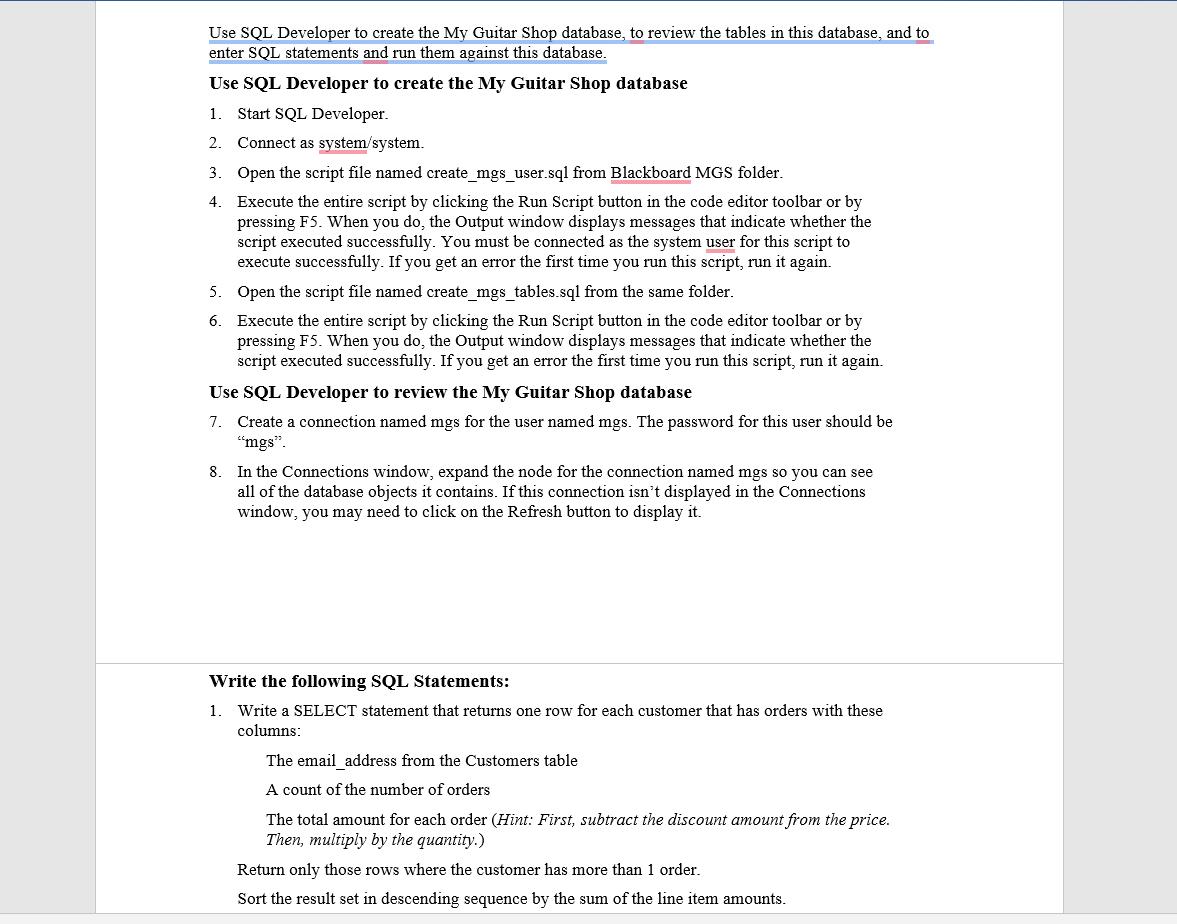
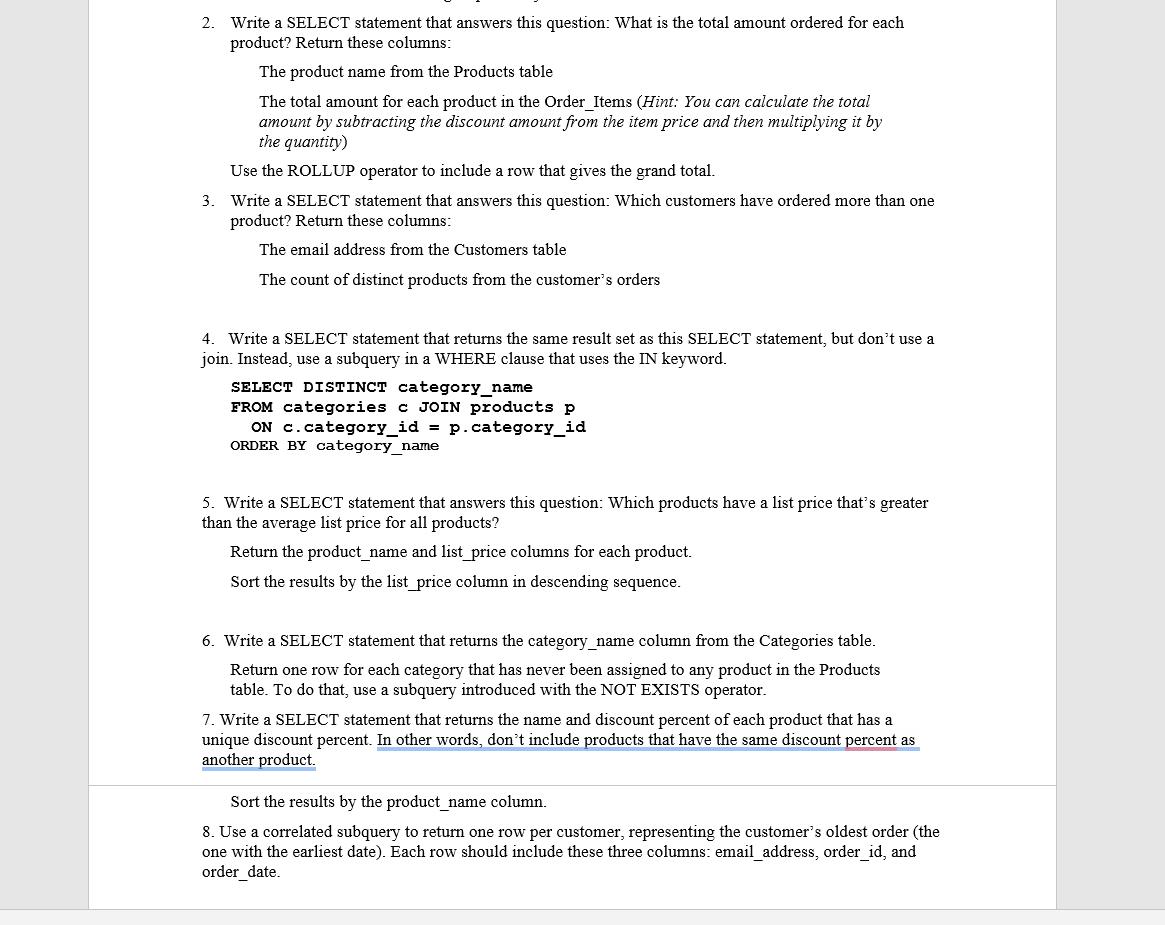
Use SQL Developer to create the My Guitar Shop database, to review the tables in this database, and to enter SQL statements and run them against this database. Use SQL Developer to create the My Guitar Shop database 1. Start SQL Developer. 2. Connect as system/system. 3. Open the script file named create_mgs_user.sql from Blackboard MGS folder. 4. Execute the entire script by clicking the Run Script button in the code editor toolbar or by pressing F5. When you do, the Output window displays messages that indicate whether the script executed successfully. You must be connected as the system user for this script to execute successfully. If you get an error the first time you run this script, run it again. 5. Open the script file named create_mgs_tables.sql from the same folder. 6. Execute the entire script by clicking the Run Script button in the code editor toolbar or by pressing F5. When you do, the Output window displays messages that indicate whether the script executed successfully. If you get an error the first time you run this script, run it again. Use SQL Developer to review the My Guitar Shop database 7. Create a connection named mgs for the user named mgs. The password for this user should be "mgs". 8. In the Connections window, expand the node for the connection named mgs so you can see all of the database objects it contains. If this connection isn't displayed in the Connections window, you may need to click on the Refresh button to display it. Write the following SQL Statements: 1. Write a SELECT statement that returns one row for each customer that has orders with these columns: The email_address from the Customers table A count of the number of orders The total amount for each order (Hint: First, subtract the discount amount from the price. Then, multiply by the quantity.) Return only those rows where the customer has more than 1 order. Sort the result set in descending sequence by the sum of the line item amounts. 2. Write a SELECT statement that answers this question: What is the total amount ordered for each product? Return these columns: The product name from the Products table The total amount for each product in the Order_Items (Hint: You can calculate the total amount by subtracting the discount amount from the item price and then multiplying it by the quantity) Use the ROLLUP operator to include a row that gives the grand total. 3. Write a SELECT statement that answers this question: Which customers have ordered more than one product? Return these columns: The email address from the Customers table The count of distinct products from the customer's orders 4. Write a SELECT statement that returns the same result set as this SELECT statement, but don't use a join. Instead, use a subquery in a WHERE clause that uses the IN keyword. SELECT DISTINCT category_name FROM categories c JOIN products p ON c.category_id = ORDER BY category_name p.category_id 5. Write a SELECT statement that answers this question: Which products have a list price that's greater than the average list price for all products? Return the product_name and list_price columns for each product. Sort the results by the list_price column in descending sequence. 6. Write a SELECT statement that returns the category_name column from the Categories table. Return one row for each category that has never been assigned to any product in the Products table. To do that, use a subquery introduced with the NOT EXISTS operator. 7. Write a SELECT statement that returns the name and discount percent of each product that has a unique discount percent. In other words, don't include products that have the same discount percent as another product. Sort the results by the product_name column. 8. Use a correlated subquery to return one row per customer, representing the customer's oldest order (the one with the earliest date). Each row should include these three columns: email_address, order_id, and order_date.
Step by Step Solution
There are 3 Steps involved in it

Get step-by-step solutions from verified subject matter experts
 Study Help