



Question: Use the Loan worksheet to complete the loan amortization table. In cell F 2 , insert the IPMT function to calculate the interest for the
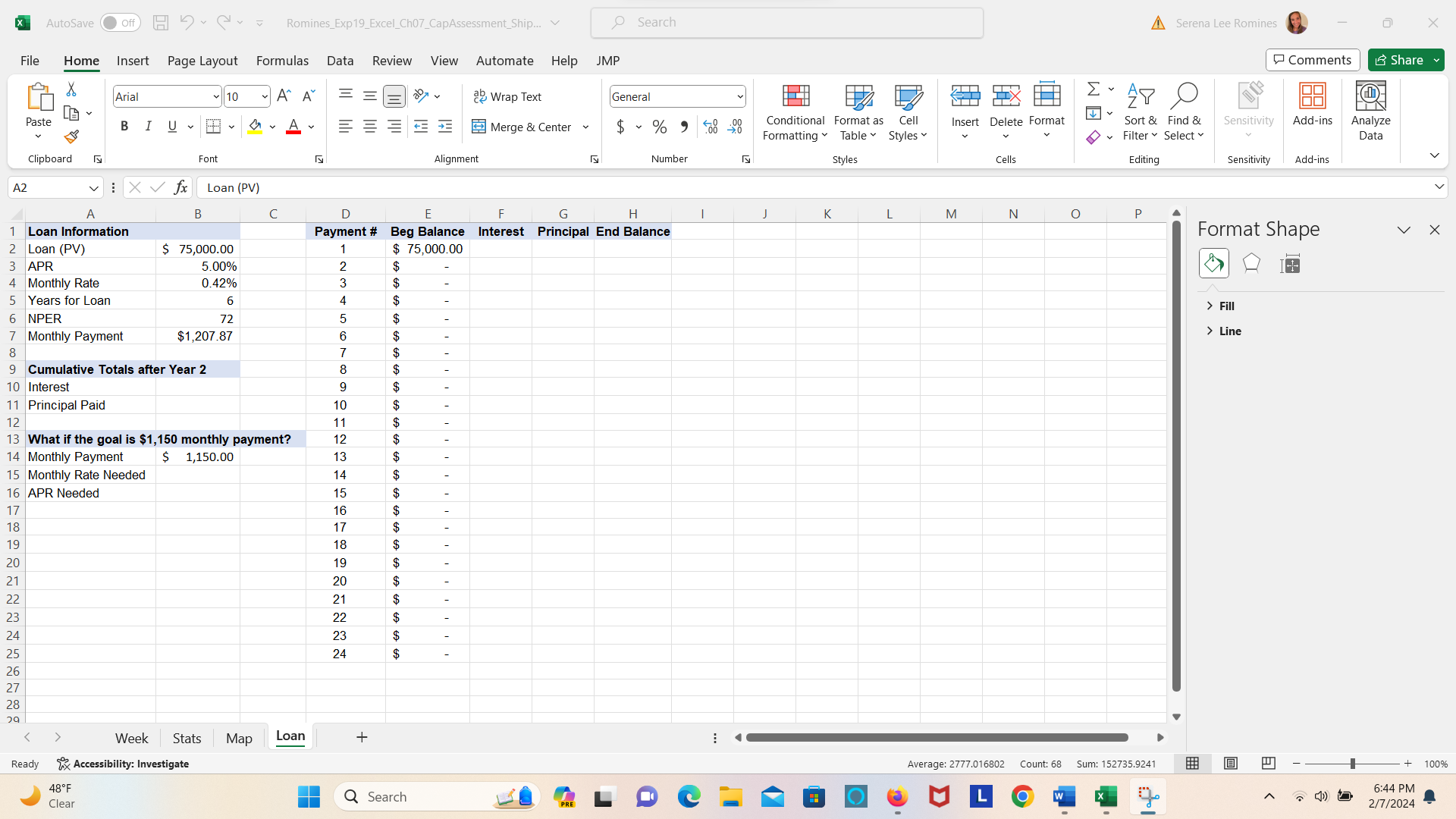
Use the Loan worksheet to complete the loan amortization table.
In cell F insert the IPMT function to calculate the interest for the first payment. Copy the function to the range F:FThe results will update after you complete the other functions and formulas.
In cell G insert the PPMT function to calculate the principal paid for the first payment. Copy the function to the range G:G
In cell H insert a formula to calculate the ending principal balance. Copy the formula to the range H:H
Now you want to determine how much interest was paid during the first two years.
In cell B insert the CUMIPMT function to calculate the cumulative interest after the first two years. Make sure the result is positive.
In cell B insert the CUMPRINC function to calculate the cumulative principal paid at the end of the first two years. Make sure the result is positive.
You want to perform a whatif analysis to determine the rate if the monthly payment is $ instead of $
In cell B insert the RATE function to calculate the necessary monthly rate given the NPER, proposed monthly payment, and loan. Make sure the result is positive.
Finally, you want to convert the monthly rate to an APR.
In cell B insert a formula to calculate the APR for the monthly rate in cell B
Insert a footer on all sheets with your name on the left side, the sheet name code in the center, and the file name code on the right side.
Save and close ExpExcelChCapAssessmentShipping.xlsx Exit Excel. Submit the file as directed.
Step by Step Solution
There are 3 Steps involved in it
1 Expert Approved Answer
Step: 1 Unlock

Question Has Been Solved by an Expert!
Get step-by-step solutions from verified subject matter experts
Step: 2 Unlock
Step: 3 Unlock