Question: Use the program Visio to make a flowchart process( Swim line diagram)by following these steps: Project 6-3: Create and Analyze a Process Flowchart Project Description:
Use the program Visio to make a flowchart process( Swim line diagram)by following these steps: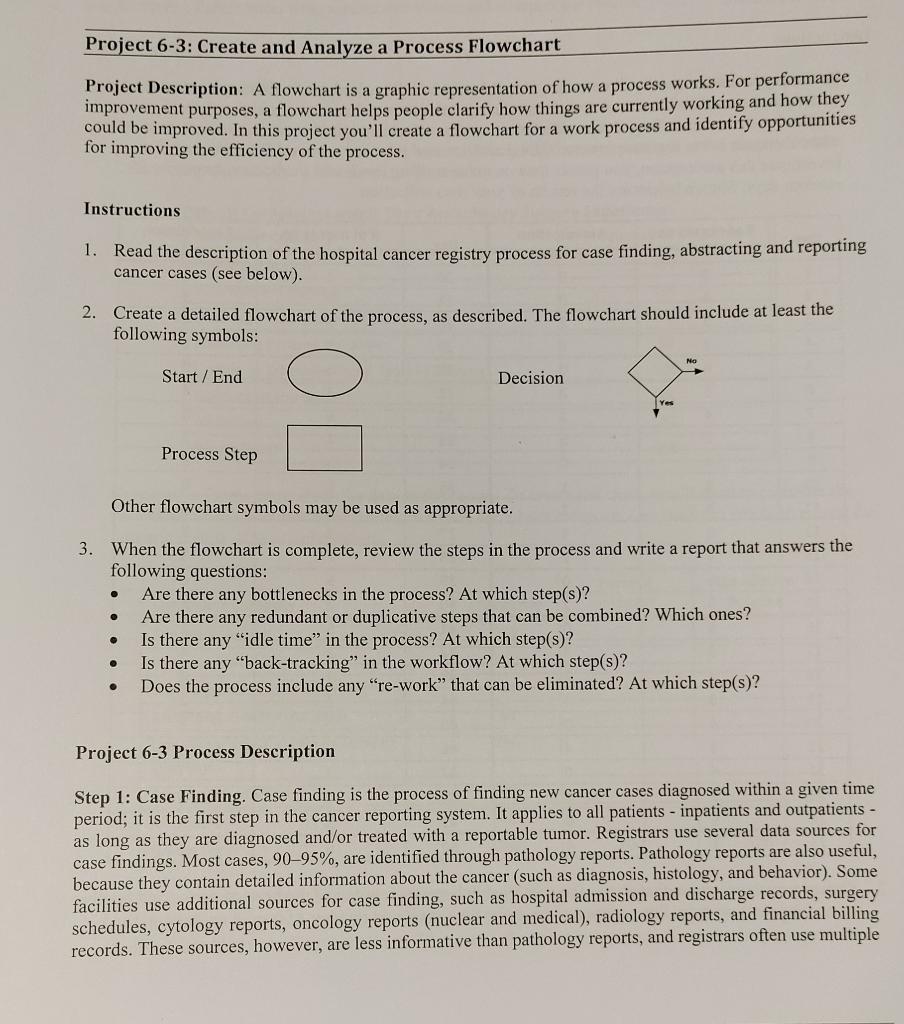
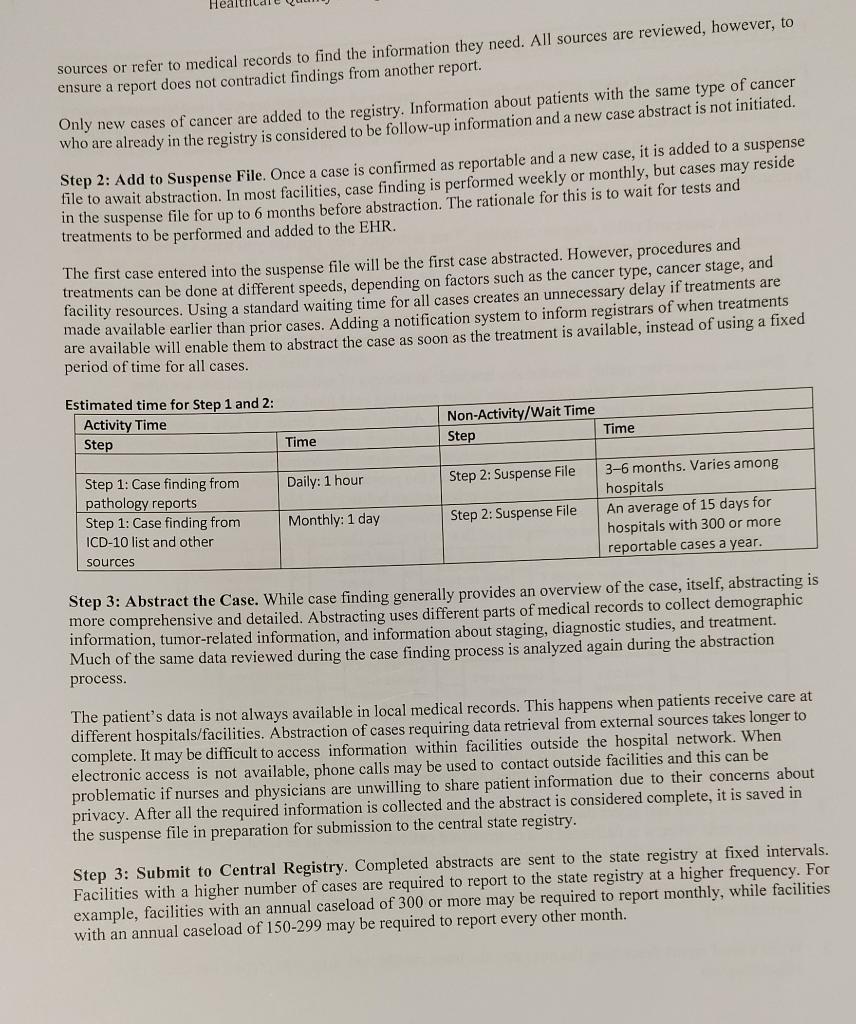
Project 6-3: Create and Analyze a Process Flowchart Project Description: A flowchart is a graphic representation of how a process works. For performance improvement purposes, a flowchart helps people clarify how things are currently working and how they could be improved. In this project you'll create a flowchart for a work process and identify opportunities for improving the efficiency of the process. Instructions 1. Read the description of the hospital cancer registry process for case finding, abstracting and reporting cancer cases (see below). 2. Create a detailed flowchart of the process, as described. The flowchart should include at least the following symbols: Start / End Decision Process Step Other flowchart symbols may be used as appropriate. . 3. When the flowchart is complete, review the steps in the process and write a report that answers the following questions: Are there any bottlenecks in the process? At which step(s)? Are there any redundant or duplicative steps that can be combined? Which ones? Is there any "idle time" in the process? At which step(s)? Is there any "back-tracking" in the workflow? At which step(s)? Does the process include any "re-work that can be eliminated? At which step(s)? . . Project 6-3 Process Description Step 1: Case Finding. Case finding is the process of finding new cancer cases diagnosed within a given time period; it is the first step in the cancer reporting system. It applies to all patients - inpatients and outpatients - as long as they are diagnosed and/or treated with a reportable tumor. Registrars use several data sources for case findings. Most cases, 90-95%, are identified through pathology reports. Pathology reports are also useful, because they contain detailed information about the cancer (such as diagnosis, histology, and behavior). Some facilities use additional sources for case finding, such as hospital admission and discharge records, surgery schedules, cytology reports, oncology reports (nuclear and medical), radiology reports, and financial billing records. These sources, however, are less informative than pathology reports, and registrars often use multiple Hea sources or refer to medical records to find the information they need. All sources are reviewed, however, to ensure a report does not contradict findings from another report. Only new cases of cancer are added to the registry. Information about patients with the same type of cancer who are already in the registry is considered to be follow-up information and a new case abstract is not initiated. Step 2: Add to Suspense File. Once a case is confirmed as reportable and a new case, it is added to a suspense file to await abstraction. In most facilities, case finding is performed weekly or monthly, but cases may reside in the suspense file for up to 6 months before abstraction. The rationale for this is to wait for tests and treatments to be performed and added to the EHR. The first case entered into the suspense file will be the first case abstracted. However, procedures and treatments can be done at different speeds, depending on factors such as the cancer type, cancer stage, and facility resources. Using a standard waiting time for all cases creates an unnecessary delay if treatments are made available earlier than prior cases. Adding a notification system to inform registrars of when treatments are available will enable them to abstract the case as soon as the treatment is available, instead of using a fixed period of time for all cases. Estimated time for Step 1 and 2: Activity Time Step Non-Activity/Wait Time Step Time Time Daily: 1 hour Step 2: Suspense File Step 1: Case finding from pathology reports Step 1: Case finding from ICD-10 list and other sources 3-6 months. Varies among hospitals An average of 15 days for hospitals with 300 or more reportable cases a year. Monthly: 1 day Step 2: Suspense File Step 3: Abstract the Case. While case finding generally provides an overview of the case, itself, abstracting is more comprehensive and detailed. Abstracting uses different parts of medical records to collect demographic information, tumor-related information, and information about staging, diagnostic studies, and treatment. Much of the same data reviewed during the case finding process is analyzed again during the abstraction process. The patient's data is not always available in local medical records. This happens when patients receive care at different hospitals/facilities. Abstraction of cases requiring data retrieval from external sources takes longer to complete. It may be difficult to access information within facilities outside the hospital network. When electronic access is not available, phone calls may be used to contact outside facilities and this can be problematic if nurses and physicians are unwilling to share patient information due to their concerns about privacy. After all the required information is collected and the abstract is considered complete, it is saved in the suspense file in preparation for submission to the central state registry. Step 3: Submit to Central Registry. Completed abstracts are sent to the state registry at fixed intervals. Facilities with a higher number of cases are required to report to the state registry at a higher frequency. For example, facilities with an annual caseload of 300 or more may be required to report monthly, while facilities with an annual caseload of 150-299 may be required to report every other month









 Study Help