







Question: Use the Programming Language ---- > MATLAB Assign newMatrixA with origMatrixA, then remove row delRow and column delCol from newMatrixA. Assign deletedElems with the deleted
Use the Programming Language ---- > MATLAB
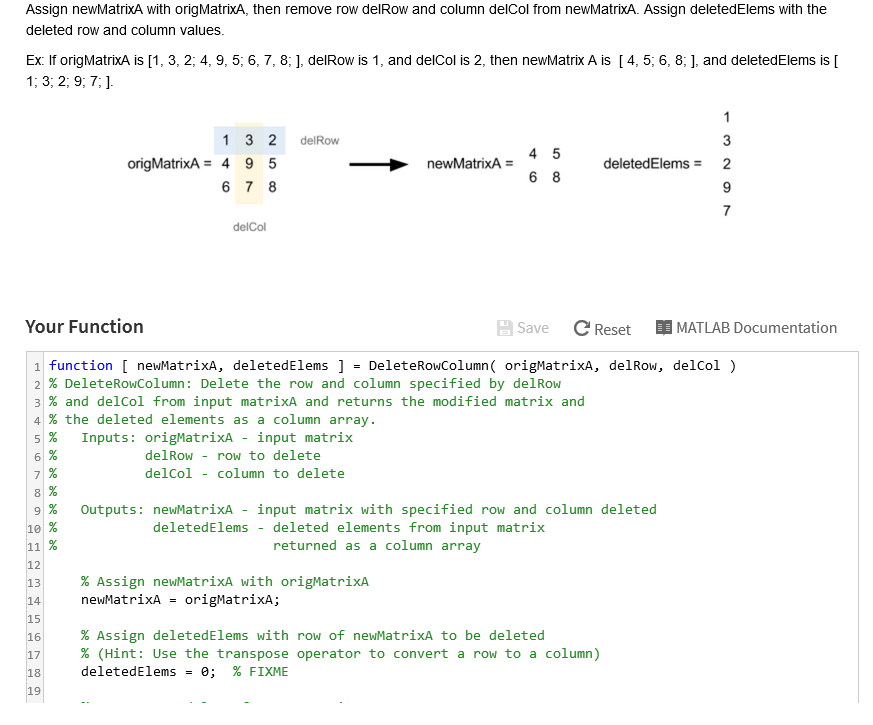
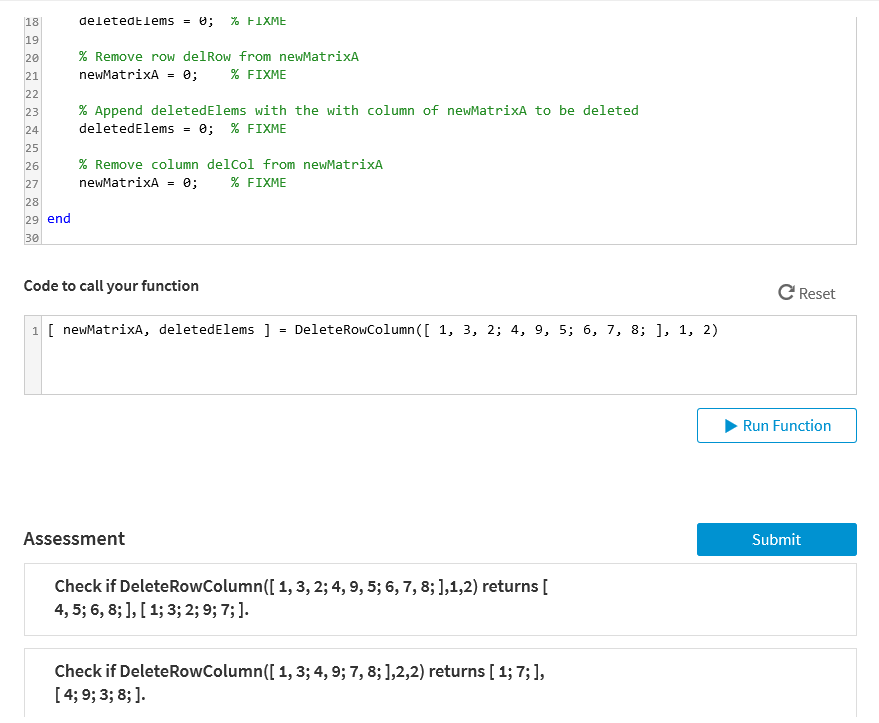
Assign newMatrixA with origMatrixA, then remove row delRow and column delCol from newMatrixA. Assign deletedElems with the deleted row and column values Ex f origMatrixA is [1, 3, 2, 4, 9, 5, 6, 7, 8; ], delRow is 1, and delCol is 2, then newMatrix A is [ 4, 5, 6, 8; ], and deletedElems is [ 1, 3, 2; 9; 7;] 1 3 2 delRow ongMatrixA= 4 9 5 deletedElems2 delCol Your Function Save C Reset MATLAB Documentation 1 function [ newMatrixA, deleted Elems ] = DeleteRowColumn( origMatrixA, delRow, delCol ) 2 % DeleteRowColumn: Delete the rol and column specified by delRo 3 % and delCol from input matrixA and returns the modified matrix and 4 % the deleted elements as a column array . 5 % Inputs: origMatrixA- input matrix 6% 71 % 8% 9 % Outputs: newMatrixA - input matrix with specified row and column deleted delRow -row, to delete delCol - column to delete 10 % 11 % deletedElems deleted elements from input matrix returned as a column array 13 % Assign newMatrixA with origMatrixA 14 16 17 18 19 % Assign delet edElems with row, of newMatrixA to be deleted % (Hint: Use the transpose operator to convert a row to a column) deletedElens=0; % FIXME
Step by Step Solution
There are 3 Steps involved in it

Get step-by-step solutions from verified subject matter experts
 Study Help