







Question: use the starter code no scanner method and explain how the code will work to give the output Create a function named temperatureConverter that converts
 use the starter code
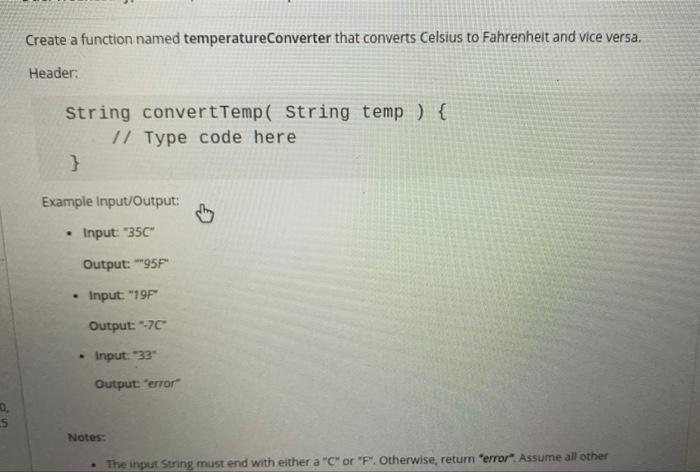
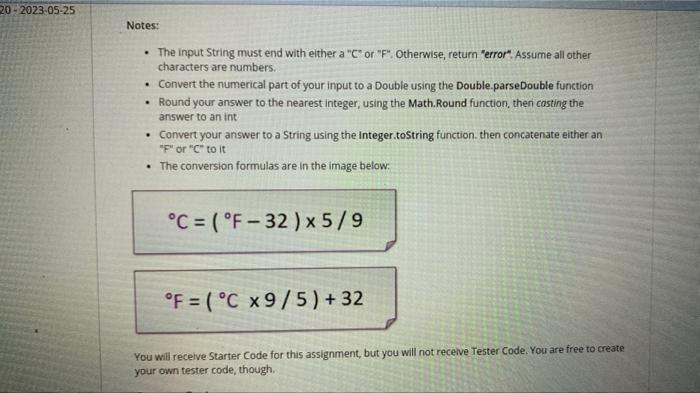
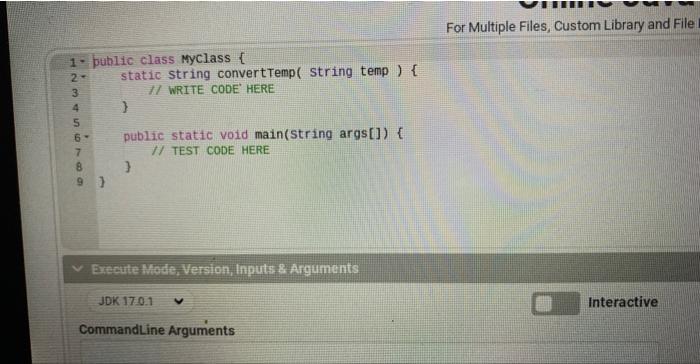
 Create a function named temperatureConverter that converts Celsius to Fahrenheit and vice versa. Header: String convertTemp( String temp ) // Type code here Example input/Output: - Input: "35C" Output: -95F" - Input "19F" Output: 77 - input: "33" Output: "error Notes: - The input String must end with either a " C " or " F ". Otherwise, return "error". Assume all other characters are numbers. - Convert the numerical part of your input to a Double using the Double.parseDouble function - Round your answer to the nearest integer, using the Math.Round function, then casting the answer to an int - Convert your answer to a String using the integer.tostring function. then concatenate either an "F" or " C " to it - The conversion formulas are in the image below: C=(F32)5/9 F=(C9/5)+32 You will receive Starter Code for this assignment, but you will not recelve Tester Code. You are free to create your own tester code, though. For Multiple Files, Custom Library and File Execute Mode, Version, fnputs \& Arguments JDK 170.1 Interactive CommandLine Arguments
Step by Step Solution
There are 3 Steps involved in it

Get step-by-step solutions from verified subject matter experts
 Study Help