







Question: Use VI and post output screen Use a For Loop to generate 100 random numbers. Determine the most current maximum and minimum number as the
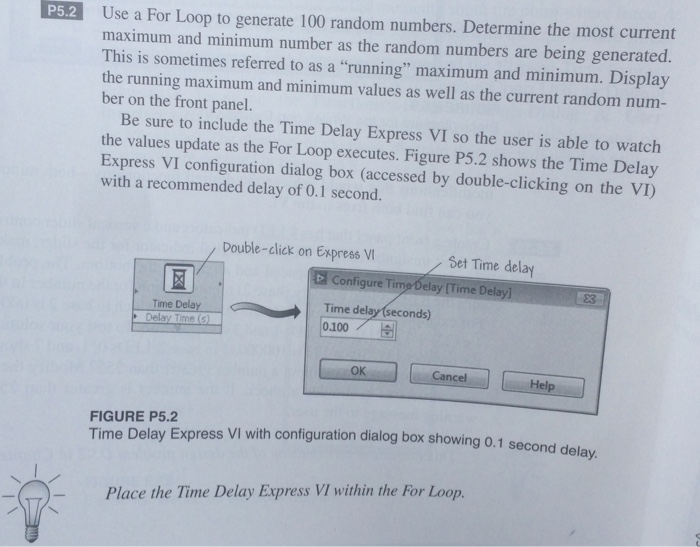
Use a For Loop to generate 100 random numbers. Determine the most current maximum and minimum number as the random numbers are being generated. This is sometimes referred to as a "running" maximum and minimum. Display the running maximum and minimum values as well as the current random num- ber on the front panel. P5.2 Be sure to include the Time Delay Express VI so the user is able to watch the values update as the For Loop executes. Figure P5.2 shows the Time Delay Express VI configuration dialog box (accessed by double-clicking on the VI) with a recommended delay of 0.1 second. Double-click on Express Vi Set Time delay D Configure Timp Oelay (Time Delay] 23 |. | Time delay(seconds) 0.100 Tirne Delay OK Cancel Help FIGURE P5.2 Time Delay Express VI with configuration dialog box showing 0.1 second delay Place the Time Delay Express VI within the For Loop
Step by Step Solution
There are 3 Steps involved in it

Get step-by-step solutions from verified subject matter experts
 Study Help