







Question: Use windows form applications (visual studio - windows basic) Task #1 : Create a prograrn to allow users to enter student ID, name, and score.
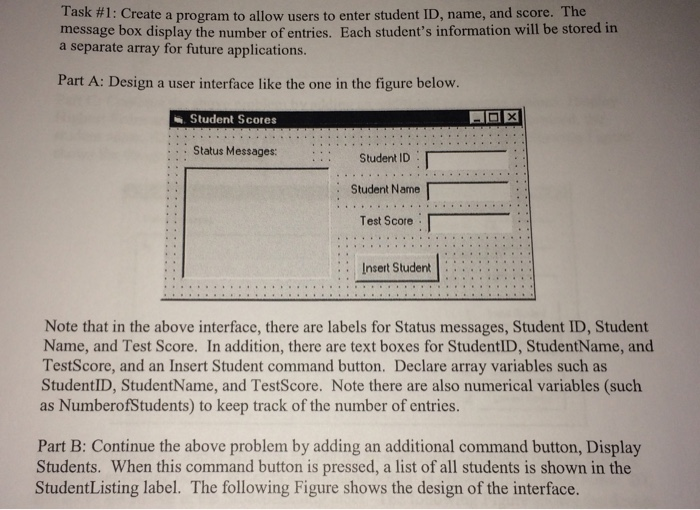
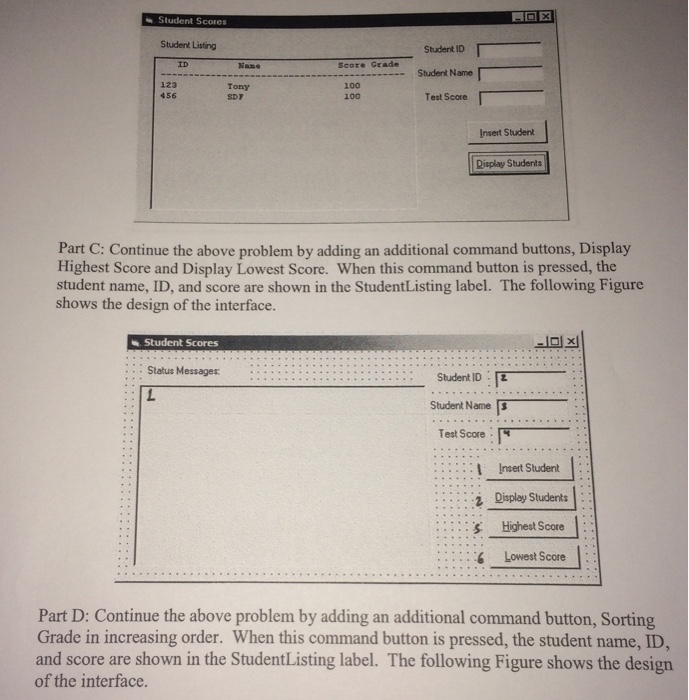
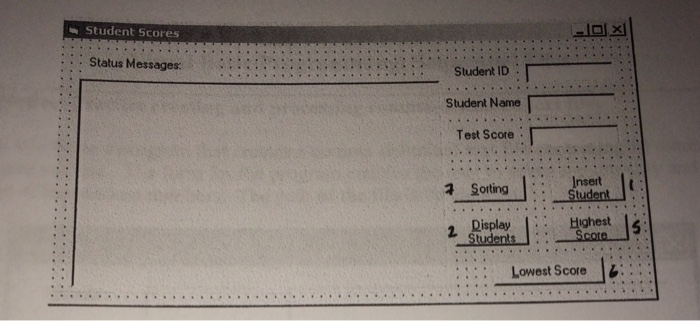
Task #1 : Create a prograrn to allow users to enter student ID, name, and score. The message box display the number of entries. Each student's information will be stored in a separate array for future applications. Part A: Design a user interface like the one in the figure below. . Student Scores Status Messages: :Student ID Student Name Test Score Insert Student Note that in the above interface, there are labels for Status messages, Student ID, Student Name, and Test Score. In addition, there are text boxes for StudentID, StudentName, and TestScore, and an Insert Student command button. Declare array variables such as StudentID, StudentName, and TestScore. Note there are also numerical variables (such as NumberofStudents) to keep track of the number of entries. Part B: Continue the above problem by adding an additional command button, Display Students. When this command button is pressed, a list of all students is shown in the StudentListing label. The following Figure shows the design of the interface
Step by Step Solution
There are 3 Steps involved in it

Get step-by-step solutions from verified subject matter experts
 Study Help