







Question: Use your knowledge of UNIX / Linux and the BASH Shell to create the simple script indicated.... For maximum credit, your script should follow all
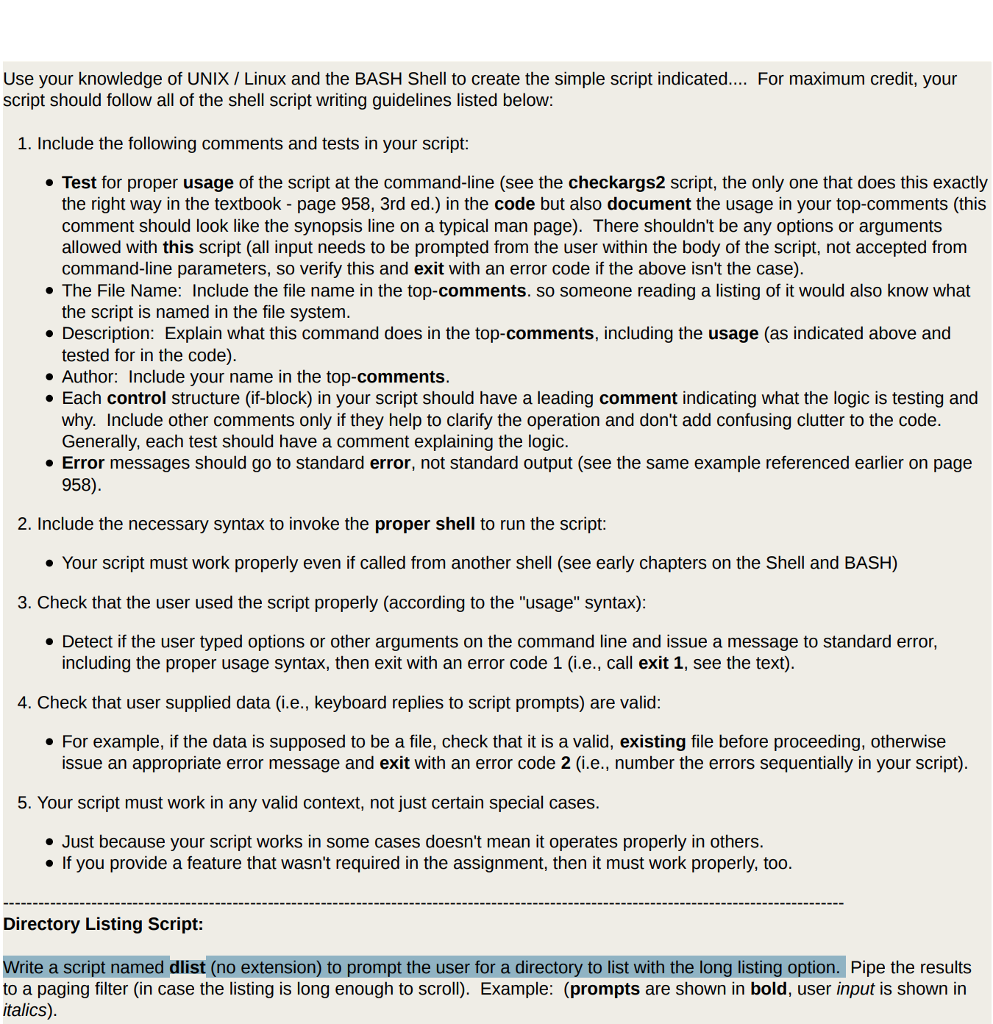
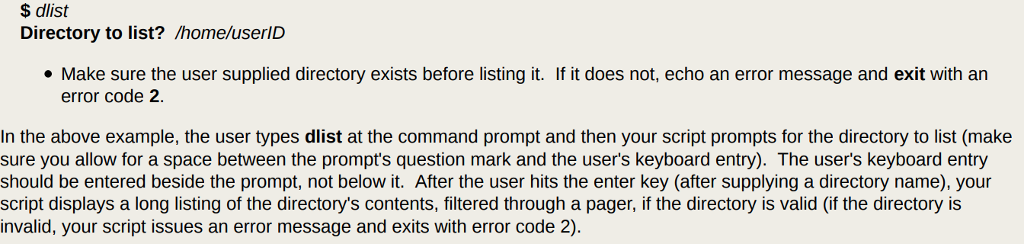
Use your knowledge of UNIX / Linux and the BASH Shell to create the simple script indicated.... For maximum credit, your script should follow all of the shell script writing guidelines listed below 1. Include the following comments and tests in your script: Test for proper usage of the script at the command-line (see the checkargs2 script, the only one that does this exactly the right way in the textbook - page 958, 3rd ed.) in the code but also document the usage in your top-comments (this comment should look like the synopsis line on a typical man page). There shouldn't be any options or argument:s allowed with this script (all input needs to be prompted from the user within the body of the script, not accepted from command-line parameters, so verity this and exit with an error code if the above isn't the case) * The File Name: Include the file name in the top-comments. so someone reading a listing of it would also know what the script is named in the file system Description: Explain what this command does in the top-comments, including the usage (as indicated above and tested for in the code) Author: Include your name in the top-comments . Each control structure (if-block) in your script should have a leading comment indicating what the logic is testing and why. Include other comments only if they help to clarify the operation and don't add confusing clutter to the code Generally, each test should have a comment explaining the logic Error messages should go to standard error, not standard output (see the same example referenced earlier on page 958) 2. Include the necessary syntax to invoke the proper shell to run the script . Your script must work properly even if called from another shell (see early chapters on the Shell and BASH) 3. Check that the user used the script properly (according to the "usage" syntax) Detect if the user typed options or other arguments on the command line and issue a message to standard error, including the proper usage syntax, then exit with an error code 1 (i.e., call exit 1, see the text) 4. Check that user supplied data (i.e., keyboard replies to script prompts) are valid For example, if the data is supposed to be a file, check that it is a valid, existing file before proceeding, otherwise issue an appropriate error message and exit with an error code 2 (i.e., number the errors sequentially in your script) 5. Your script must work in any valid context, not just certain special cases e Just because your script works in some cases doesn't mean it operates properly in others e If you provide a feature that wasn't required in the assignment, then it must work properly, too Directory Listing Script: Write a script named dlist (no extension) to prompt the user for a directory to list with the long listing option. Pipe the results to a paging filter (in case the listing is long enough to scroll). Example: (prompts are shown in bold, user input is shown in italics) Use your knowledge of UNIX / Linux and the BASH Shell to create the simple script indicated.... For maximum credit, your script should follow all of the shell script writing guidelines listed below 1. Include the following comments and tests in your script: Test for proper usage of the script at the command-line (see the checkargs2 script, the only one that does this exactly the right way in the textbook - page 958, 3rd ed.) in the code but also document the usage in your top-comments (this comment should look like the synopsis line on a typical man page). There shouldn't be any options or argument:s allowed with this script (all input needs to be prompted from the user within the body of the script, not accepted from command-line parameters, so verity this and exit with an error code if the above isn't the case) * The File Name: Include the file name in the top-comments. so someone reading a listing of it would also know what the script is named in the file system Description: Explain what this command does in the top-comments, including the usage (as indicated above and tested for in the code) Author: Include your name in the top-comments . Each control structure (if-block) in your script should have a leading comment indicating what the logic is testing and why. Include other comments only if they help to clarify the operation and don't add confusing clutter to the code Generally, each test should have a comment explaining the logic Error messages should go to standard error, not standard output (see the same example referenced earlier on page 958) 2. Include the necessary syntax to invoke the proper shell to run the script . Your script must work properly even if called from another shell (see early chapters on the Shell and BASH) 3. Check that the user used the script properly (according to the "usage" syntax) Detect if the user typed options or other arguments on the command line and issue a message to standard error, including the proper usage syntax, then exit with an error code 1 (i.e., call exit 1, see the text) 4. Check that user supplied data (i.e., keyboard replies to script prompts) are valid For example, if the data is supposed to be a file, check that it is a valid, existing file before proceeding, otherwise issue an appropriate error message and exit with an error code 2 (i.e., number the errors sequentially in your script) 5. Your script must work in any valid context, not just certain special cases e Just because your script works in some cases doesn't mean it operates properly in others e If you provide a feature that wasn't required in the assignment, then it must work properly, too Directory Listing Script: Write a script named dlist (no extension) to prompt the user for a directory to list with the long listing option. Pipe the results to a paging filter (in case the listing is long enough to scroll). Example: (prompts are shown in bold, user input is shown in italics)
Step by Step Solution
There are 3 Steps involved in it

Get step-by-step solutions from verified subject matter experts
 Study Help