







Question: Using APP INVENTOR modify the following code MOLE MASH ASSIGNMENT - Part 2 Let's make the game a little harder. Right now, all the player
Using APP INVENTOR modify the following code
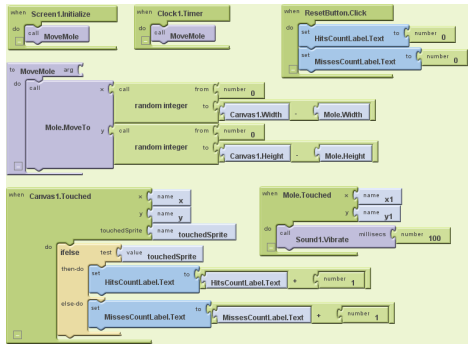
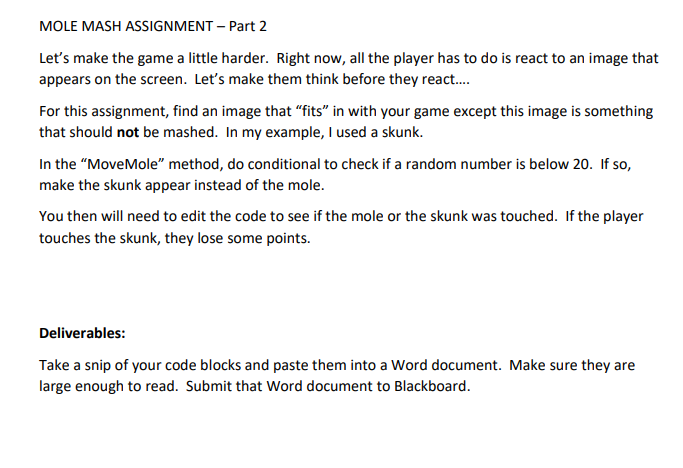
MOLE MASH ASSIGNMENT - Part 2 Let's make the game a little harder. Right now, all the player has to do is react to an image that appears on the screen. Let's make them think before they react.... For this assignment, find an image that "fits" in with your game except this image is something that should not be mashed. In my example, I used a skunk. In the "MoveMole" method, do conditional to check if a random number is below 20 . If so, make the skunk appear instead of the mole. You then will need to edit the code to see if the mole or the skunk was touched. If the player touches the skunk, they lose some points. Deliverables: Take a snip of your code blocks and paste them into a Word document. Make sure they are large enough to read. Submit that Word document to Blackboard. MOLE MASH ASSIGNMENT - Part 2 Let's make the game a little harder. Right now, all the player has to do is react to an image that appears on the screen. Let's make them think before they react.... For this assignment, find an image that "fits" in with your game except this image is something that should not be mashed. In my example, I used a skunk. In the "MoveMole" method, do conditional to check if a random number is below 20 . If so, make the skunk appear instead of the mole. You then will need to edit the code to see if the mole or the skunk was touched. If the player touches the skunk, they lose some points. Deliverables: Take a snip of your code blocks and paste them into a Word document. Make sure they are large enough to read. Submit that Word document to Blackboard
Step by Step Solution
There are 3 Steps involved in it

Get step-by-step solutions from verified subject matter experts
 Study Help