







Question: Using arduino Part A 1. Use the Button construction from the previous assignment. a. Source: Examples/0.2Digital/Button b. Save the Button program as Button Logger. i.
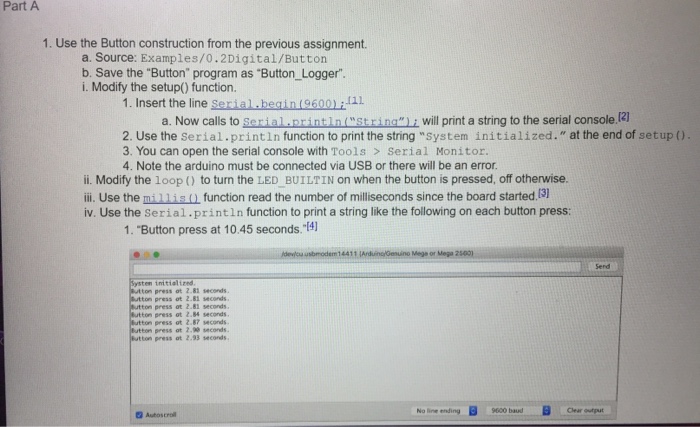
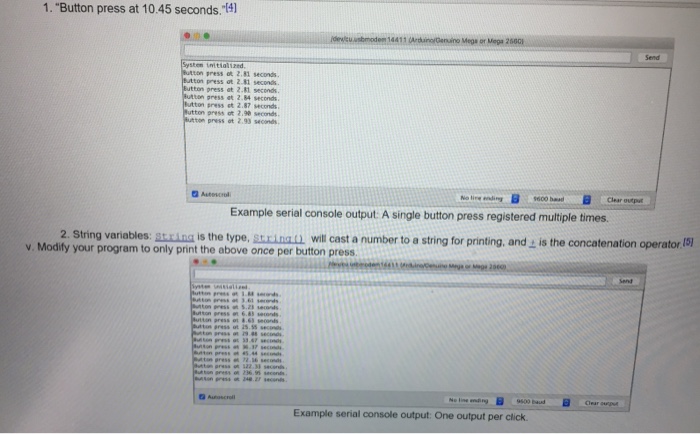
Part A 1. Use the Button construction from the previous assignment. a. Source: Examples/0.2Digital/Button b. Save the "Button" program as "Button Logger". i. Modify the setup() function. 1. Insert the line Serial.beain(96001:111 a. Now calls to Serial printin"strina" 1 will print a string to the serial console 21 2. Use the Serial.println function to print the string "system initialized." at the end of setup ) 3. You can open the serial console with Tools> Serial Monitor 4. Note the arduino must be connected via USB or there will be an error ii. Modify the loop ) to turn the LED BUILTIN on when the button is pressed, off otherwise. iii. Use the mill is o function read the number of milliseconds since the board started. iv. Use the Serial.println function to print a string like the following on each button press: 1. "Button press at 10.45 seconds."4) Systen initialized Button press ot 2.81 seconds Button press ot 2.81 seconds Button press ot 2.81 seconds Button press ot 2.84 seconds press ot 2 87conds Button press at 2.93 seconds No line ending 9600 baudClear ut
Step by Step Solution
There are 3 Steps involved in it

Get step-by-step solutions from verified subject matter experts
 Study Help