







Question: Using c++ Develop a Student Cafeteria Record System by using all concepts Each student can open an account in the cafeteria. It has the following
Using c++
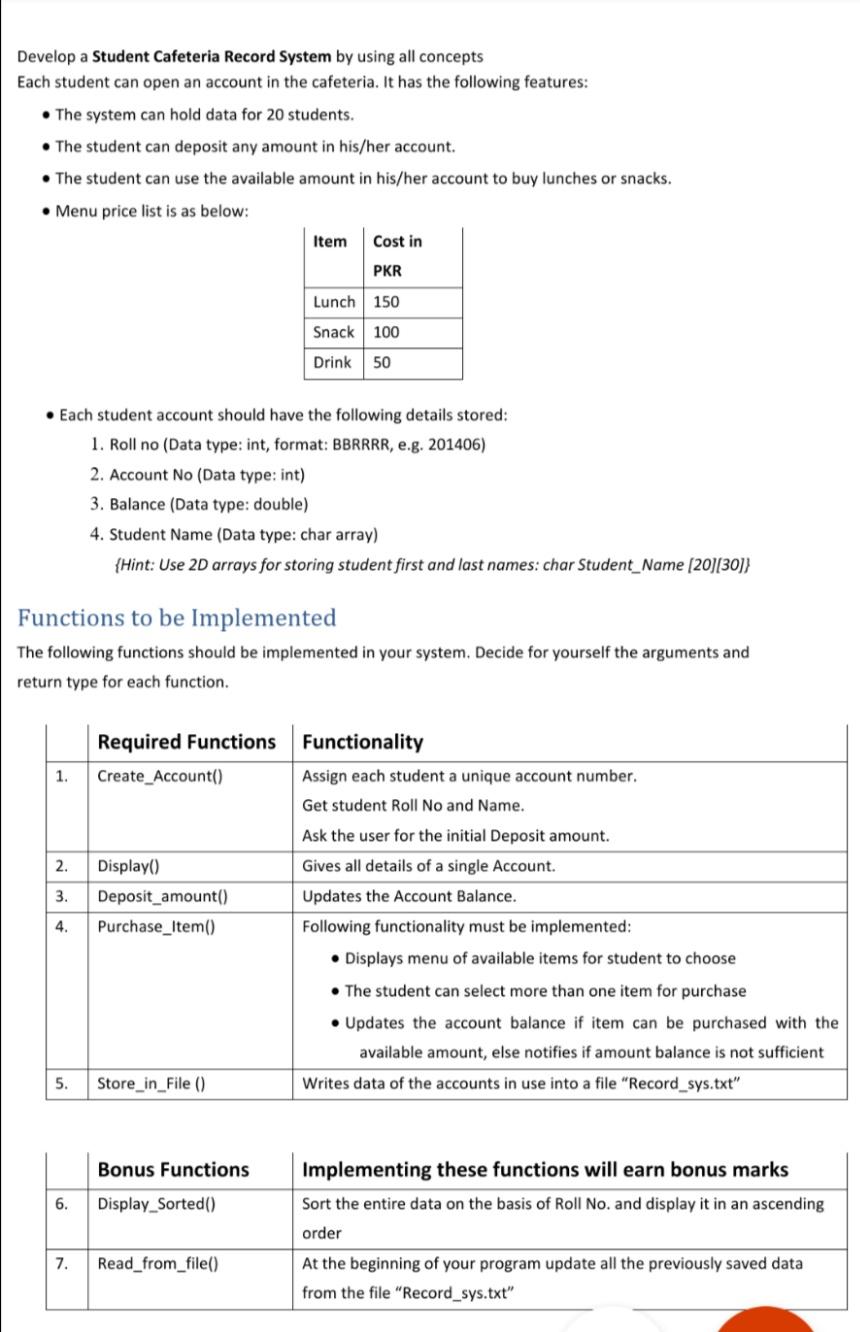
Develop a Student Cafeteria Record System by using all concepts Each student can open an account in the cafeteria. It has the following features: The system can hold data for 20 students. The student can deposit any amount in his/her account. The student can use the available amount in his/her account to buy lunches or snacks. Menu price list is as below: Item Cost in PKR Lunch 150 Snack 100 Drink 50 Each student account should have the following details stored: 1. Roll no (Data type: int, format: BBRRRR, e.g. 201406) 2. Account No (Data type: int) 3. Balance (Data type: double) 4. Student Name (Data type: char array) (Hint: Use 2D arrays for storing student first and last names: char Student_Name (20][30]} Functions to be Implemented The following functions should be implemented in your system. Decide for yourself the arguments and return type for each function. 1. 2. 3. Required Functions Functionality Create_Account() Assign each student a unique account number. Get student Roll No and Name. Ask the user for the initial Deposit amount. Display() Gives all details of a single Account. Deposit_amount() Updates the Account Balance. Purchase_Item() Following functionality must be implemented: Displays menu of available items for student to choose The student can select more than one item for purchase Updates the account balance if item can be purchased with the available amount, else notifies if amount balance is not sufficient Store_in_File (0) Writes data of the accounts in use into a file "Record_sys.txt" 4. 5. Bonus Functions 6. Display_Sorted() Implementing these functions will earn bonus marks Sort the entire data on the basis of Roll No. and display it in an ascending order At the beginning of your program update all the previously saved data from the file "Record_sys.txt" 7. Read_from_file()
Step by Step Solution
There are 3 Steps involved in it

Get step-by-step solutions from verified subject matter experts
 Study Help