Question: Using C in Microsoft Visual Studio Below, you can see the basis of my program in the 1st picture. The second picture contains the problem.
Using C in Microsoft Visual Studio Below, you can see the basis of my program in the 1st picture. The second picture contains the problem. How do you extract classes?
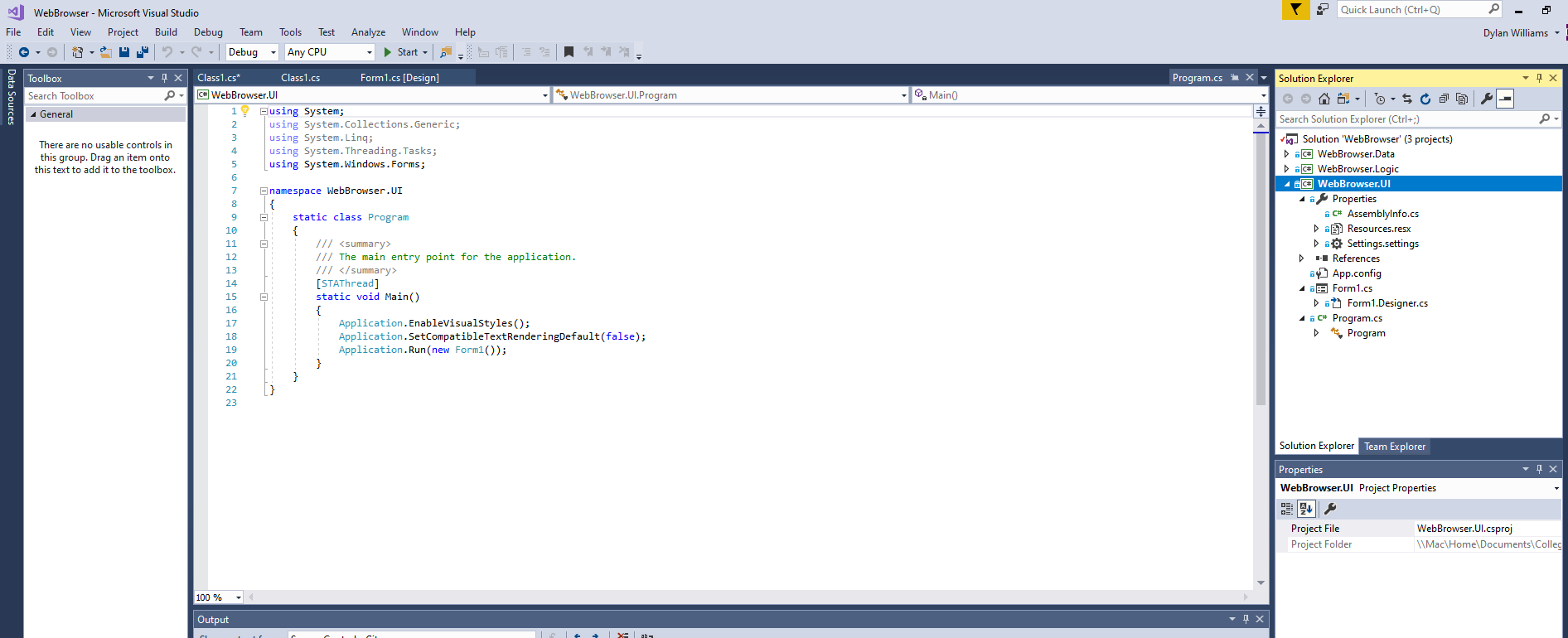
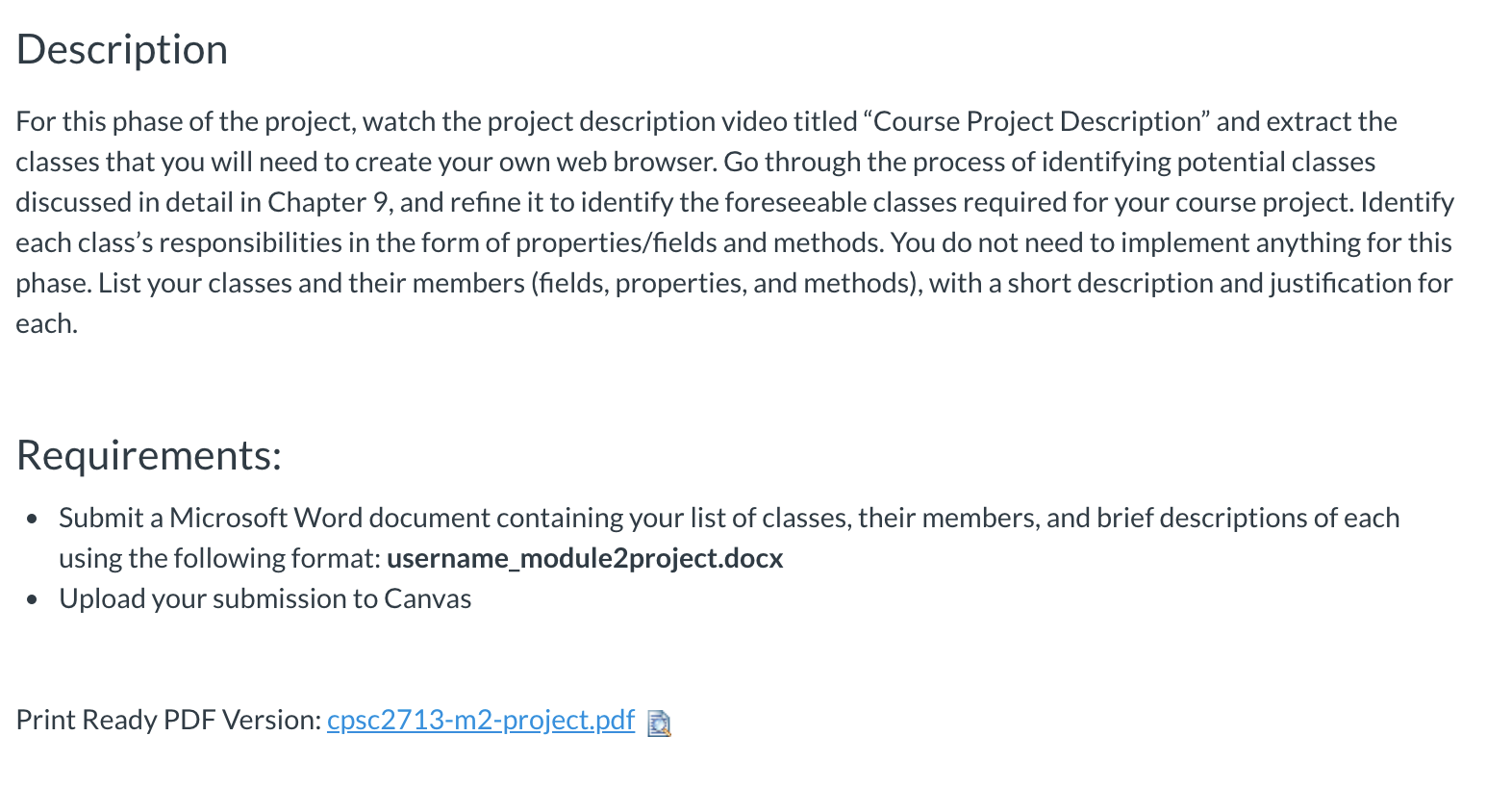
Quick Launch (Ctrl+Q) - 2 Dylan Williams File 3 .11 Program.cs * X . - 1 x Data Sources Web Browser - Microsoft Visual Studio Edit View Project Build Debug Team Tools Test Analyze Window Help - 13 -1 2 - - Debug - Any CPU - Start - Toolbox - Ax Class1.cs* Classics Form1.cs Design Search Toolbox - C# Web Browser.UI 1 General 1 ? Pusing System; using System.Collections.Generic; using System.Linq; There are no usable controls in using System.Threading.Tasks; this group. Drag an item onto this text to add it to the toolbox. using System.Windows.Forms; namespace Webbrowser.UI - Web Browser.UI.Program Wel browse UL Program - Main Main - Solution Explorer 0.- '.$ C Search Solution Explorer (Ctrl+;) Solution 'WebBrowser' (3 projects) a C# Web Browser.Data a C# WebBrowser.Logic C# WebBrowser.UI Properties C# AssemblyInfo.cs ) Resources.resx O Settings.settings - References ay App.config 18 Form1.cs at Form1.Designer.cs C# Program.cs Program static class Program /// /// The main entry point for the application. /// [STAThread] static void Main() Application. EnableVisualStyles(); Application. Set CompatibleTextRenderingDefault(false); Application.Run(new Form1()); Solution Explorer Team Explorer ix Properties WebBrowser.UI Project Properties Project File Project Folder Web Browser.UI.csproj \\Mac\Home\Documents Colleg 100% - Output - IX L + X ab Description For this phase of the project, watch the project description video titled Course Project Description" and extract the classes that you will need to create your own web browser. Go through the process of identifying potential classes discussed in detail in Chapter 9, and refine it to identify the foreseeable classes required for your course project. Identify each class's responsibilities in the form of properties/fields and methods. You do not need to implement anything for this phase. List your classes and their members (fields, properties, and methods), with a short description and justification for each. Requirements: Submit a Microsoft Word document containing your list of classes, their members, and brief descriptions of each using the following format: username_module2project.docx Upload your submission to Canvas Print Ready PDF Version: cpsc2713-m2-project.pdf D Quick Launch (Ctrl+Q) - 2 Dylan Williams File 3 .11 Program.cs * X . - 1 x Data Sources Web Browser - Microsoft Visual Studio Edit View Project Build Debug Team Tools Test Analyze Window Help - 13 -1 2 - - Debug - Any CPU - Start - Toolbox - Ax Class1.cs* Classics Form1.cs Design Search Toolbox - C# Web Browser.UI 1 General 1 ? Pusing System; using System.Collections.Generic; using System.Linq; There are no usable controls in using System.Threading.Tasks; this group. Drag an item onto this text to add it to the toolbox. using System.Windows.Forms; namespace Webbrowser.UI - Web Browser.UI.Program Wel browse UL Program - Main Main - Solution Explorer 0.- '.$ C Search Solution Explorer (Ctrl+;) Solution 'WebBrowser' (3 projects) a C# Web Browser.Data a C# WebBrowser.Logic C# WebBrowser.UI Properties C# AssemblyInfo.cs ) Resources.resx O Settings.settings - References ay App.config 18 Form1.cs at Form1.Designer.cs C# Program.cs Program static class Program /// /// The main entry point for the application. /// [STAThread] static void Main() Application. EnableVisualStyles(); Application. Set CompatibleTextRenderingDefault(false); Application.Run(new Form1()); Solution Explorer Team Explorer ix Properties WebBrowser.UI Project Properties Project File Project Folder Web Browser.UI.csproj \\Mac\Home\Documents Colleg 100% - Output - IX L + X ab Description For this phase of the project, watch the project description video titled Course Project Description" and extract the classes that you will need to create your own web browser. Go through the process of identifying potential classes discussed in detail in Chapter 9, and refine it to identify the foreseeable classes required for your course project. Identify each class's responsibilities in the form of properties/fields and methods. You do not need to implement anything for this phase. List your classes and their members (fields, properties, and methods), with a short description and justification for each. Requirements: Submit a Microsoft Word document containing your list of classes, their members, and brief descriptions of each using the following format: username_module2project.docx Upload your submission to Canvas Print Ready PDF Version: cpsc2713-m2-project.pdf D









 Study Help