







Question: Using C/Unix: Write a C program, called SIN_validate, to validate Canadian SIN numbers stored in a file. Only Unix in- put/output system calls can be
Using C/Unix:
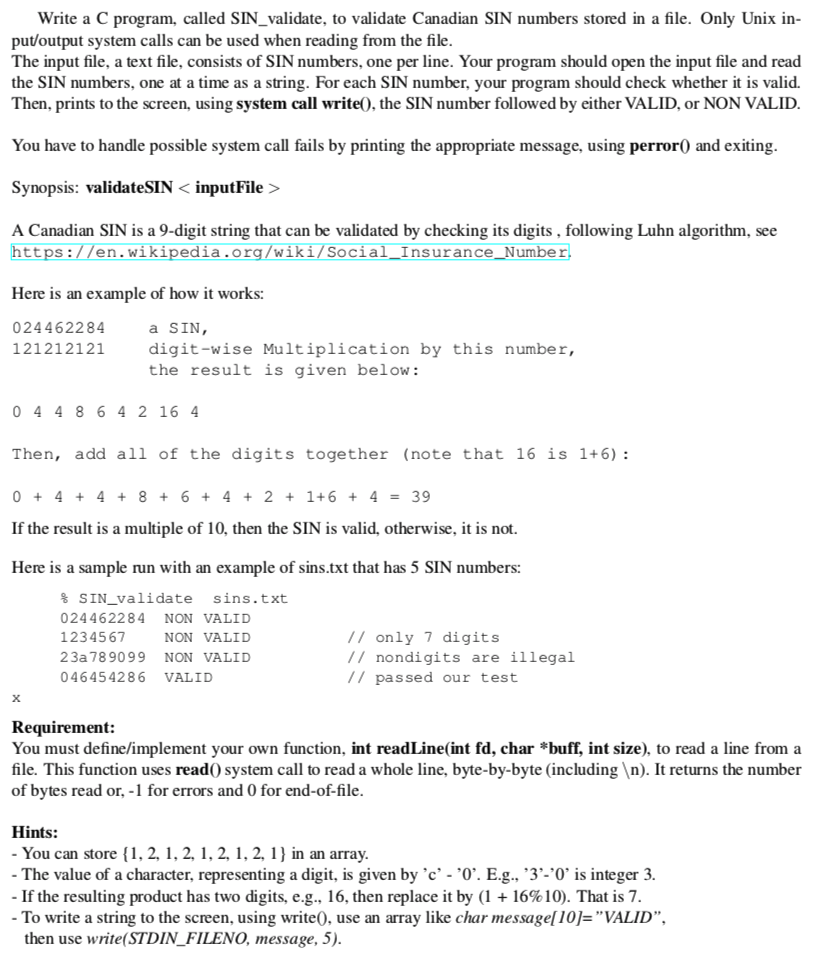
Write a C program, called SIN_validate, to validate Canadian SIN numbers stored in a file. Only Unix in- put/output system calls can be used when reading from the file. The input file, a text file, consists of SIN numbers, one per line. Your program should open the input file and read the SIN numbers, one at a time as a string. For each SIN number, your program should check whether it is valid. Then, prints to the screen, using system call write0, the SIN number followed by either VALID, or NON VALID You have to handle possible system call fails by printing the appropriate message, using perror0 and exiting Synopsis: validateSINinputFile > A Canadian SIN is a 9-digit string that can be validated by checking its digits, following Luhn algorithm, see ttps://en.wi edia.org/W Social InsuranceNum Here is an example of how it works: 024462284 121212121 a SIN digit-wise Multiplication by this number, the result is given below: 0 4 48 6 4 2 16 4 Then, add all of the digits togethe (note that 16 is 1+6) 0+4+4 8+64 +2 1+6 + 439 If the result is a multiple of 10, then the SIN is valid, otherwise, it is not. Here is a sample run with an example of sins.txt that has 5 SIN numbers: %SIN validate sns.txt 024462284 NON VALID 1234567 23a 789099 NON VALID 046454286 VALID 7 only 7 digits // nondigits are illegal // passed our test NON VALID Requirement: You must define/implement your own function, int readLine(int fd, char *buff, nt size), to read a line from a file. This function uses read0 system call to read a whole line, byte-by-byte (including n). It returns the number of bytes read or,-1 for errors and 0 for end-of-file. Hints: You can store, 2, 1.2.1.2, 1,2,1 in an array -The value of a character, representing a digit, is given by 'c - '0'. E.g., '3'-'0" is integer 3. . If the resulting product has two digits, e.g., 16, then replace t by (1 + 16% 10). That is 7. To write a string to the screen, using write0, use an array like char messagel10]-"VALID", then use write(STDIN FILENO, message, 5)
Step by Step Solution
There are 3 Steps involved in it

Get step-by-step solutions from verified subject matter experts
 Study Help