







Question: Using Dos Debug answer the following Part 2: Assembling Instructions Next we will learn how to use the ASSEMBLE command to enter assembly language instructions
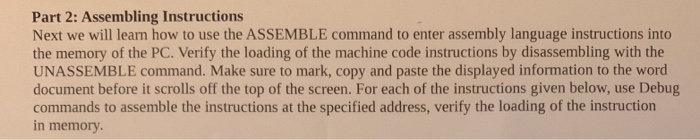
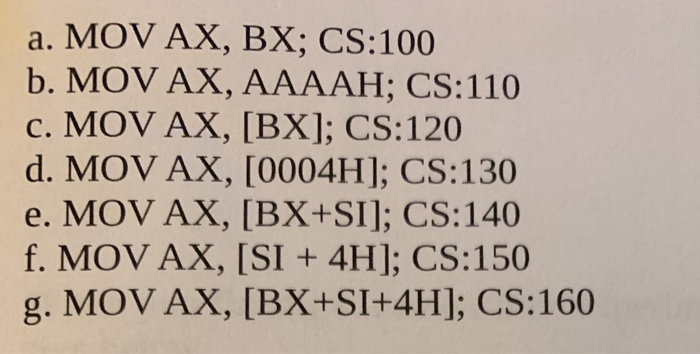
Part 2: Assembling Instructions Next we will learn how to use the ASSEMBLE command to enter assembly language instructions into the memory of the PC. Verify the loading of the machine code instructions by disassembling with the UNASSEMBLE command. Make sure to mark, copy and paste the displayed information to the word document before it scrolls off the top of the screen. For each of the instructions given below, use Debug commands to assemble the instructions at the specified address, verify the loading of the instruction in memory a. MOV AX, BX; CS:100 b. MOV AX, AAAAH; CS:110 c. MOV AX, [BX]; CS:120 d. MOV AX, [0004H]; CS:130 e. MOV AX, [BX+SI]; CS:140 f. MOV AX, [SI + 4H]; CS:150 g. MOV AX, [BX+SI+4H]; CS:160 Part 2: Assembling Instructions Next we will learn how to use the ASSEMBLE command to enter assembly language instructions into the memory of the PC. Verify the loading of the machine code instructions by disassembling with the UNASSEMBLE command. Make sure to mark, copy and paste the displayed information to the word document before it scrolls off the top of the screen. For each of the instructions given below, use Debug commands to assemble the instructions at the specified address, verify the loading of the instruction in memory a. MOV AX, BX; CS:100 b. MOV AX, AAAAH; CS:110 c. MOV AX, [BX]; CS:120 d. MOV AX, [0004H]; CS:130 e. MOV AX, [BX+SI]; CS:140 f. MOV AX, [SI + 4H]; CS:150 g. MOV AX, [BX+SI+4H]; CS:160
Step by Step Solution
There are 3 Steps involved in it

Get step-by-step solutions from verified subject matter experts
 Study Help