







Question: Using Excel, build a decimal to 8-bit binary converter. Do not use any Excel functions except for IF. 8bitConverter.xlsx - Excel FILE HOME INSERT PAGE
Using Excel, build a decimal to 8-bit binary converter. Do not use any Excel functions except for IF. 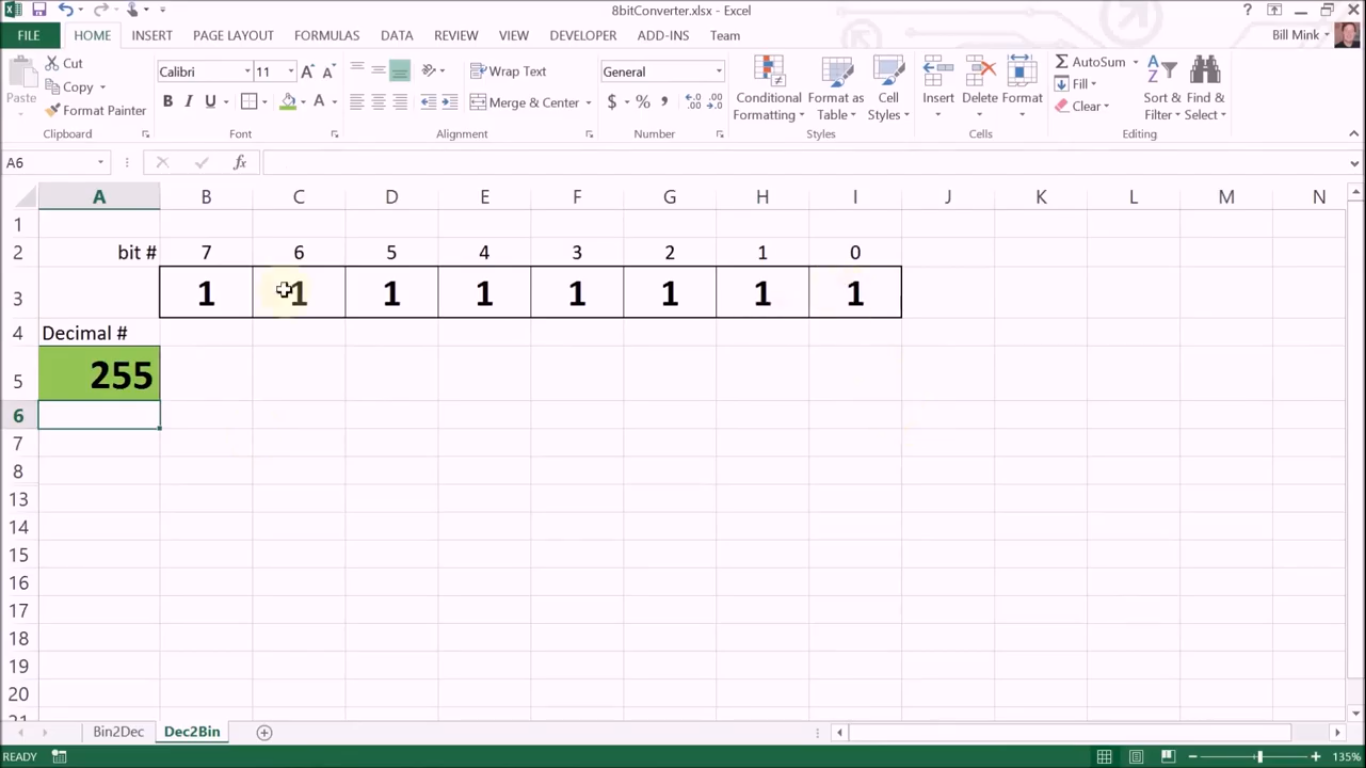
8bitConverter.xlsx - Excel FILE HOME INSERT PAGE LAYOUT FORMULAS DATA REVIEW VIEW DEVELOPER ADD-INS Team Bill Mink AutoSum- General * Cut Copy Paste Format Painter Clipboard Calibri - 11-AA 2- Wrap Text BI U. 9.A. Merge & Center - $ - % Insert Delete Format Clear 0.00 Conditional Format as Cell Formatting Table Styles Styles Sort & Find & Filter - Select- Editing Font . Alignment Number . Cells A6 X fr A B D E F G H 1 K L M N 1 2 bit # 7 6 5 4 3 2 1 0 3 1 +1 1 1 1 1 1 1 1 4 Decimal # 255 5 6 7 8 13 14 15 16 17 18 19 20 21 Bin2 Dec Dec2 Bin READY 11 135%
Step by Step Solution
There are 3 Steps involved in it

Get step-by-step solutions from verified subject matter experts
 Study Help