







Question: Using html and css files create a website that looks like the image below. Project 1: Two columns with header and footer This project asks
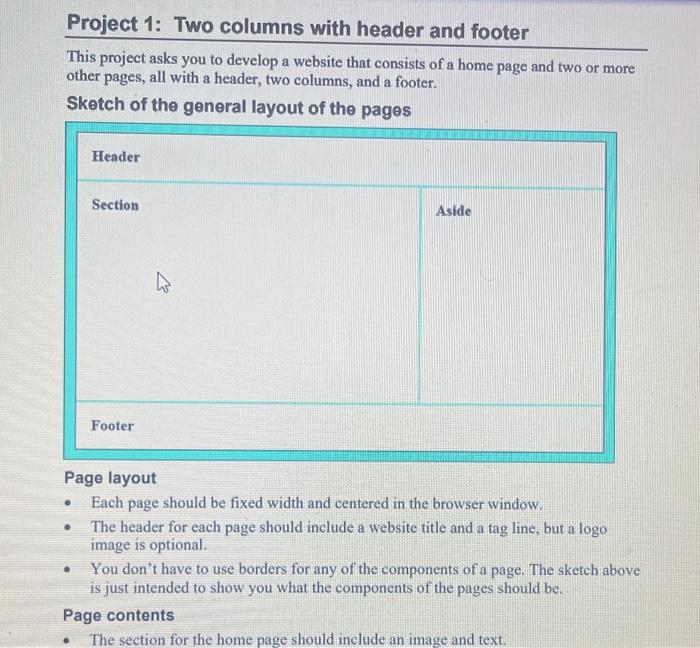
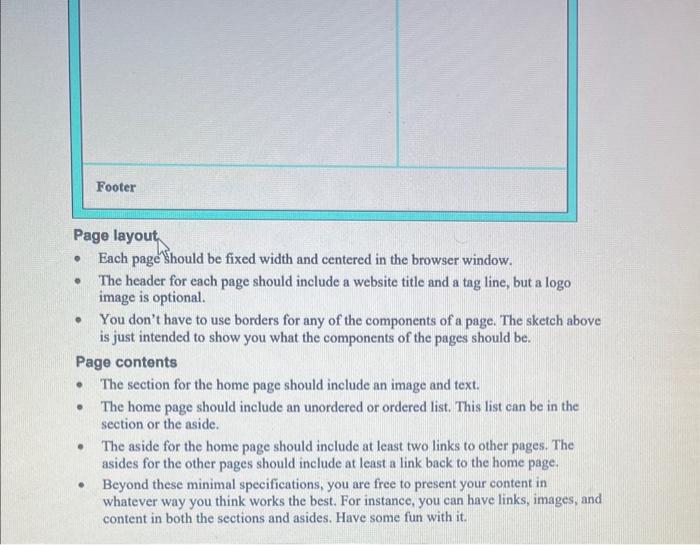
Project 1: Two columns with header and footer This project asks you to develop a website that consists of a home page and two or more other pages, all with a header, two columns, and a footer. Sketch of the general layout of the pages Page layout - Each page should be fixed width and centered in the browser window. - The header for each page should include a website fitle and a tag line, but a logo image is optional. - You don't have to use borders for any of the components of a page. The sketch above is just intended to show you what the components of the pages should be. Page contents - The section for the home page should include an image and text. Page layout - Each page should be fixed width and centered in the browser window. - The header for each page should include a website title and a tag line, but a logo image is optional. - You don't have to use borders for any of the components of a page. The sketch above is just intended to show you what the components of the pages should be. Page contents - The section for the home page should include an image and text. - The home page should include an unordered or ordered list. This list can be in the section or the aside. - The aside for the home page should include at least two links to other pages. The asides for the other pages should include at least a link back to the home page. - Beyond these minimal specifications, you are free to present your content in whatever way you think works the best. For instance, you can have links, images, and content in both the sections and asides. Have some fun with it
Step by Step Solution
There are 3 Steps involved in it

Get step-by-step solutions from verified subject matter experts
 Study Help