







Question: using java on Phpstorm 1. Use our HTML template to create a file named as your name (for example if your name is john the
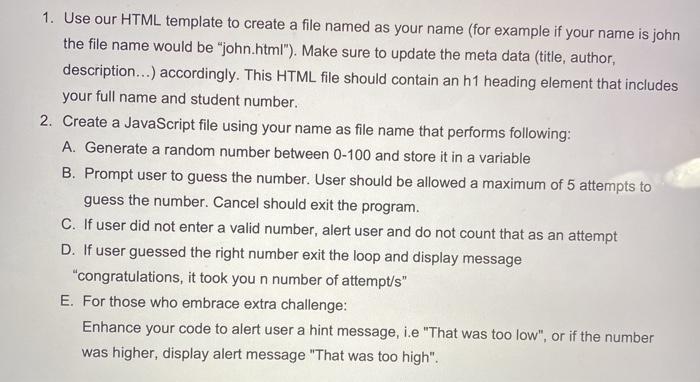
1. Use our HTML template to create a file named as your name (for example if your name is john the file name would be "john.html"). Make sure to update the meta data (title, author, description...) accordingly. This HTML file should contain an h1 heading element that includes your full name and student number. 2. Create a JavaScript file using your name as file name that performs following: A. Generate a random number between 0-100 and store it in a variable B. Prompt user to guess the number. User should be allowed a maximum of 5 attempts to guess the number. Cancel should exit the program. C. If user did not enter a valid number, alert user and do not count that as an attempt D. If user guessed the right number exit the loop and display message "congratulations, it took you n number of attempt/s" E. For those who embrace extra challenge: Enhance your code to alert user a hint message, i.e "That was too low", or if the number was higher, display alert message "That was too high
Step by Step Solution
There are 3 Steps involved in it

Get step-by-step solutions from verified subject matter experts
 Study Help