







Question: USING JAVA!!! WILL UPVOTE 1 Purpose This assignment introduces you to java graphics which we will use to create a graphical user interface ( GUI
USING JAVA!!! WILL UPVOTE
Purpose
This assignment introduces you to java graphics which we will use to create a graphical user interface GUI for data input and validation. You'll use some graphics objects along with the java you have learned in the first chapters to test if a date entered by a user is valid.
Program Description
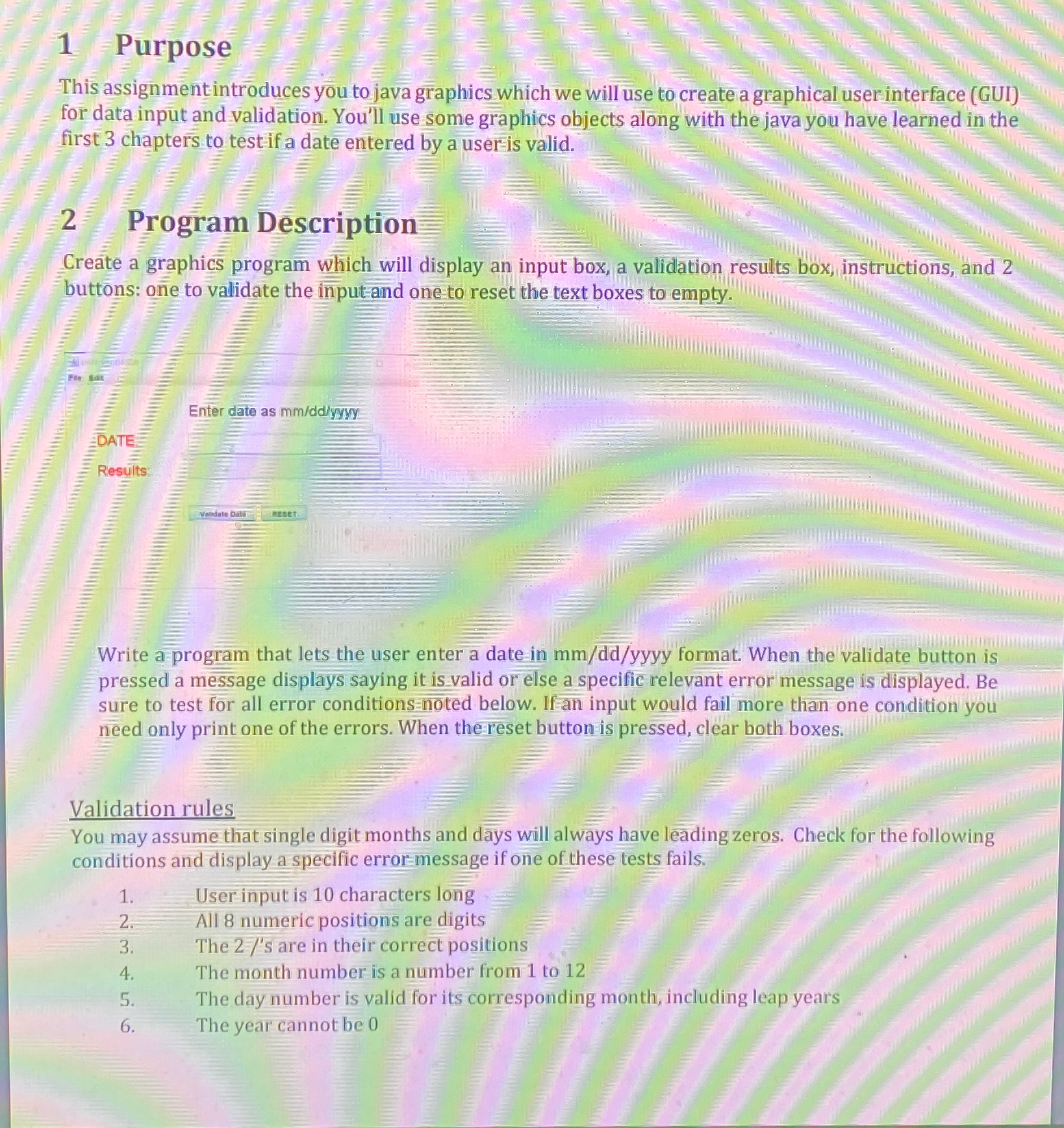
Create a graphics program which will display an input box, a validation results box, instructions, and buttons: one to validate the input and one to reset the text boxes to empty.
Enter date as
DATE
Results:
Write a program that lets the user enter a date in mmddyyyy format. When the validate button is pressed a message displays saying it is valid or else a specific relevant error message is displayed. Be sure to test for all error conditions noted below. If an input would fail more than one condition you need only print one of the errors. When the reset button is pressed, clear both boxes.
Validation rules
You may assume that single digit months and days will always have leading zeros. Check for the following conditions and display a specific error message if one of these tests fails.
User input is characters long
All numeric positions are digits
The s are in their correct positions
The month number is a number from to
The day number is valid for its corresponding month, including leap years
The year cannot be
Step by Step Solution
There are 3 Steps involved in it
1 Expert Approved Answer
Step: 1 Unlock

Question Has Been Solved by an Expert!
Get step-by-step solutions from verified subject matter experts
Step: 2 Unlock
Step: 3 Unlock
 Study Help