







Question: Using java Word.txt Alice was beginning to get very tired of sitting by her sister on the bank and of having nothing to do once
Using java
Word.txt
Alice was beginning to get very tired of sitting by her sister on the bank and of having nothing to do once or twice she had peeped into the book her sister was reading but it had no pictures or conversations in it and what is the use of a book thought Alice without pictures or conversations
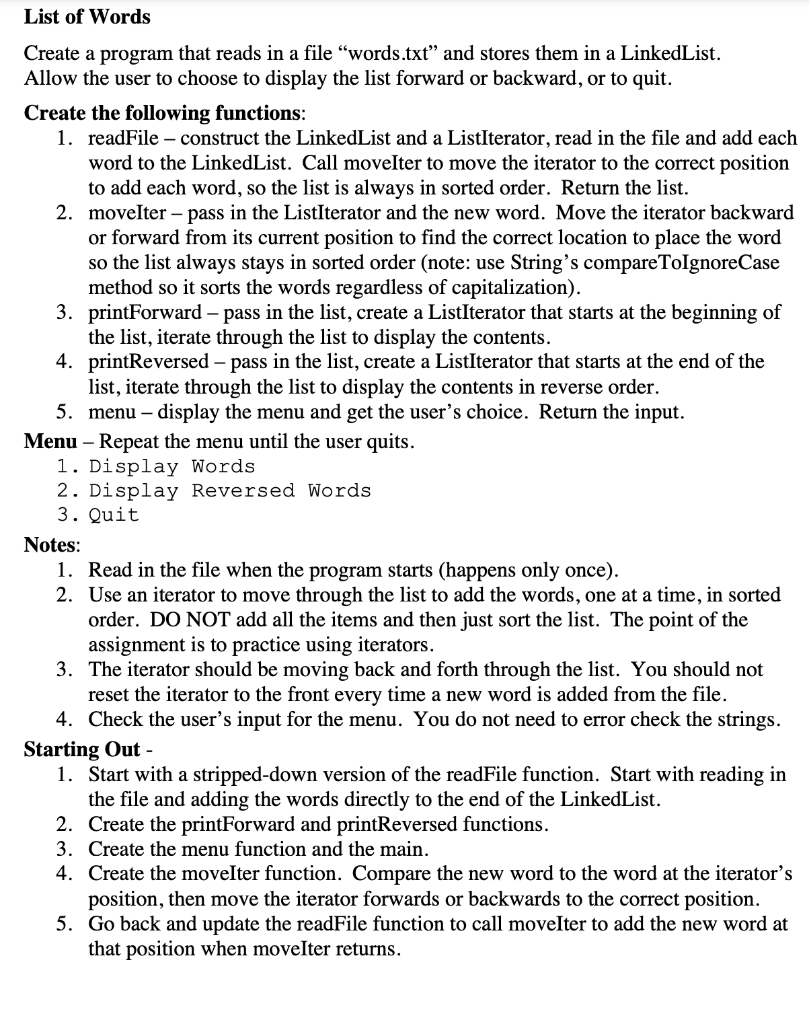
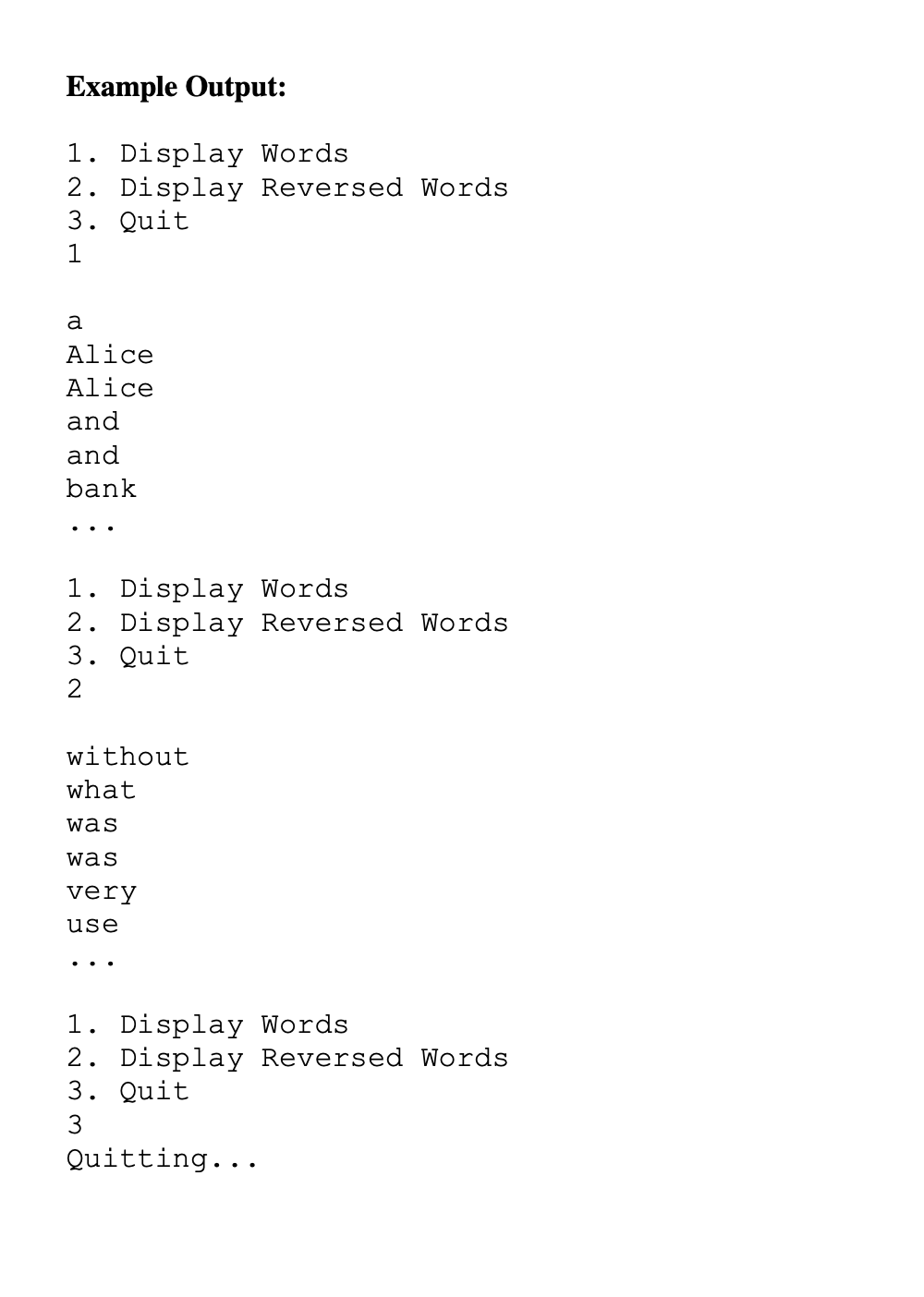
List of Words Create a program that reads in a file "words.txt" and stores them in a LinkedList. Allow the user to choose to display the list forward or backward, or to quit. Create the following functions: 1. readFile - construct the LinkedList and a ListIterator, read in the file and add each word to the LinkedList. Call movelter to move the iterator to the correct position to add each word, so the list is always in sorted order. Return the list. 2. moveIter - pass in the ListIterator and the new word. Move the iterator backward or forward from its current position to find the correct location to place the word so the list always stays in sorted order (note: use String's compareToIgnoreCase method so it sorts the words regardless of capitalization). 3. printForward pass in the list, create a ListIterator that starts at the beginning of the list, iterate through the list to display the contents. 4. printReversed - pass in the list, create a ListIterator that starts at the end of the list, iterate through the list to display the contents in reverse order. 5. menu - display the menu and get the user's choice. Return the input. Menu - Repeat the menu until the user quits. 1. Display Words 2. Display Reversed Words 3. Quit Notes: 1. Read in the file when the program starts (happens only once). 2. Use an iterator to move through the list to add the words, one at a time, in sorted order. DO NOT add all the items and then just sort the list. The point of the assignment is to practice using iterators. 3. The iterator should be moving back and forth through the list. You should not reset the iterator to the front every time a new word is added from the file. 4. Check the user's input for the menu. You do not need to error check the strings. Starting Out - 1. Start with a stripped-down version of the readFile function. Start with reading in the file and adding the words directly to the end of the LinkedList. 2. Create the printForward and printReversed functions. 3. Create the menu function and the main. 4. Create the movelter function. Compare the new word to the word at the iterator's position, then move the iterator forwards or backwards to the correct position. 5. Go back and update the readFile function to call moveIter to add the new word at that position when moveIter returns. Example Output: 1. Display Words 2. Display Reversed Words 3. Quit 1 a Alice Alice and and bank 1. Display Words 2. Display Reversed Words 3. Quit 2 without what was was very use 1. Display Words 2. Display Reversed Words 3. Quit Quitting
Step by Step Solution
There are 3 Steps involved in it

Get step-by-step solutions from verified subject matter experts
 Study Help