







Question: Using JavaFX to draw a T In this assignment, you will develop a graphical user interface using JavaFX When the program starts, it presents a
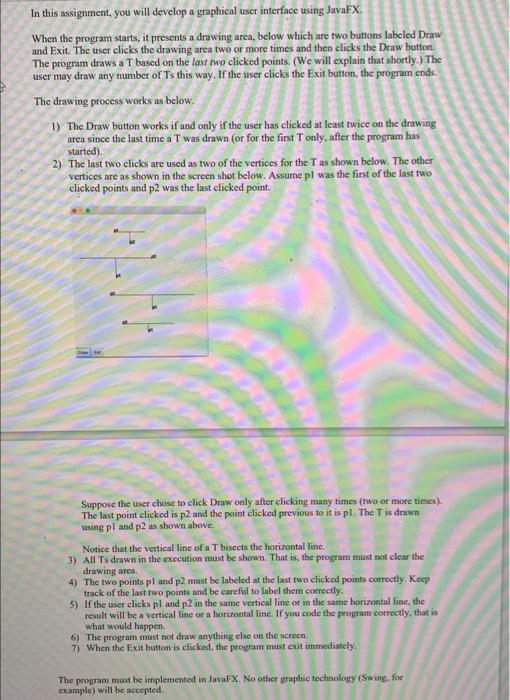
In this assignment, you will develop a graphical user interface using JavaFX When the program starts, it presents a drawing area, below which are two buttons labeled Draw and Exit. The user clicks the drawing area two or more times and then clicks the Draw button The program draws a T based on the last two clicked points. (We will explain that shortly.) The user may draw any number of Ts this way. If the user clicks the Exit button, the program ends. The drawing process works as below. 1) The Draw button works if and only if the user has clicked at least twice on the drawing area since the last time a T was drawn (or for the first Tonly, after the program has started). 2) The last two clicks are used as two of the vertices for the T as shown below. The other vertices are as shown in the screen shot below. Assume pl was the first of the last two clicked points and p2 was the last clicked point. Suppose the user chose to click Draw only after clicking many times (two or more times) The last point clicked is p2 and the point clicked previous to it is pl. The T is drawn using pl and p2 as shown above. Notice that the vertical line of a T bisects the horizontal line. 3) All Ty drown in the execution must be shown. That is, the program must not clear the drawing area 4) The two points pl and p2 must be labeled at the last two clicked points correctly. Keep track of the last two points and be careful to label them correctly. 5) If the user clicks pl and p2 in the same vertical line or in the same horizontal line, the result will be a vertical line or a horizontal line. If you code the program correctly, that is what would happen. 6) The program must not draw anything else on the screen. 7) When the Exit button is clicked, the program must exit immediately The program must be implemented in JavaFX. No other graphic technology (Swing, for example) will be accepted
Step by Step Solution
There are 3 Steps involved in it

Get step-by-step solutions from verified subject matter experts
 Study Help