







Question: Using LC3 Simulator: (Need to create a loop to implement multiplication in pt 1.) Learning Objectives - Understand writing simple programs in the LC3 simulator
Using LC3 Simulator: (Need to create a loop to implement multiplication in pt 1.)
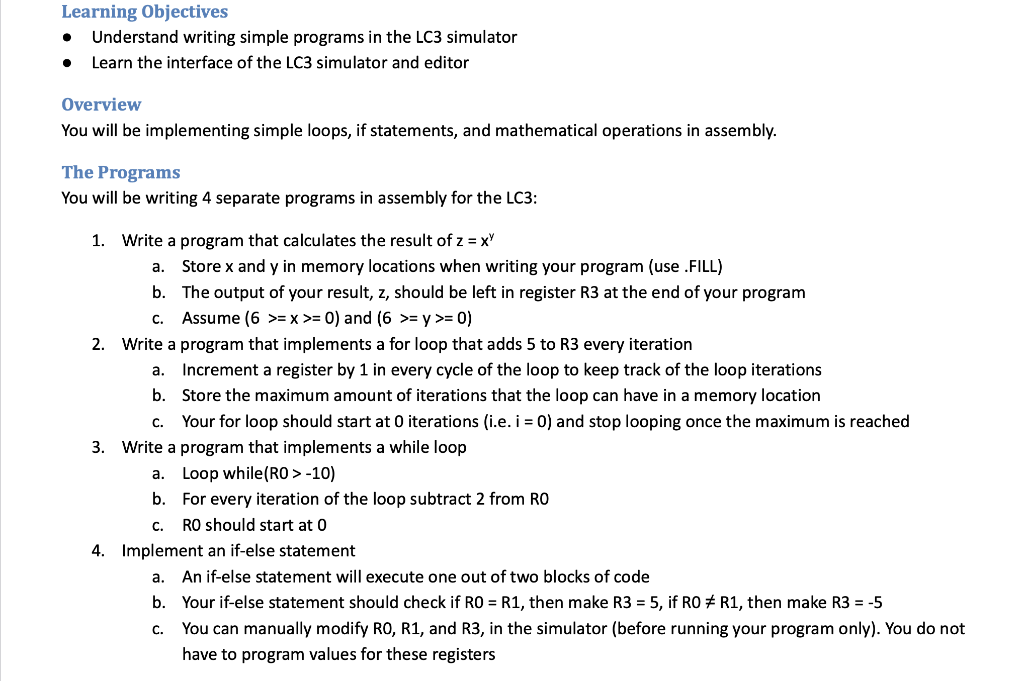
Learning Objectives - Understand writing simple programs in the LC3 simulator - Learn the interface of the LC3 simulator and editor Overview You will be implementing simple loops, if statements, and mathematical operations in assembly. The Programs You will be writing 4 separate programs in assembly for the LC3: 1. Write a program that calculates the result of z=xy a. Store x and y in memory locations when writing your program (use .FILL) b. The output of your result, z, should be left in register R3 at the end of your program c. Assume (6>=x>=0) and (6>=y>=0) 2. Write a program that implements a for loop that adds 5 to R3 every iteration a. Increment a register by 1 in every cycle of the loop to keep track of the loop iterations b. Store the maximum amount of iterations that the loop can have in a memory location c. Your for loop should start at 0 iterations (i.e. i=0 ) and stop looping once the maximum is reached 3. Write a program that implements a while loop a. Loop while(R0 > -10) b. For every iteration of the loop subtract 2 from R0 c. R0 should start at 0 4. Implement an if-else statement a. An if-else statement will execute one out of two blocks of code b. Your if-else statement should check if R0=R1, then make R3=5, if R0=R1, then make R3=5 c. You can manually modify R0, R1, and R3, in the simulator (before running your program only). You do not have to program values for these registers
Step by Step Solution
There are 3 Steps involved in it

Get step-by-step solutions from verified subject matter experts
 Study Help