Question: using linux on windows and please full explination so I can follow the process and solve it thanks Part I-Creating Kernel Modules The first part
using linux on windows and please full explination so I can follow the process and solve it thanks
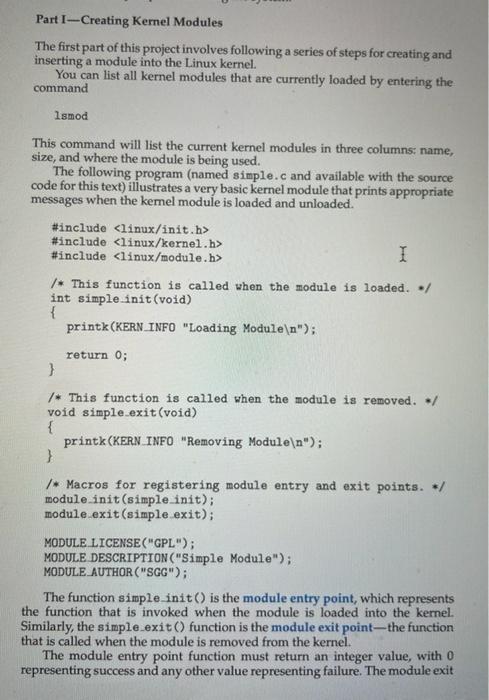
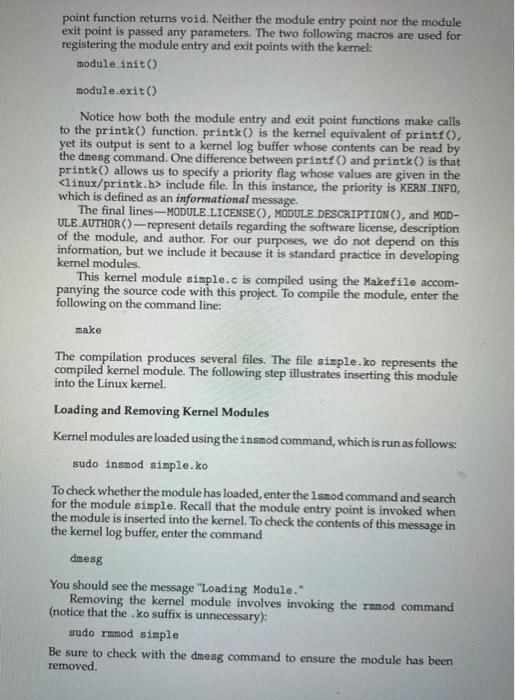
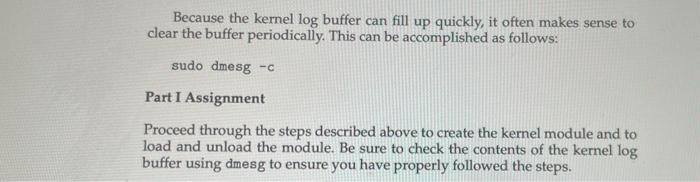
Part I-Creating Kernel Modules The first part of this project involves following a series of steps for creating and inserting a module into the Linux kernel. You can list all kernel modules that are currently loaded by entering the command Ismod This command will list the current kernel modules in three columns name, size, and where the module is being used. The following program (named simple.c and available with the source code for this text) illustrates a very basic kernel module that prints appropriate messages when the kemel module is loaded and unloaded." #include #include #include I /* This function is called when the module is loaded. / int simple.init(void) { printk (KERN INFO "Loading Module n"); return 0; } /* This function is called when the module is removed. / void simple.exit(void) { printk (KERN INFO "Removing Module "); 3 /* Macros for registering module entry and exit points. / module.init(simple init); module.exit(simple.exit); MODULE LICENSE("GPL"); MODULE DESCRIPTION("Simple Module"); MODULE AUTHOR("SGG"); The function simple init() is the module entry point, which represents the function that is invoked when the module is loaded into the kernel. Similarly, the simple exit() function is the module exit point--the function that is called when the module is removed from the kernel. The module entry point function must return an integer value, with 0 representing success and any other value representing failure. The module exit point function returns void. Neither the module entry point nor the module exit point is passed any parameters. The two following macros are used for registering the module entry and exit points with the kernel: module init() module.exit() Notice how both the module entry and exit point functions make calls to the printk() function, printk) is the kernel equivalent of printf(), yet its output is sent to a kernel log buffer whose contents can be read by the dnesg command. One difference between printf() and printk is that printk) allows us to specify a priority flag whose values are given in the include file. In this instance, the priority is KERN INFO, which is defined as an informational message. The final lines-MODULE LICENSEO), MODULE DESCRIPTIONO, and MOD- ULE AUTHOR() - represent details regarding the software license, description of the module, and author. For our purposes, we do not depend on this information, but we include it because it is standard practice in developing kernel modules. This kernel module simple.c is compiled using the Makefile accom- panying the source code with this project. To compile the module, enter the following on the command line: make The compilation produces several files. The file simple.ko represents the compiled kernel module. The following step illustrates inserting this module into the Linux kernel. Loading and Removing Kernel Modules Kernel modules are loaded using the insmod command, which is run as follows: sudo insmod simple.ko To check whether the module has loaded, enter the Ismod command and search for the module simple. Recall that the module entry point is invoked when the module is inserted into the kernel. To check the contents of this message in the kemel log buffer, enter the command dmesg You should see the message "Loading Module." Removing the kernel module involves invoking the ramod command (notice that the .ko suffix is unnecessary): sudo rmmod simple Be sure to check with the dmeag command to ensure the module has been removed. Because the kernel log buffer can fill up quickly, it often makes sense to clear the buffer periodically. This can be accomplished as follows: sudo dmesg -C Part I Assignment Proceed through the steps described above to create the kernel module and to load and unload the module. Be sure to check the contents of the kernel log buffer using dmesg to ensure you have properly followed the steps









 Study Help