







Question: USING MATLAB: Complete the implementation of the plotFun function, which evaluates and plots the graphs of two functions The function plots two curves, which must
USING MATLAB:
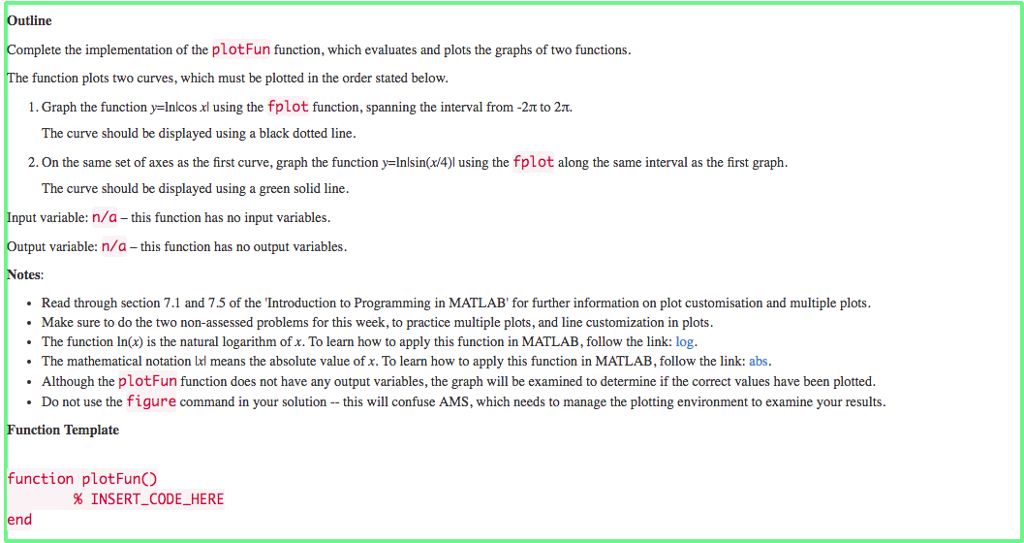
Complete the implementation of the plotFun function, which evaluates and plots the graphs of two functions The function plots two curves, which must be plotted in the order stated below 1. Graph the function y-Inlcos xl using the fplot function, spanning the interval from-2t to 2T. The curve should be displayed using a black dotted line 2. On the same set of axes as the first curve, graph the function y-Inlsin(x/4)l using the fplot along the same interval as the first graph. The curve should be displayed using a green solid line ut variable: n/a - this function has no input variables. tput variable: n/a -this function has no output variables otes: Read through section 7.1 and 75 of the Introduction to Programming in MATLAB' for further information on plot customisation and multiple plots. Make sure to do the two non-assessed problems for this week, to practice multiple plots, and line customization in plots. The function In(x) is the natural logarithm of x. To learn how to apply this function in MATLAB, follow the link: log. The mathematical notation xl means the absolute value of x. To learn how to apply this function in MATLAB, follow the link: abs Although the plotFun function does not have any output variables, the graph will be examined to determine if the correct values have been plotted. Do not use the figure command in your solution this will confuse AMS, which needs to manage the plotting environment to examine your results two no-sedbems for this ek, o ractice multpke tu ner ifomation on plo customiationand muliplepos. Function Template function plotFunCO end % INSERT-CODE-HERE
Step by Step Solution
There are 3 Steps involved in it

Get step-by-step solutions from verified subject matter experts
 Study Help