







Question: Using MATLAB solve the following: 3.4 Exercise 1. Initialize the random seed with command: >> S= RandStream('mrg32k3a'); 2. Create a random vector u of 1,
Using MATLAB solve the following:
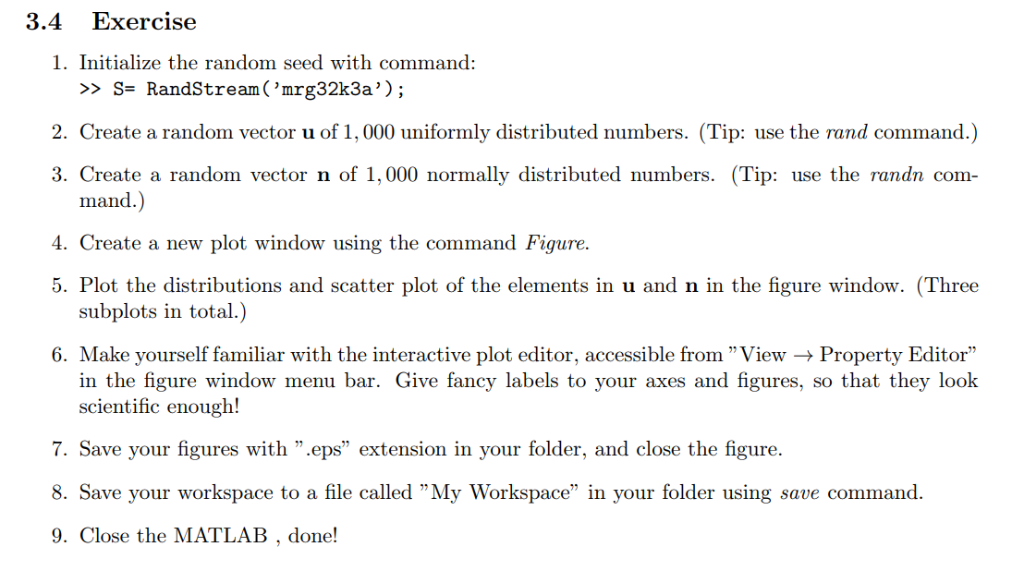
3.4 Exercise 1. Initialize the random seed with command: >> S= RandStream('mrg32k3a'); 2. Create a random vector u of 1, 000 uniformly distributed numbers. (Tip: use the rand command.) 3. Create a random vector n of 1,000 normally distributed numbers. (Tip: use the randn com- mand.) 4. Create a new plot window using the command Figure. 5. Plot the distributions and scatter plot of the elements in u and n in the figure window. (Three subplots in total.) 6. Make yourself familiar with the interactive plot editor, accessible from "View - Property Editor" in the figure window menu bar. Give fancy labels to your axes and figures, so that they look scientific enough! 7. Save your figures with ".eps" extension in your folder, and close the figure. 8. Save your workspace to a file called "My Workspace" in your folder using save command. 9. Close the MATLAB, done
Step by Step Solution
There are 3 Steps involved in it

Get step-by-step solutions from verified subject matter experts
 Study Help