







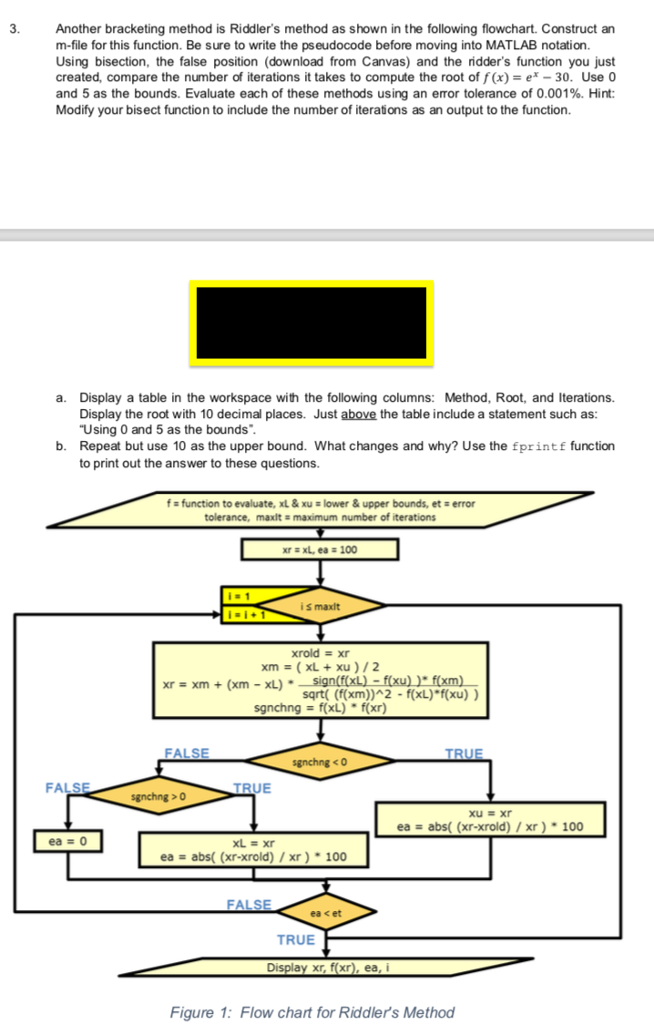
Question: Using Matlab...put the outputs and codes ... the functions you need are under the problem: 1- falsep function [xr, fx, ea, i] = falsep(f,xL,xu,et,maxIt) %
Using Matlab..."put the outputs and codes "... the functions you need are under the problem:
1- falsep
function [xr, fx, ea, i] = falsep(f,xL,xu,et,maxIt)
% falsep: false position root locator that finds roots between xL and xu
% Inputs:
% f - function to be evaluated
% xL, xu - lower and upper bounds, respectively
% et - maximum allowable error (default 0.0001%)
% maxIt - maximum number of iterations (default 50)
% Outputs:
% xr - root found
% fx - function value at root
% ea - approximate relative error (%)
% i - number of iterations necessary to obtain solution
if nargin
test = f(xL)*f(xu);
if test>0,error('No sign change between f(xL) and f(xu)'),end
if nargin
if nargin
xr = xL; ea = 100;
for i = 1:maxIt
xrold = xr;
xr = xu-f(xu)*(xL-xu)/(f(xL)-f(xu));
sgnchng = f(xL)*f(xr);
if sgnchng
xu = xr;
ea = abs((xr-xrold)/xr)*100;
elseif sgnchng > 0
xL = xr;
ea = abs((xr-xrold)/xr)*100;
else
ea = 0;
end
if ea
end
fx = f(xr);
2- bisect
function [xr,fx,ea,i] =bisect(f,xL,xu,et)
% bisect: bisection root locator that finds roots between xL and xu
% Inputs:
% f - function to be evalauted
% xL,xu - lower and upper bounds, respectively
% et - maximum allowable error(default 0.0001%)
% Outputs:
% xr-root found
% fc - function value at root
% ea - approximate relative error(%)
% i - number of iterations completed
%
%
if nargin
test=f(xL)*f(xu);
if test>0, error('No sign change between f(xL) and f(xu)'),end
if nargin
xr=xL;
ea=100;
for i=1:50
xrold =xr;
xr = (xL+xu)/2;
sgnchng=f(xL)*f(xr);
if sgnchng
xu=xr;
ea=abs((xr-xrold)/xr)*100;
elseif sgnchng>0
xL=xr;
ea=abs((xr-xrold)/xr)*100;
else
ea=0;
end
if ea end fx=f(xr);
Step by Step Solution
There are 3 Steps involved in it

Get step-by-step solutions from verified subject matter experts
 Study Help