







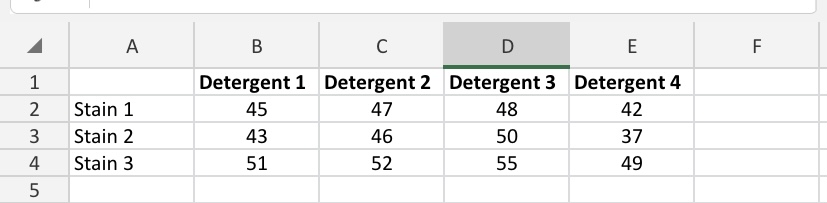
Question: Using Minitab A B C D E F 1 Detergent 1 Detergent 2 Detergent 3 Detergent 4 2 Stain 1 45 47 48 42 3
Using Minitab
![52 55 49 51:26 IIII'E) @' H dal.brig htspace.com Question 1 [20]](https://s3.amazonaws.com/si.experts.images/answers/2024/06/667880bd6f6e4_309667880bd52e09.jpg)
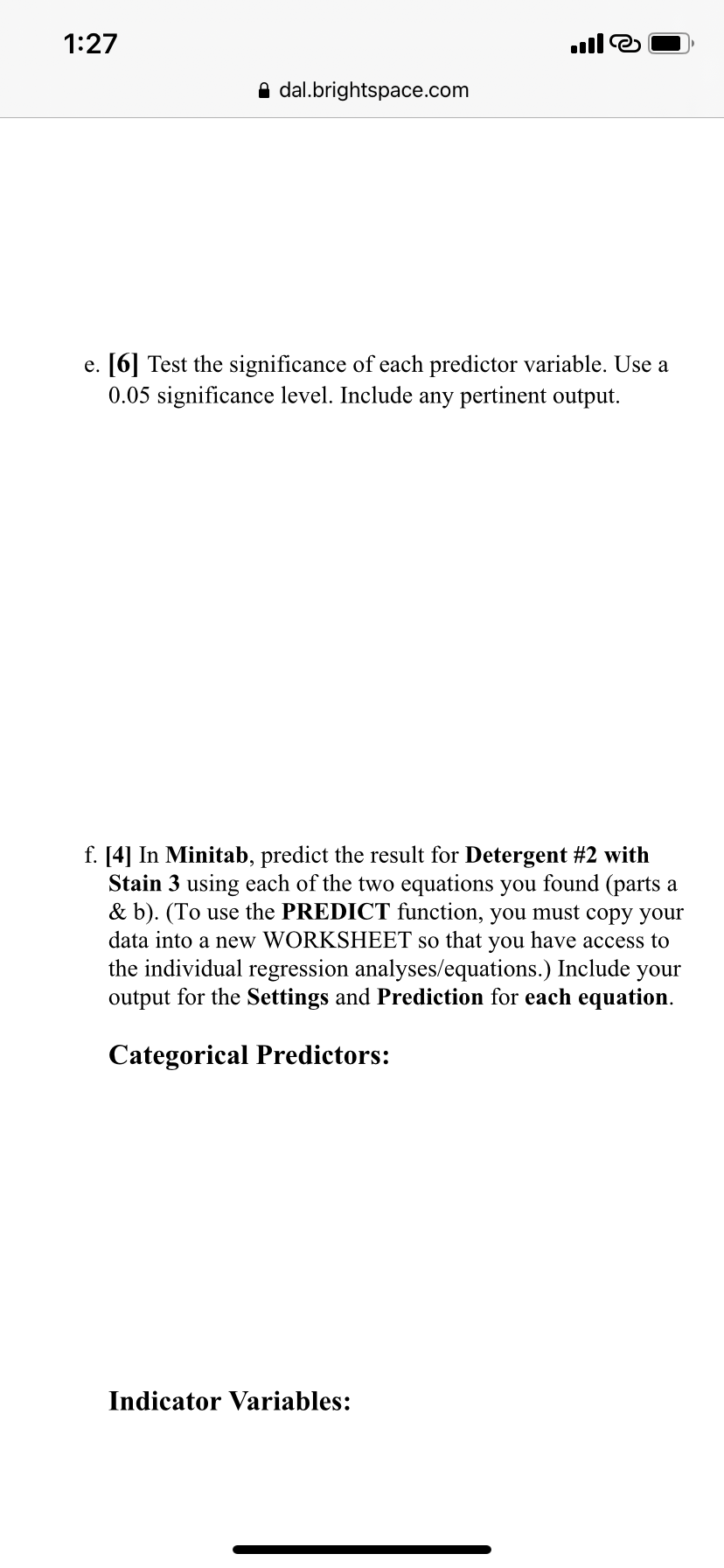
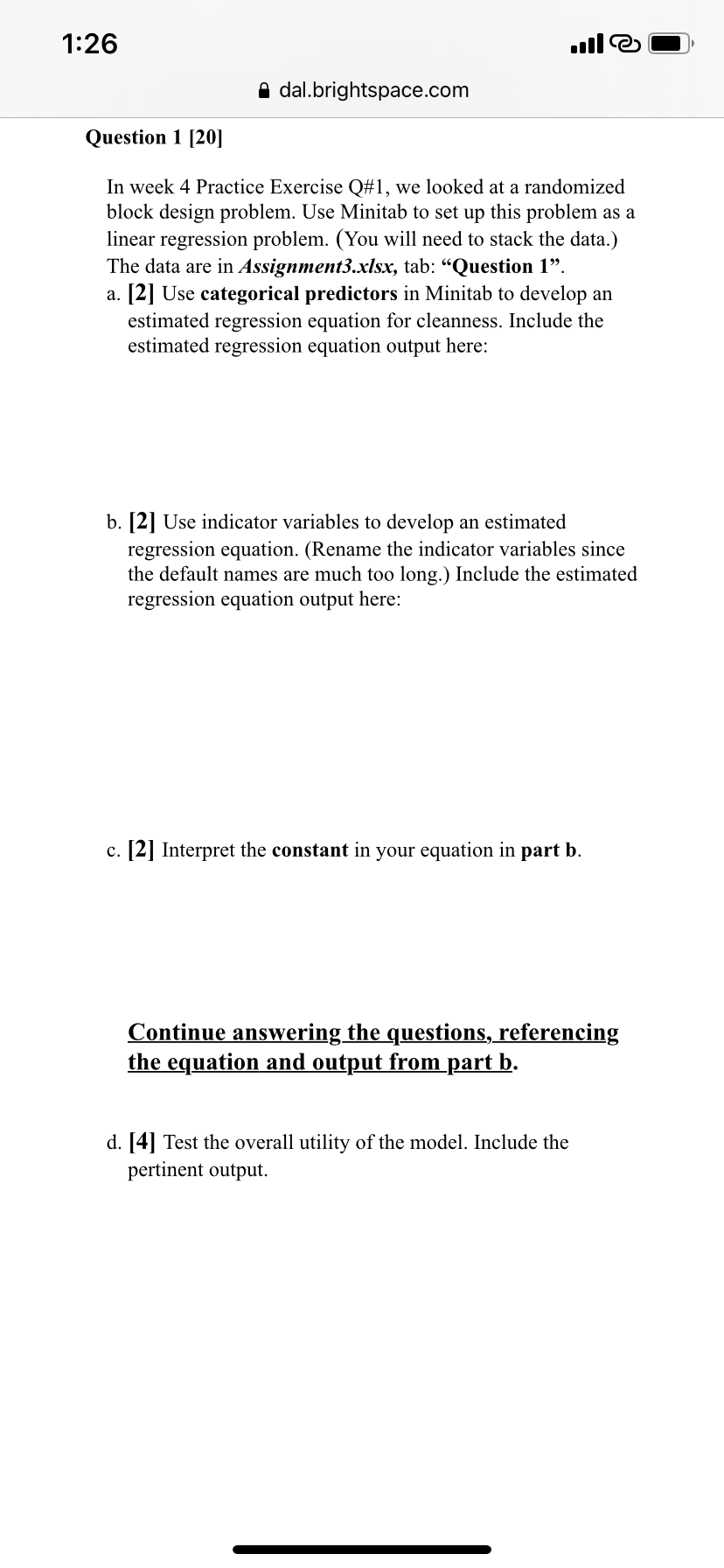
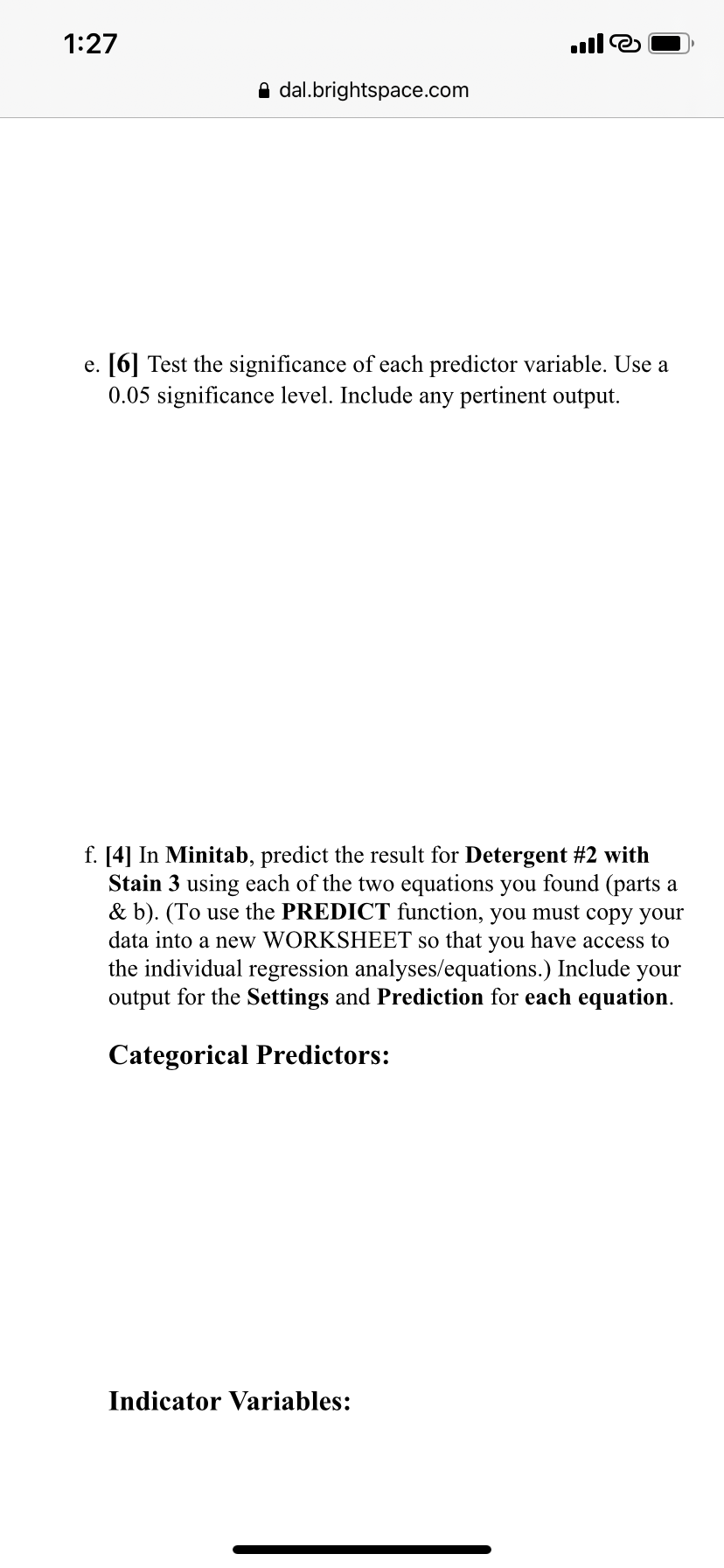
A B C D E F 1 Detergent 1 Detergent 2 Detergent 3 Detergent 4 2 Stain 1 45 47 48 42 3 Stain 2 43 46 50 37 4 Stain 3 51 52 55 49 51:26 IIII'E) @' H dal.brig htspace.com Question 1 [20] In week 4 Practice Exercise Q#l, we looked at a randomized block design problem. Use Minitab to set up this problem as a linear regression problem. (You will need to stack the data.) The data are in Assignmentixlsx, tab: \"Question 1\". a. [2] Use categorical predictors in Minitab to develop an estimated regression equation for cleanness. Include the estimated regression equation output here: b. [2] Use indicator variables to develop an estimated regression equation. (Rename the indicator variables since the default names are much too long.) Include the estimated regression equation output here: c. [2] Interpret the constant in your equation in part b. Continue answering the questions, referencing the equation and output from part b. d. [4] Test the overall utility of the model. Include the pertinent output. 1:27 O dal.brightspace.com e. [6] Test the significance of each predictor variable. Use a 0.05 significance level. Include any pertinent output. f. [4] In Minitab, predict the result for Detergent #2 with Stain 3 using each of the two equations you found (parts a & b). (To use the PREDICT function, you must copy your data into a new WORKSHEET so that you have access to the individual regression analyses/equations.) Include your output for the Settings and Prediction for each equation. Categorical Predictors: Indicator Variables
Step by Step Solution
There are 3 Steps involved in it

Get step-by-step solutions from verified subject matter experts
 Study Help