







Question: Using NetBeans: 1. Create a web page (index.jsp) which contains options to show the list (just an ArrayList of Strings) or add a new email.
Using NetBeans:
1. Create a web page (index.jsp) which contains options to show the list (just an ArrayList of Strings) or add a new email.
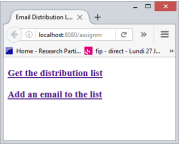
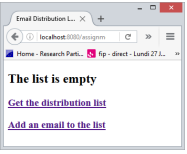
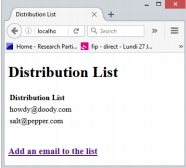
2. The first link calls a servlet which looks on the session object for an existing list. If there is none or it is empty, control is forward back to index.jsp. A nice addition to index.jsp would be the ability to display a message which is stored on the session as an attribute.
3. The link to add an email to the list brings us to the addUser.html, where a form is used to submit the new email to be added. The form posts the request parameters to a servlet (e.g. addUser.java).
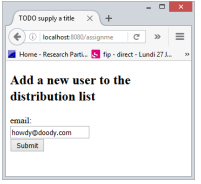
4. The addUser retrieves the request parameter for the email. If the email string is null, control is forwarded back to the addUser.html page. The list of emails is retrieved from the session object. If the list is null, a new one is created. The email is added to the list, and the list is set as an attribute again on the session (effectively replacing any previous list object with the same name). Control is then forwarded to displayList.jsp.
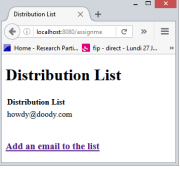
5. Clicking on the link to add a new email brings us back to addUser.html, and we can thereby continue adding to the list.
lecalhast: 808 g Home-Reseanch Part... fip drect-Lund 27 Get the distribution list
Step by Step Solution
There are 3 Steps involved in it

Get step-by-step solutions from verified subject matter experts
 Study Help