





Question: Using P1.c above, do the following questions. Do the question 10 only. Remember the question asks you about what commands did you use to execute
 Using P1.c above, do the following questions. Do the question 10
Using P1.c above, do the following questions.
only. Remember the question asks you about what commands did you use

to execute to get that. answer. Using Linux #include #include #include int

Do the question 10 only.

Remember the question asks you about what commands did you use to execute to get that. answer.

Using Linux

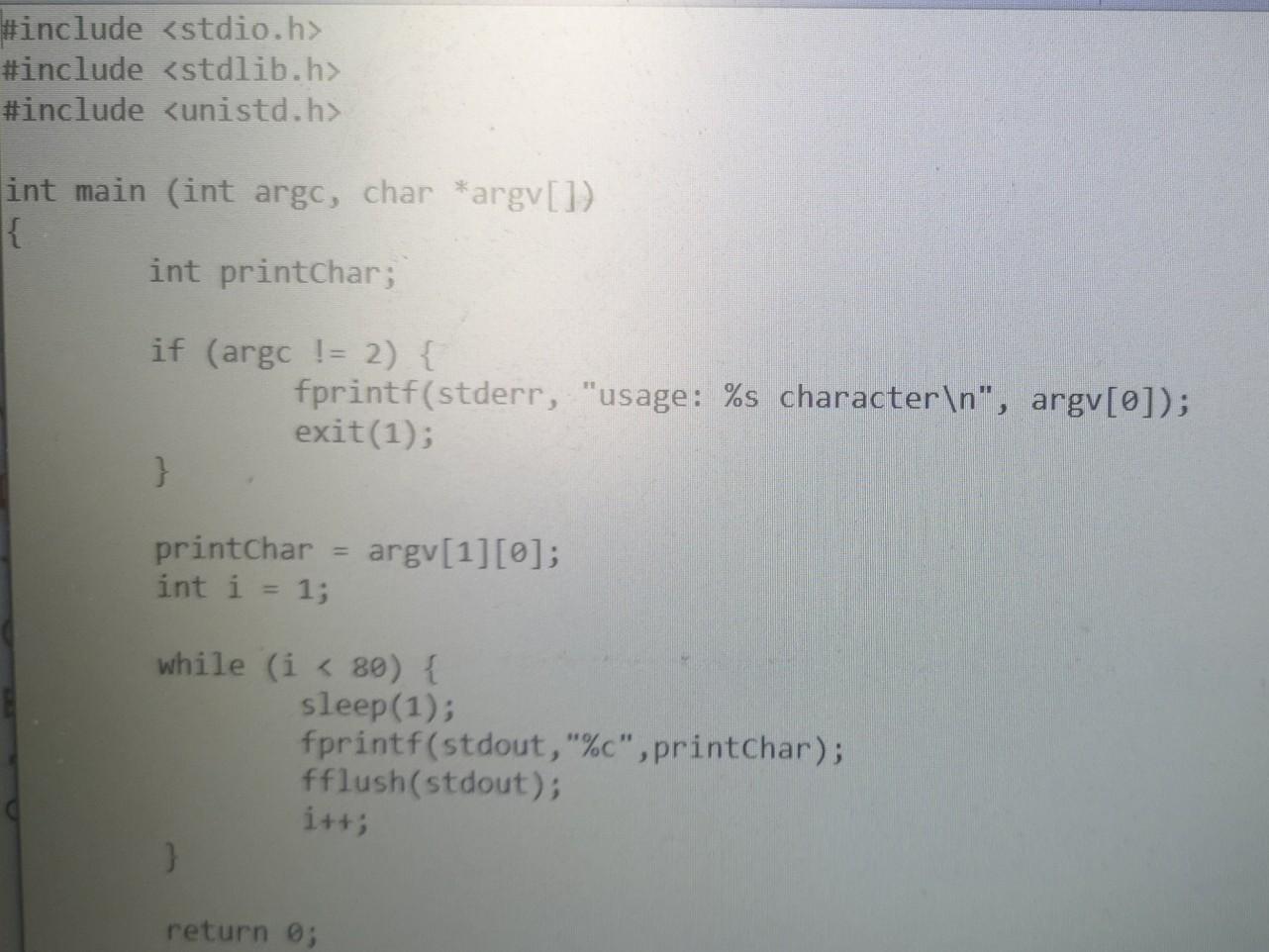
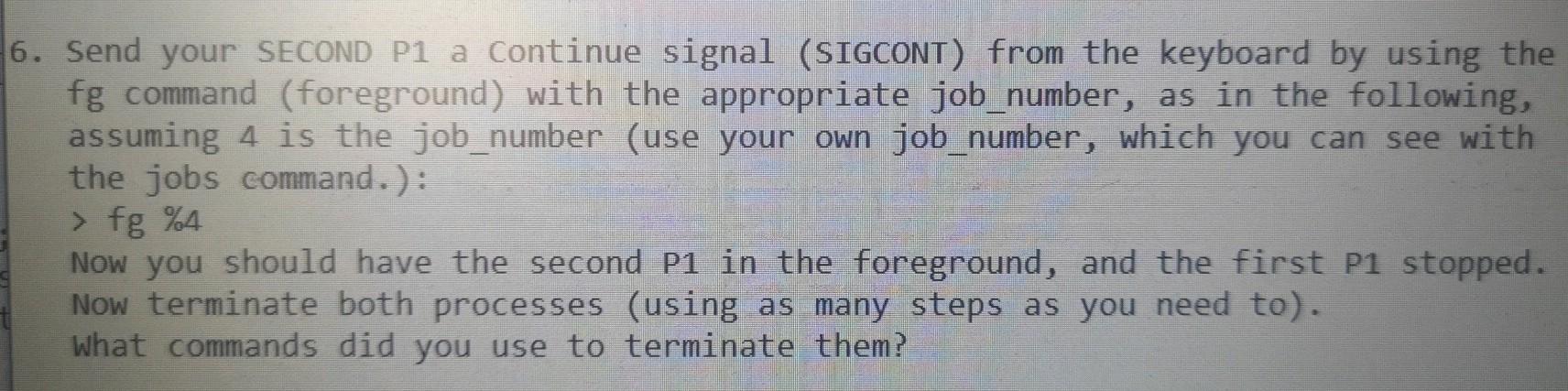
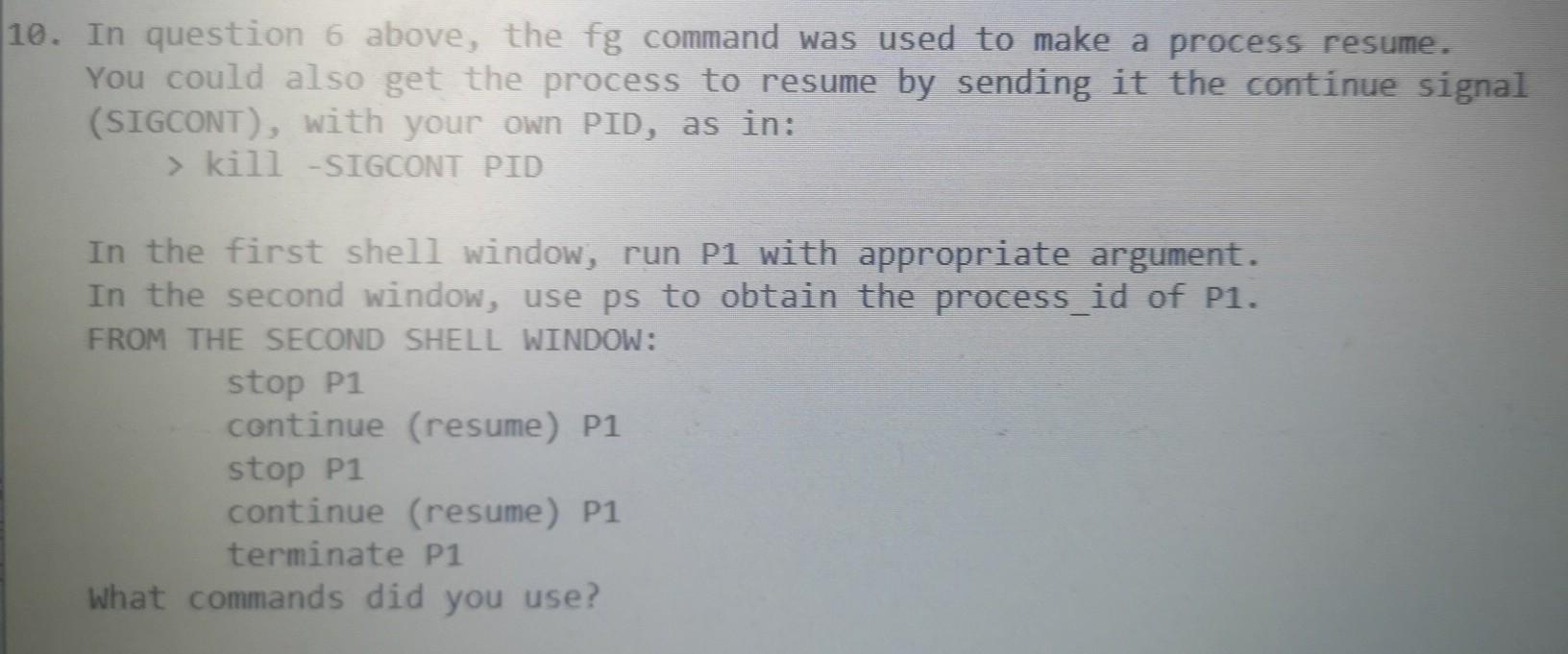
#include #include #include int main (int argc, char *argv[]) { int printchar; if (argc != 2) { fprintf(stderr, "usage: %s character ", argv[0]); exit(1); } printchar = argv[1][0]; int i = 1; while (i f g % Now you should have the second P1 in the foreground, and the first P1 stopped. Now terminate both processes (using as many steps as you need to). What commands did you use to terminate them? 10. In question 6 above, the fg command was used to make a process resume. You could also get the process to resume by sending it the continue signal (SIGCONT), with your own PID, as in: > kill -SIGCONT PID In the first shell window, run P1 with appropriate argument. In the second window, use ps to obtain the process_id of P1. FROM THE SECOND SHELL WINDOW: stop P1 continue (resume) P1 stop P1 continue (resume) P1 terminate P1 what commands did you use

Step by Step Solution

There are 3 Steps involved in it

1 Expert Approved Answer
Step: 1 Unlock blur-text-image
Question Has Been Solved by an Expert!

Get step-by-step solutions from verified subject matter experts

Step: 2 Unlock
Step: 3 Unlock

Students Have Also Explored These Related Databases Questions!