Question: Using P1.c above, do the following questions Only do the questions 8, 10. Remember each questions ask you what commands did you use to execute
Using P1.c above, do the following questions
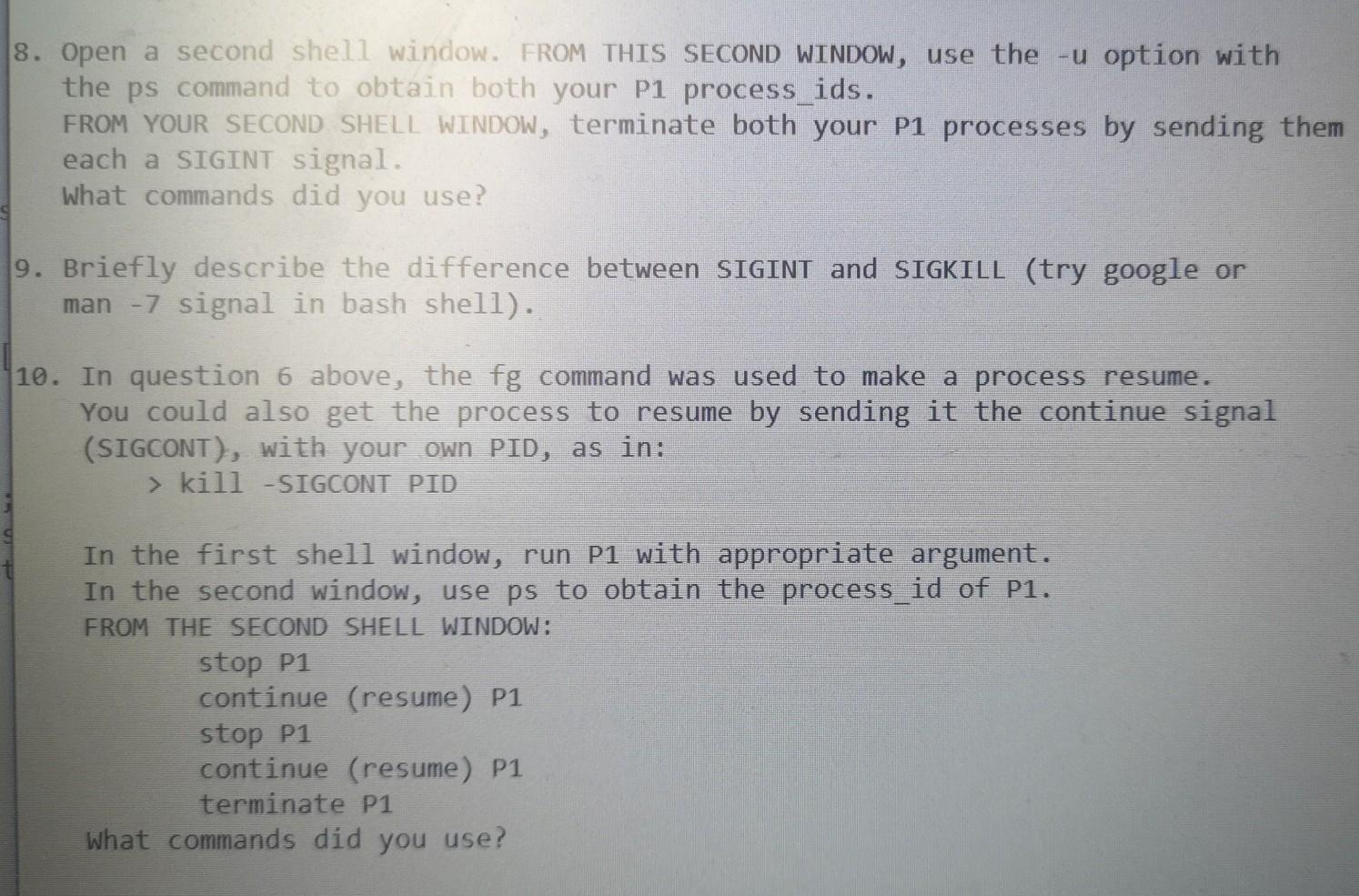
Only do the questions 8, 10.
Remember each questions ask you what commands did you use to execute to get those answers?.
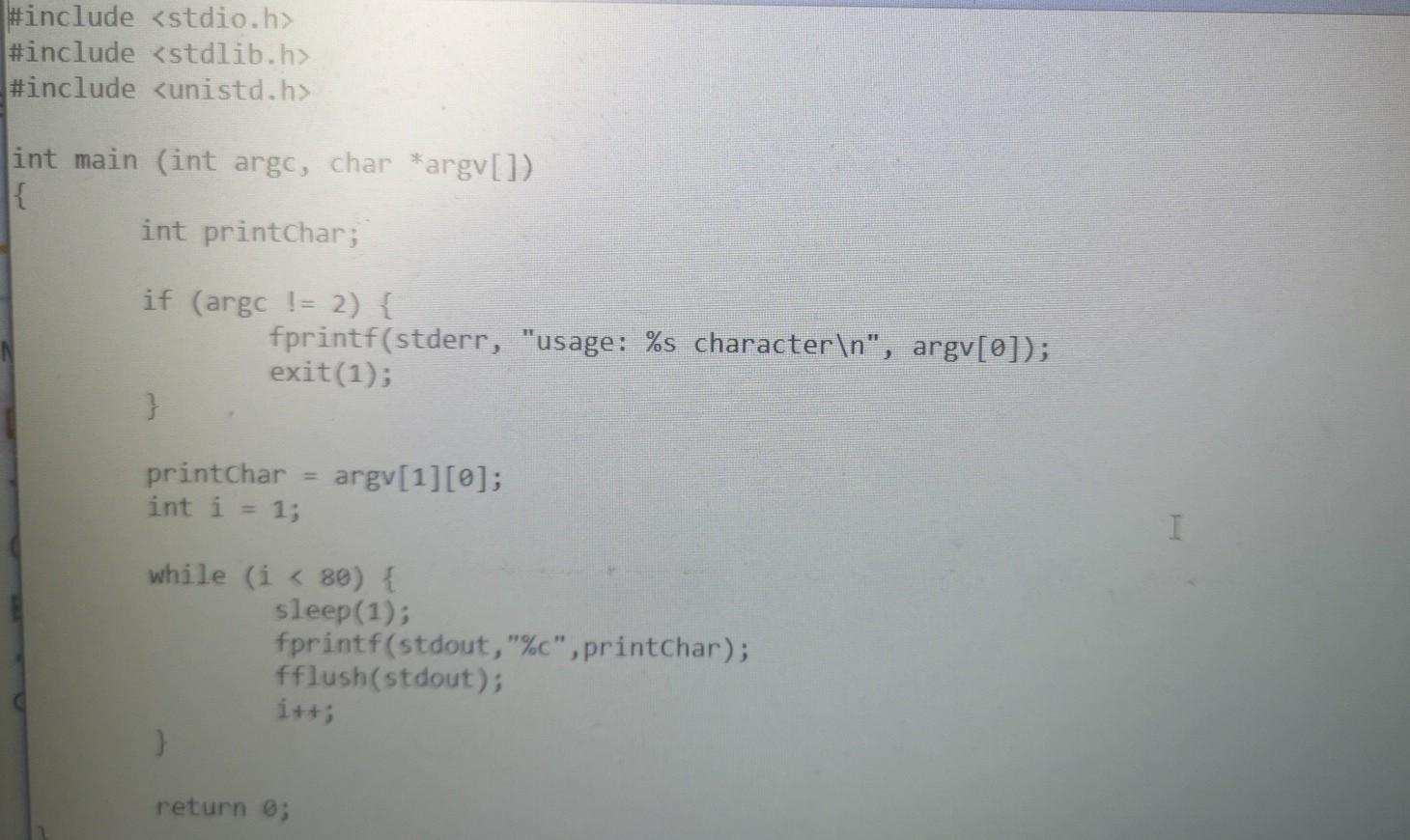
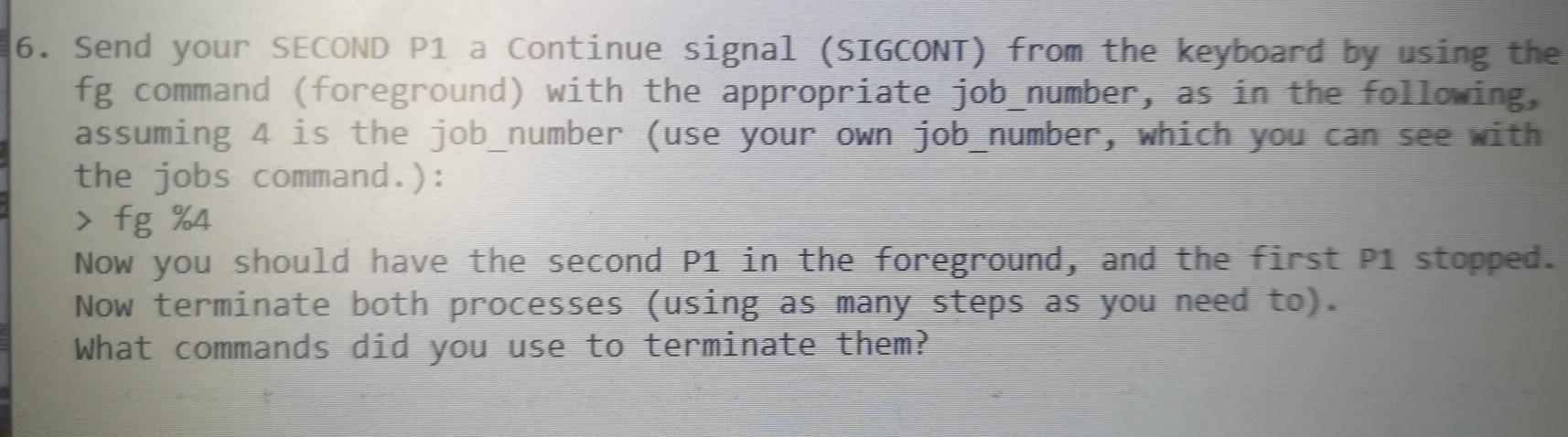
#include #include #include int main (int argc, char *argv[ 1) { int printchar; if (argc != 2) { fprintf(stderr, "usage: %s character ", argv[0]); exit(1); 3 printchar int i = 1; argv[1][0]; I while (i kill -SIGCONT PID In the first shell window, run P1 with appropriate argument. In the second window, use ps to obtain the process_id of P1. FROM THE SECOND SHELL WINDOW: stop P1 continue (resume) P1 stop P1 continue (resume) P1 terminate P1 What commands did you use? 6. Send your SECOND P1 a Continue signal (SIGCONT) from the keyboard by using the fg command (foreground) with the appropriate job_number, as in the following, assuming 4 is the job_number (use your own job_number, which you can see with the jobs command.): > fg %4 Now you should have the second P1 in the foreground, and the first P1 stopped. Now terminate both processes (using as many steps as you need to). What commands did you use to terminate them









 Study Help