







Question: USING PYTHON nload n Object Start Box Start.py Start.py (3.5.3) from tkinter import* from randon import choice, randint # Canvas animation program from random import
USING PYTHON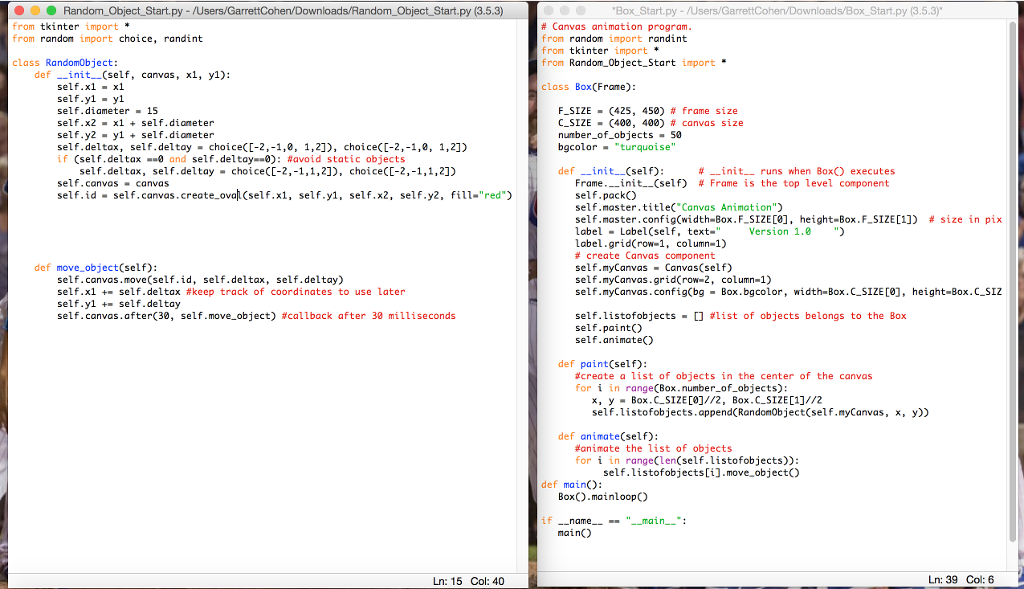
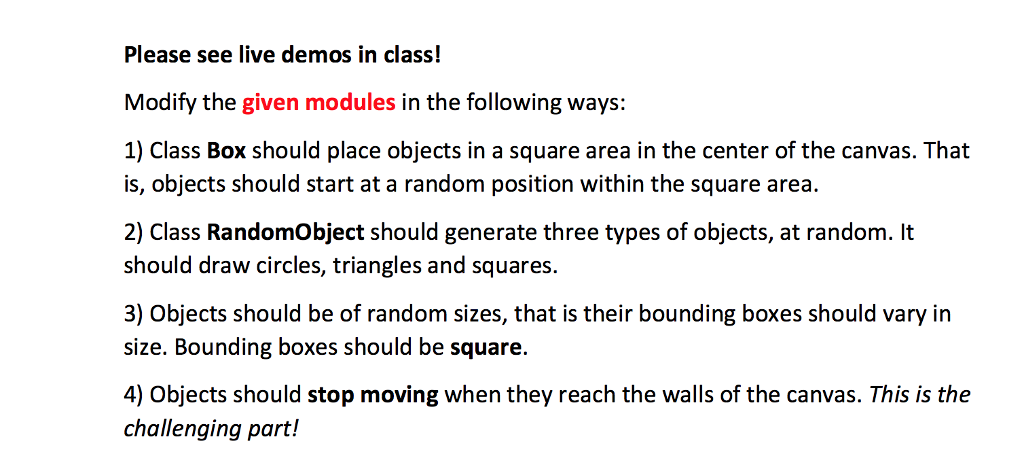
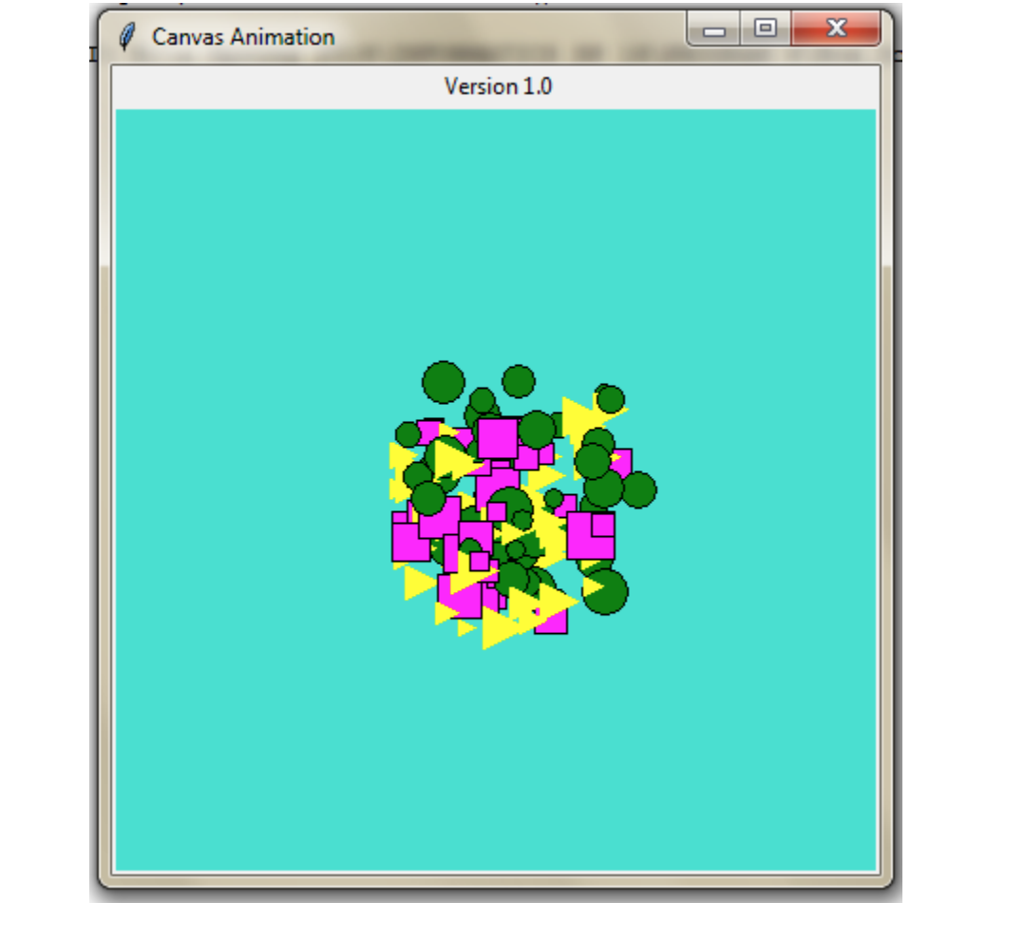
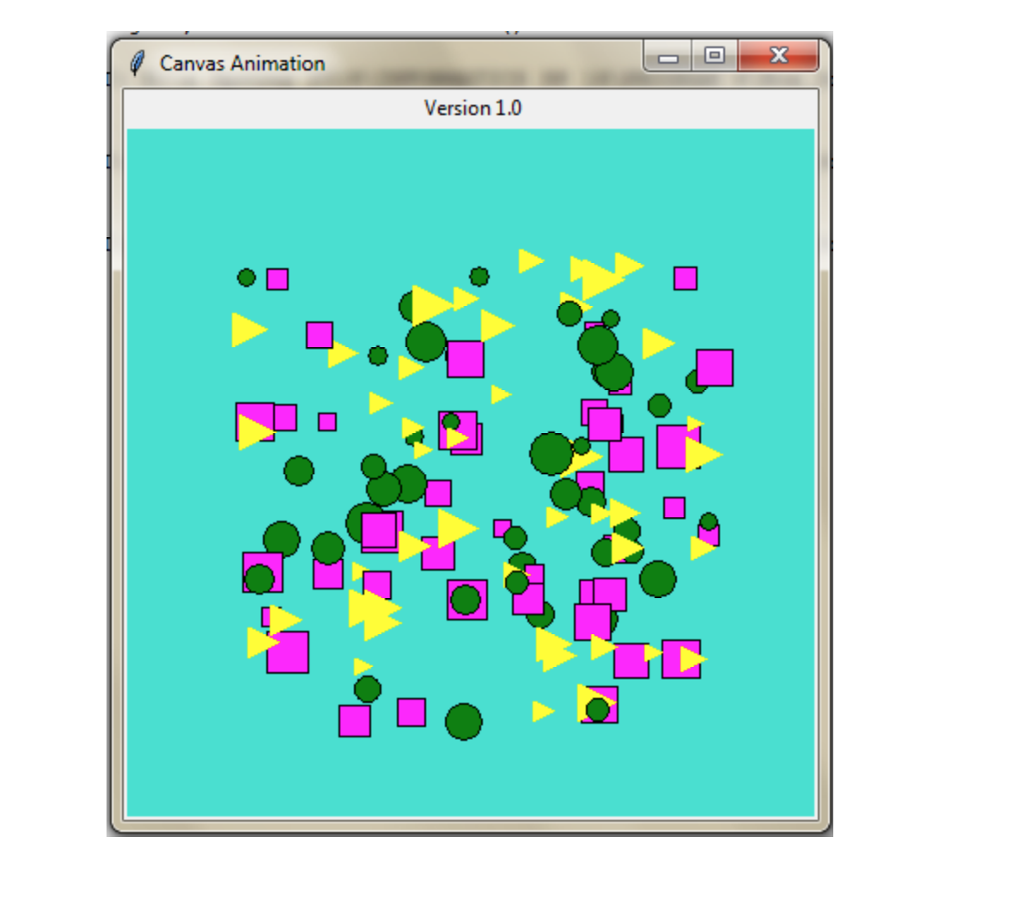
![xself.dianeter self.y2- ylself.dianeter self.deltax, self.deltay-choicecL-2,-1,0, 1,2]), choice(L-2,-1,0, 1,21) if (self, del tax--0](https://dsd5zvtm8ll6.cloudfront.net/si.experts.images/questions/2024/09/66f331c961ca3_02466f331c8dafcb.jpg)
nload n Object Start Box Start.py Start.py (3.5.3) from tkinter import* from randon import choice, randint # Canvas animation program from random import randint from tkinter import* from Random Object Start import * class Randomobject: def init (self, canvas, xl, y1): self.x1 x1 self.yl-yl self.diameter15 self.x2 xself.dianeter self.y2- ylself.dianeter self.deltax, self.deltay-choicecL-2,-1,0, 1,2]), choice(L-2,-1,0, 1,21) if (self, del tax--0 and self-del tay--0): #avoid static objects class Box(Frane) F-SIZE . (425, 450) # frame size C-SIZE-(400, 400) # canvas size number_of objects 50 bgcolorturoise" self.deltax, self.deltay-choiceCC-2,-1,1,2]), choice(C-2,-1,1,2]) def init (self): #--init-runs when Box() executes self.canvascanvas self.id- self.canvas .create-ova?(self.x1, Frame.--init--(self) # Frame is the top level component self.packO self.master,title( Canvas Animation" self.master.config(width-Box. F-SIZE[B]' height-Box.F-SIZE[1]) # size in pix label Label(self, text-"Version 1.") Label.grid(row-1, column-1) # create Canvas component self.myCanvas Canvas (self) self.myCanvas.grid(row-2, column-1) self.myCanvas.config(bg -Box.bgcolor, width-Box.C SIZE [], height-Box.C_SIz self.y1, self.x2, self.y2, fill-"red") def move object(self): self.canvas.move(self.id, self.deltax, self.deltay) self-x1 +. self-deltax #keep track of coordinates to use later self.ylself.deltay self-canvas, after(30, self.move-object) #callback after 30 milliseconds self. listofobjects- [] #list of objects belongs to the Box self.paint) self.animate) def paint(self): #create a list of objects in the center of the canvas for i in range(Box.number.of objects): x, y Box.C SIZE001//2, Box.C-SIZE01]//2 self.listofobjects.append RandomObject(self.myCanvas, x, y)) def animate(self): #animate the list of objects for i in range(len(self.listofobjects)): self.listofobjects[i].move objectO def main): Box.mainloop) if namemain: main Ln: 15 Col: 40 Ln: 39 Col: 6 nload n Object Start Box Start.py Start.py (3.5.3) from tkinter import* from randon import choice, randint # Canvas animation program from random import randint from tkinter import* from Random Object Start import * class Randomobject: def init (self, canvas, xl, y1): self.x1 x1 self.yl-yl self.diameter15 self.x2 xself.dianeter self.y2- ylself.dianeter self.deltax, self.deltay-choicecL-2,-1,0, 1,2]), choice(L-2,-1,0, 1,21) if (self, del tax--0 and self-del tay--0): #avoid static objects class Box(Frane) F-SIZE . (425, 450) # frame size C-SIZE-(400, 400) # canvas size number_of objects 50 bgcolorturoise" self.deltax, self.deltay-choiceCC-2,-1,1,2]), choice(C-2,-1,1,2]) def init (self): #--init-runs when Box() executes self.canvascanvas self.id- self.canvas .create-ova?(self.x1, Frame.--init--(self) # Frame is the top level component self.packO self.master,title( Canvas Animation" self.master.config(width-Box. F-SIZE[B]' height-Box.F-SIZE[1]) # size in pix label Label(self, text-"Version 1.") Label.grid(row-1, column-1) # create Canvas component self.myCanvas Canvas (self) self.myCanvas.grid(row-2, column-1) self.myCanvas.config(bg -Box.bgcolor, width-Box.C SIZE [], height-Box.C_SIz self.y1, self.x2, self.y2, fill-"red") def move object(self): self.canvas.move(self.id, self.deltax, self.deltay) self-x1 +. self-deltax #keep track of coordinates to use later self.ylself.deltay self-canvas, after(30, self.move-object) #callback after 30 milliseconds self. listofobjects- [] #list of objects belongs to the Box self.paint) self.animate) def paint(self): #create a list of objects in the center of the canvas for i in range(Box.number.of objects): x, y Box.C SIZE001//2, Box.C-SIZE01]//2 self.listofobjects.append RandomObject(self.myCanvas, x, y)) def animate(self): #animate the list of objects for i in range(len(self.listofobjects)): self.listofobjects[i].move objectO def main): Box.mainloop) if namemain: main Ln: 15 Col: 40 Ln: 39 Col: 6
Step by Step Solution
There are 3 Steps involved in it

Get step-by-step solutions from verified subject matter experts
 Study Help