







Question: the following database stored in university.mdf file. And it's connectionString is: Data Source= (LocalDB)MSSQLLocalDB;AttachDbFilename=[DataDirectoryluniversity.mdf;Integrated Security=True;Connect Timeout=30 :The database consists of the following tables ((Student
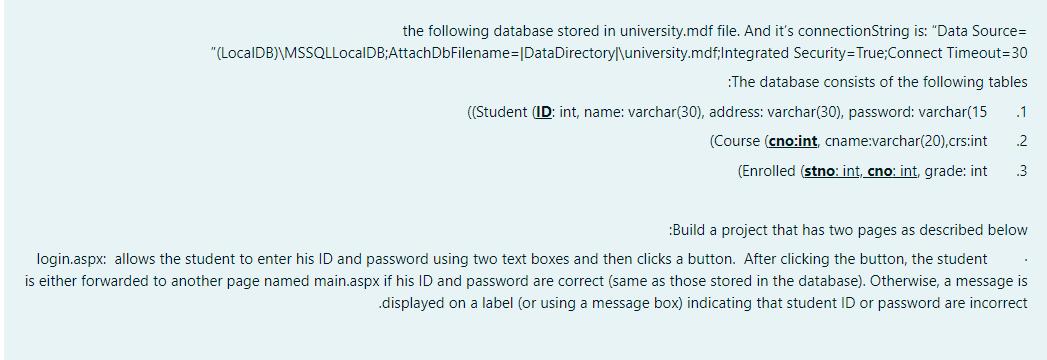
the following database stored in university.mdf file. And it's connectionString is: "Data Source= "(LocalDB)\MSSQLLocalDB;AttachDbFilename=[DataDirectoryl\university.mdf;Integrated Security=True;Connect Timeout=30 :The database consists of the following tables ((Student (ID: int, name: varchar(30), address: varchar(30), password: varchar(15 .1 (Course (cno:int, cname:varchar(20),crs:int 2 (Enrolled (stno: int, cno: int, grade: int 3 :Build a project that has two pages as described below login.aspx: allows the student to enter his ID and password using two text boxes and then clicks a button. After clicking the button, the student is either forwarded to another page named main.aspx if his ID and password are correct (same as those stored in the database). Otherwise, a message is .displayed on a label (or using a message box) indicating that student ID or password are incorrect
Step by Step Solution
3.39 Rating (174 Votes )
There are 3 Steps involved in it
To create the student login page then first we have to connect the backend database and then we have ... View full answer

Get step-by-step solutions from verified subject matter experts
 Study Help