







Question: Using the BIKES database structure and file create the BIKES objects. Be sure to create the schema first ( then you no longer need the
Using the BIKES database structure and file create the BIKES objects. Be sure to create
the schema first then you no longer need the command
Using the Excel Spreadsheet With Data create all the necessary INSERT statements to
populate all tables Points
You will need to submit a sql text file that includes all your INSERTS and your queries
below do NOT include any screenshots your sql code should adequately answer the
questions
Write a query to demonstrate that each object has the required number of rows in the
table
PRODUCTS Table Data contains rows Points
BRANDS Table Data contains rows Points
CATEGORIES Table Data contains rows Points
STOCKS Table Data contains rows Points
Complex Queries
Graphics are to give you an idea of what your query should output. They are not to represent the
exact output your query will generate.
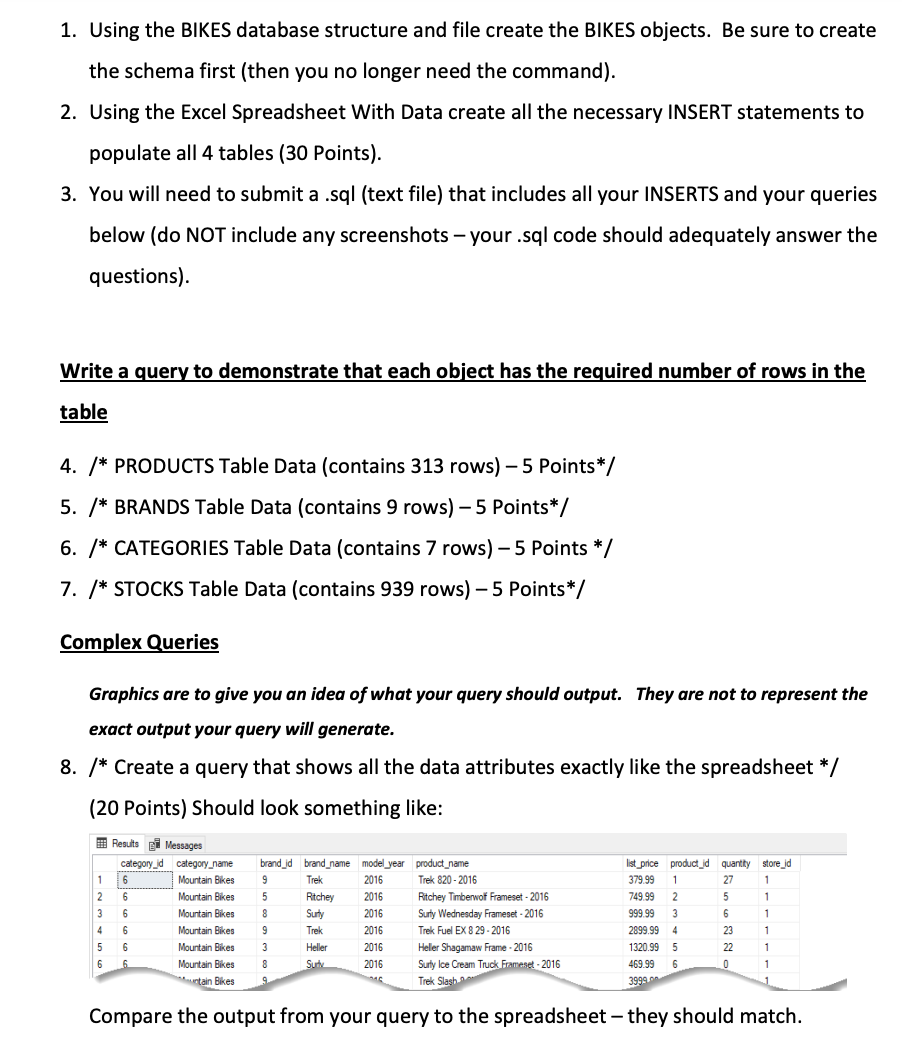
Create a query that shows all the data attributes exactly like the spreadsheet
Points Should look something like:
Compare the output from your query to the spreadsheet they should match.
How many different models does the Bike business carry? Create a query that shows
how many different bikes of brands names are in each category name Points
Not every store may carry every bike model. Let's check? Create a query that shows
category names, brand names and how many each store has not how many bikes the
store has but how many models each store carries they will naturally carry more bikes
than models and that question is below Points
Results
Messages
For insurance reasons we need to know the value of all our inventory.
Write a query that shows the total quantity and amount of inventory for each store
based upon list price broken out by category of bike and brand. Brand total dollars
should look like $ Points
Uncomment line and only EXECUTE LINE After you have created the schema bikes recomment line and execute the remaining lines
create schema bikes;
Object: Table productionbrands Script Date: :: PM
DROP TABLE IF EXISTS bikesproducts;
CREATE TABLE bikesproducts
productidint NOT NULL PRIMARY KEY,
productname varchar NOT NULL,
brandidint NOT NULL,
categoryidint NOT NULL,
modelyearsmallint NOT NULL,
listpricedecimal NOT NULL
;
DROP TABLE IF EXISTS bikesbrands;
CREATE TABLE bikesbrands
brandidint NOT NULL PRIMARY KEY,
brandname varchar NOT NULL
;
DROP TABLE IF EXISTS bikescategories;
CREATE TABLE bikescategories
categoryidint NOT NULL PRIMARY KEY,
categoryname varchar NOT NULL
;
ALTER TABLE bikesproducts ADD FOREIGN KEY brandid REFERENCES bikesbrandsbrandid;
ALTER TABLE bikesproducts ADD FOREIGN KEY categoryid REFERENCES bikescategoriescategoryid;
CREATE TABLE bikesstocks
storeidint NOT NULL,
productidint NOT NULL,
quantityint NULL
;
ALTER TABLE bikesstocks ADD PRIMARY KEY storeidproductid;
ALTER TABLE bikesstocks ADD FOREIGN KEY productid REFERENCES bikesproductsproductid;
Step by Step Solution
There are 3 Steps involved in it
1 Expert Approved Answer
Step: 1 Unlock

Question Has Been Solved by an Expert!
Get step-by-step solutions from verified subject matter experts
Step: 2 Unlock
Step: 3 Unlock
 Study Help