



Question: Using the following requirements, build a single player Whack-a-mole type game as a Java Swing application. You are required to Inherit from a JFrame class
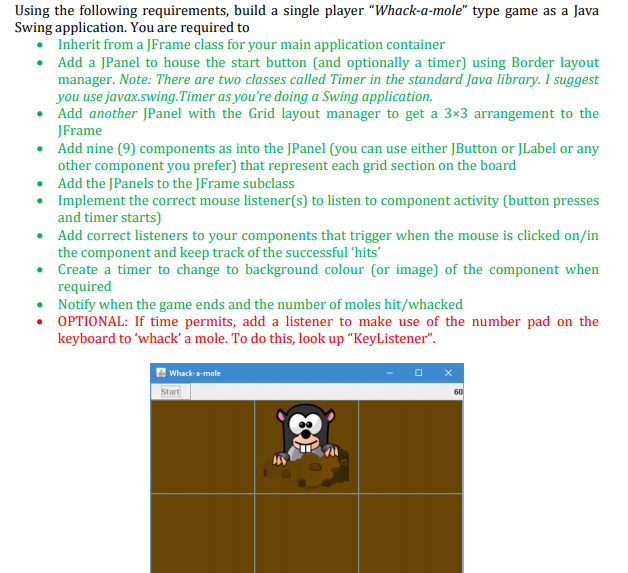
Using the following requirements, build a single player "Whack-a-mole" type game as a Java Swing application. You are required to Inherit from a JFrame class for your main application container Add a JPanel to house the start button and optionally a timer) using Border layout manager. Note: There are two classes called Timer in the standard Java library. I suggest you use javax.swing.Timer as you're doing a Swing application. Add another JPanel with the Grid layout manager to get a 3x3 arrangement to the JFrame Add nine (9) components as into the JPanel (you can use either JButton or JLabel or any other component you prefer) that represent each grid section on the board Add the JPanels to the JFrame subclass Implement the correct mouse listener(s) to listen to component activity (button presses and timer starts) Add correct listeners to your components that trigger when the mouse is clicked on/in the component and keep track of the successful 'hits' Create a timer to change to background colour (or image) of the component when required Notify when the game ends and the number of moles hit/whacked OPTIONAL: If time permits, add a listener to make use of the number pad on the keyboard to 'whack'a mole. To do this, look up KeyListener". Whack-=-mole Start 60 13 Using the following requirements, build a single player "Whack-a-mole" type game as a Java Swing application. You are required to Inherit from a JFrame class for your main application container Add a JPanel to house the start button and optionally a timer) using Border layout manager. Note: There are two classes called Timer in the standard Java library. I suggest you use javax.swing.Timer as you're doing a Swing application. Add another JPanel with the Grid layout manager to get a 3x3 arrangement to the JFrame Add nine (9) components as into the JPanel (you can use either JButton or JLabel or any other component you prefer) that represent each grid section on the board Add the JPanels to the JFrame subclass Implement the correct mouse listener(s) to listen to component activity (button presses and timer starts) Add correct listeners to your components that trigger when the mouse is clicked on/in the component and keep track of the successful 'hits' Create a timer to change to background colour (or image) of the component when required Notify when the game ends and the number of moles hit/whacked OPTIONAL: If time permits, add a listener to make use of the number pad on the keyboard to 'whack'a mole. To do this, look up KeyListener". Whack-=-mole Start 60 13
Step by Step Solution
There are 3 Steps involved in it

Get step-by-step solutions from verified subject matter experts