







Question: using these tables below create them in sql in this application ( https://apex.oracle.com/) and create at least 20 different queries for them . -------------------------------------------------------------------------------------------------------------------------------------------------------------------------------------------------------------------------- use
using these tables below create them in sql in this application ( https://apex.oracle.com/) and create at least 20 different queries for them .
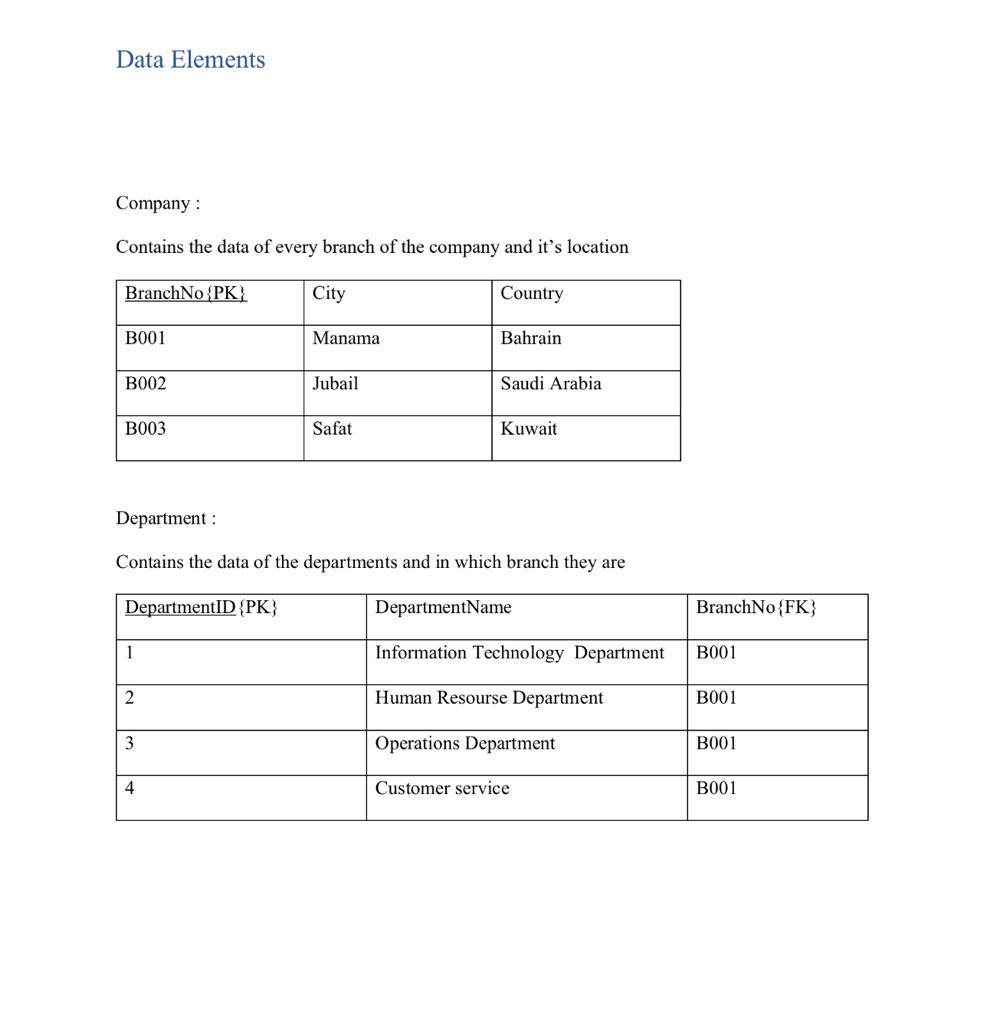
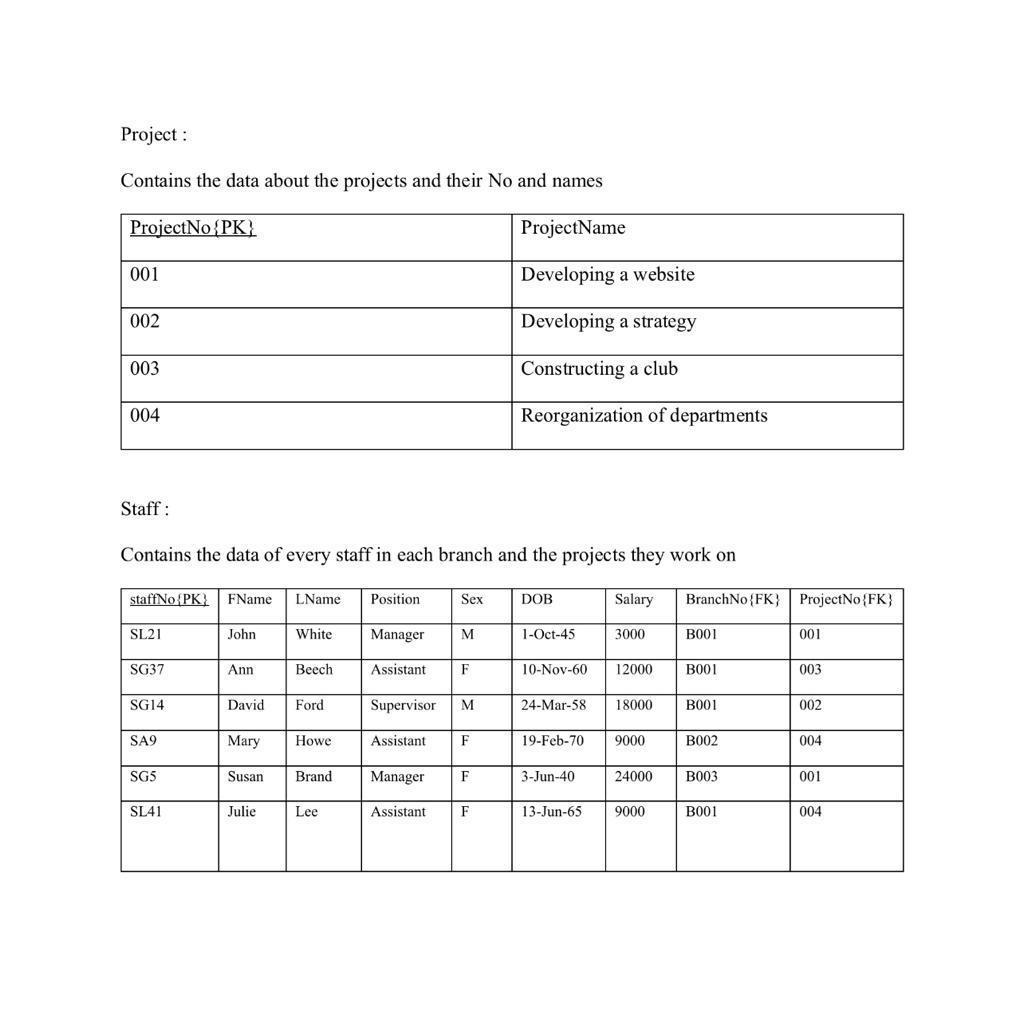
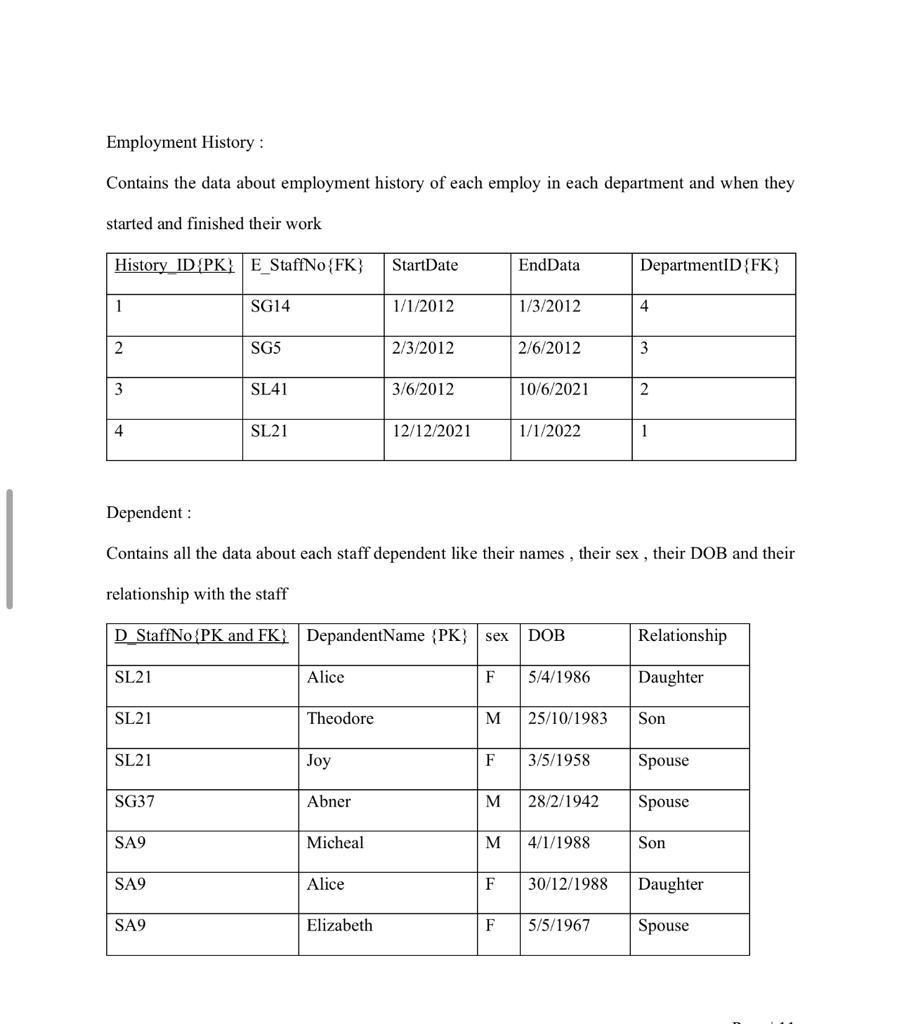
--------------------------------------------------------------------------------------------------------------------------------------------------------------------------------------------------------------------------
use these instructions and comments :
Creation of Table :
Include all tables created in SQL
SQL Queries :
Create at least 20 different queries (The queries you may develop, should show the following: Anatural language description of the query, The SQL commands, The result generated by SQL .The 20 queries should include: Multiple table join; Use sub-queries; Group data using GROUPBY; Sort query results using ORDER BY; IN or NOT IN; LIKE; Aggregate functions or calculated field .
note : if you use any reference include it with the answer .
Data Elements Company : Contains the data of every branch of the company and it's location Department : Contains the data of the departments and in which branch they are Project : Contains the data about the projects and their No and names Staff : Contains the data of every staff in each branch and the projects they work on Employment History : Contains the data about employment history of each employ in each department and when they started and finished their work Dependent : Contains all the data about each staff dependent like their names, their sex , their DOB and their relationship with the staffStep by Step Solution
There are 3 Steps involved in it

Get step-by-step solutions from verified subject matter experts
 Study Help