







Question: Using your favorite Linux text editor, gedit , vi , ed , or nano , create a user management shell script using a while logic
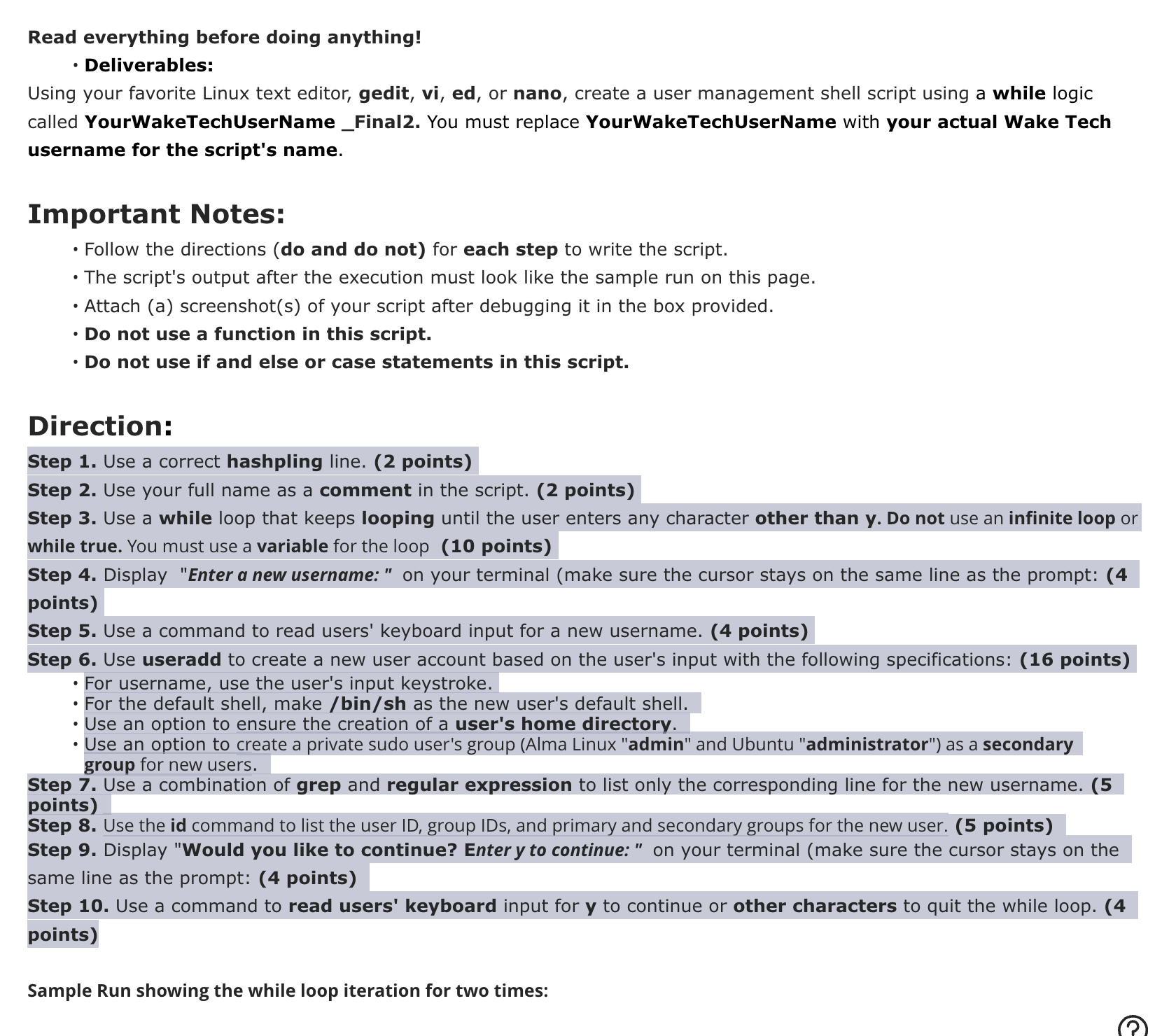
Using your favorite Linux text editor,geditvied ornano create a user management shell script using awhilelogic calledUserNameFinal You must replaceYourWakeTechUserNamewith your actual Wake Tech username for the script's name.
Important Notes:
Follow the directions do and do not for each step to write the script.
The script's output after the execution must look like the sample run on this page.
Attach a screenshots of your script after debugging it in the box provided.
Do not use a function in this script.
Do not use if and else or case statements in this script.
Direction:
Step Use a correct hashpling line. points
Step Use your full name as a comment in the script. points
Step Use a while loop that keeps looping until the user enters any character other than y Do not use an infinite loop or while true. You must use a variable for the loop points
Step Display "Enter a new username: on your terminal make sure the cursor stays on the same line as the prompt: points
Step Use a command to read users' keyboard input for a new username. points
Step Use useradd to create a new user account based on the user's input with the following specifications: points
For username, use the user's input keystroke.
For the default shell, make binsh as the new user's default shell.
Use an option to ensure the creation of a user's home directory.
Use an option to create a private sudo user's group Alma Linux "admin" and Ubuntu "administrator" as a secondary group for new users.
Step Use a combination of grep and regular expression to list only the corresponding line for the new username. points
Step Use theidcommand to list the user ID group IDs, and primary and secondary groups for the new user. points
Step Display "Would you like to continue? Enter y to continue: on your terminal make sure the cursor stays on the same line as the prompt: points
Step Use a command to read users' keyboard input for y to continue or other characters to quit the while loop. points
Step by Step Solution
There are 3 Steps involved in it
1 Expert Approved Answer
Step: 1 Unlock

Question Has Been Solved by an Expert!
Get step-by-step solutions from verified subject matter experts
Step: 2 Unlock
Step: 3 Unlock
 Study Help