







Question: . . . Using your Ubuntu virtual machine, work with users, groups, and file systems. Complete the following: Attach a new virtual hard drive to
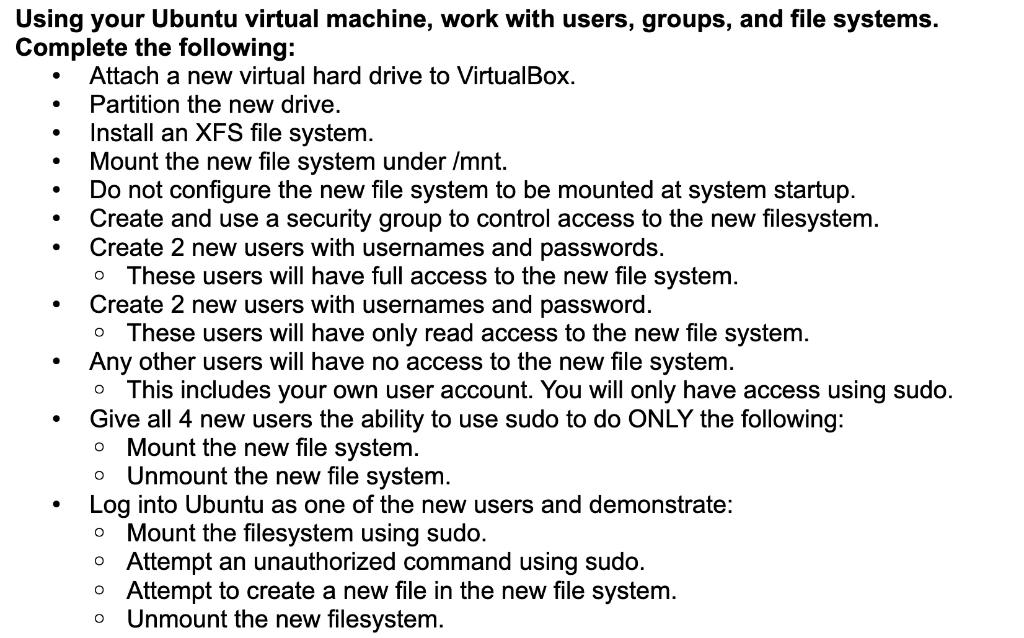
. . . Using your Ubuntu virtual machine, work with users, groups, and file systems. Complete the following: Attach a new virtual hard drive to VirtualBox. Partition the new drive. Install an XFS file system. Mount the new file system under /mnt. Do not configure the new file system to be mounted at system startup. Create and use a security group to control access to the new filesystem. Create 2 new users with usernames and passwords. These users will have full access to the new file system. Create 2 new users with usernames and password. These users will have only read access to the new file system. Any other users will have no access to the new file system. This includes your own user account. You will only have access using sudo. Give all 4 new users the ability to use sudo to do ONLY the following: Mount the new file system. Unmount the new file system. Log into Ubuntu as one of the new users and demonstrate: Mount the filesystem using sudo. o Attempt an unauthorized command using sudo. o Attempt to create a new file in the new file system. Unmount the new filesystem. . O o O . O . . . Using your Ubuntu virtual machine, work with users, groups, and file systems. Complete the following: Attach a new virtual hard drive to VirtualBox. Partition the new drive. Install an XFS file system. Mount the new file system under /mnt. Do not configure the new file system to be mounted at system startup. Create and use a security group to control access to the new filesystem. Create 2 new users with usernames and passwords. These users will have full access to the new file system. Create 2 new users with usernames and password. These users will have only read access to the new file system. Any other users will have no access to the new file system. This includes your own user account. You will only have access using sudo. Give all 4 new users the ability to use sudo to do ONLY the following: Mount the new file system. Unmount the new file system. Log into Ubuntu as one of the new users and demonstrate: Mount the filesystem using sudo. o Attempt an unauthorized command using sudo. o Attempt to create a new file in the new file system. Unmount the new filesystem. . O o O . O
Step by Step Solution
There are 3 Steps involved in it

Get step-by-step solutions from verified subject matter experts
 Study Help