



Question: v Question 1: What are the theme fonts for the default Office theme? Answer: A. Galibri Light (Headings) and Calibri (Body) B. Times New Roman
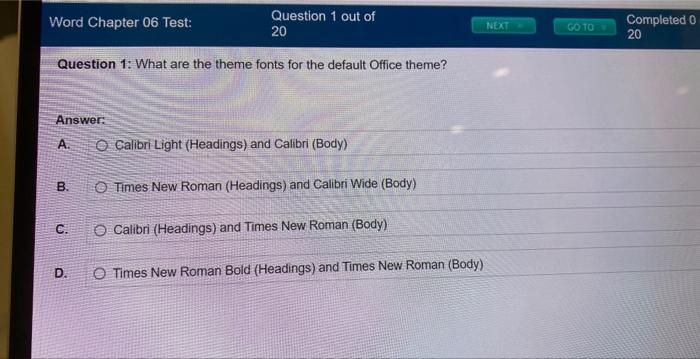
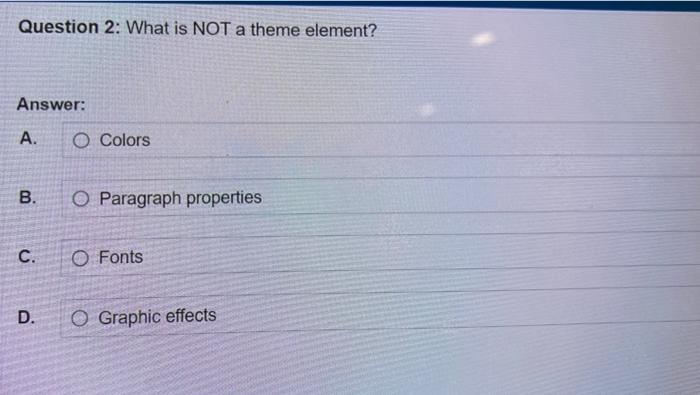
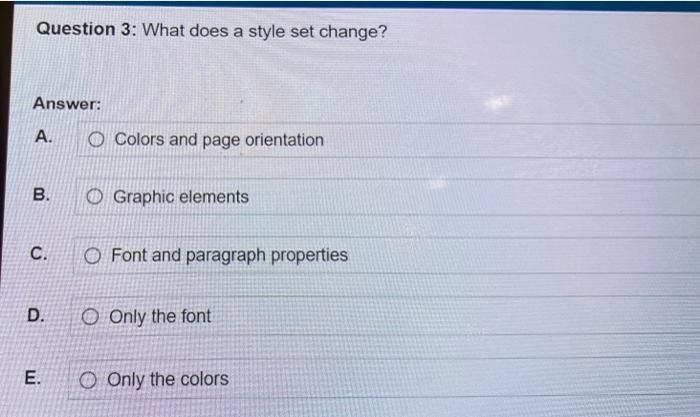
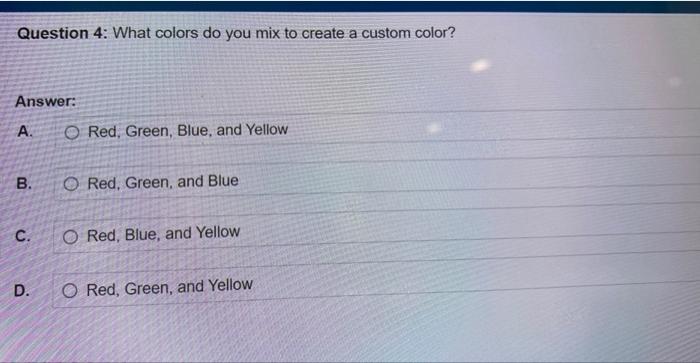
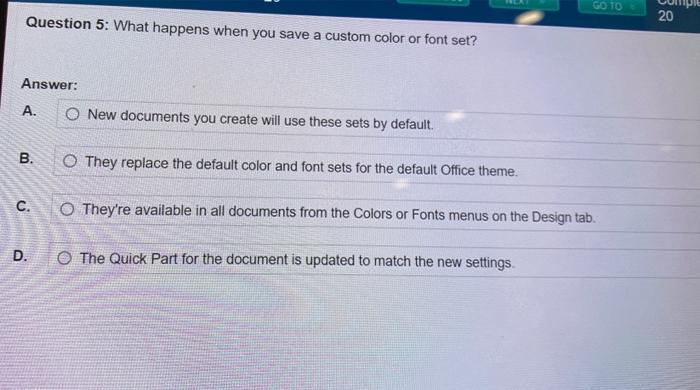
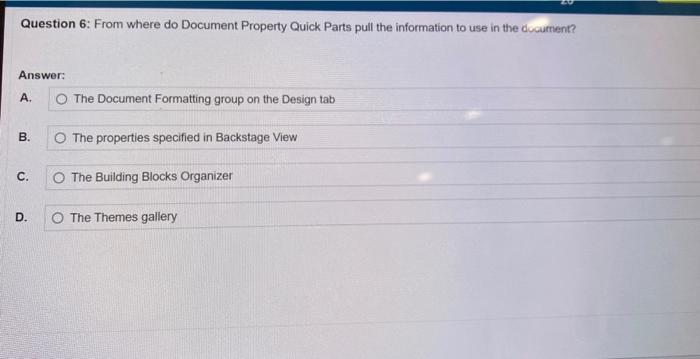
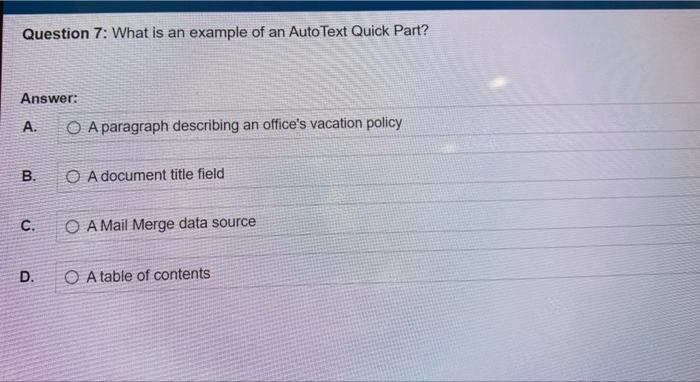
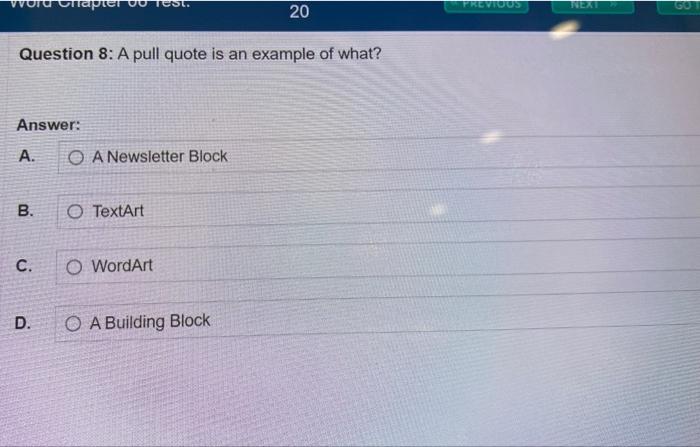
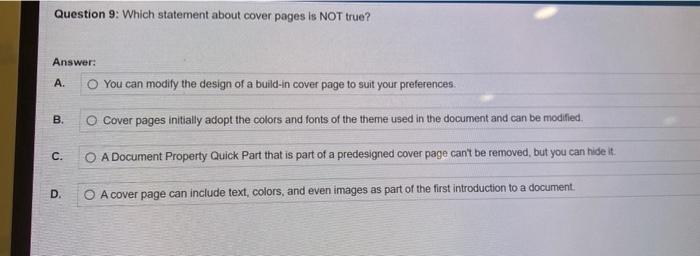
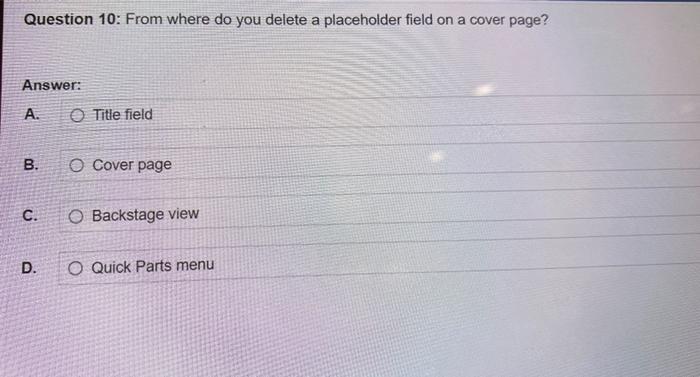
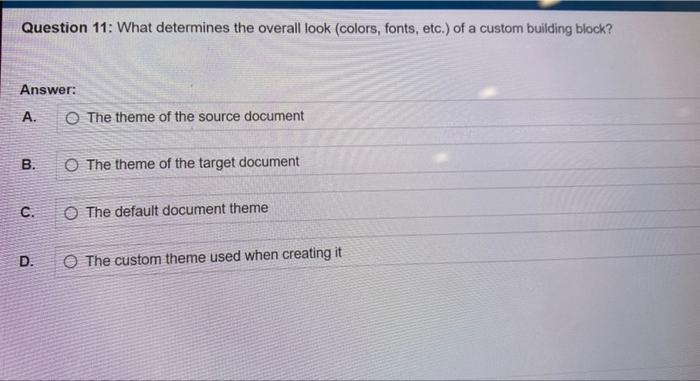
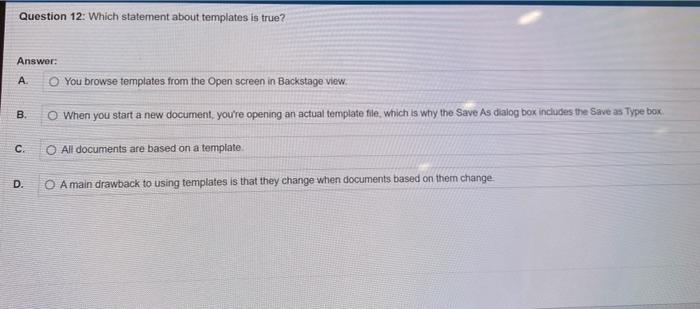
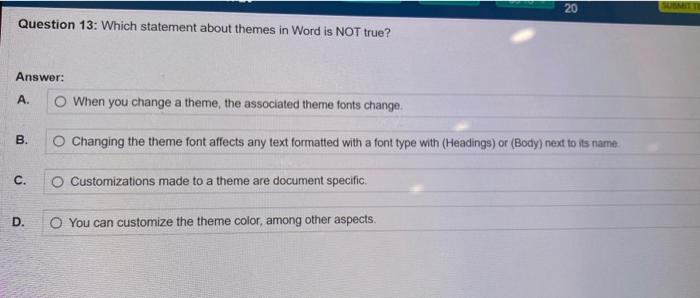
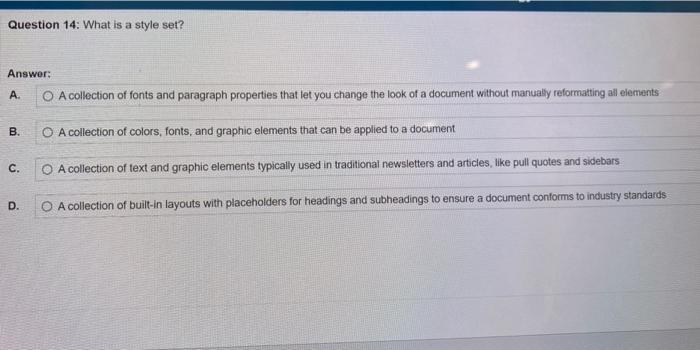
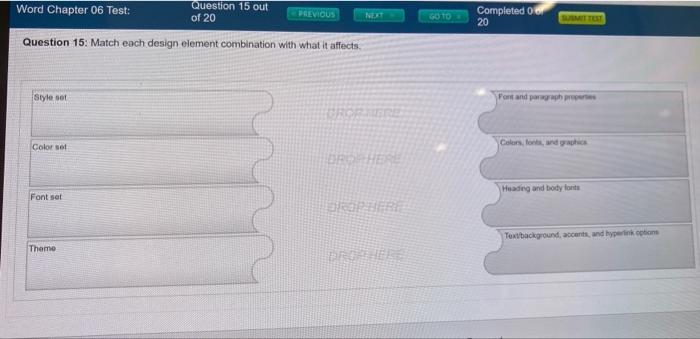
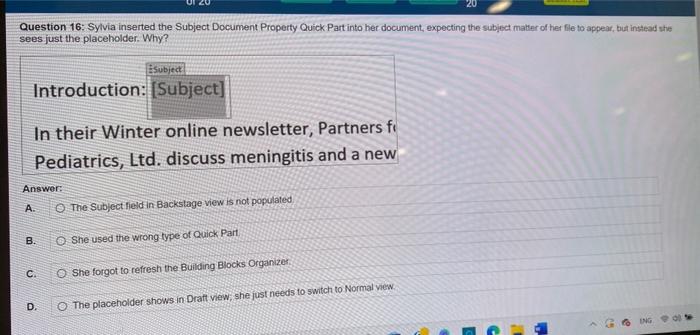
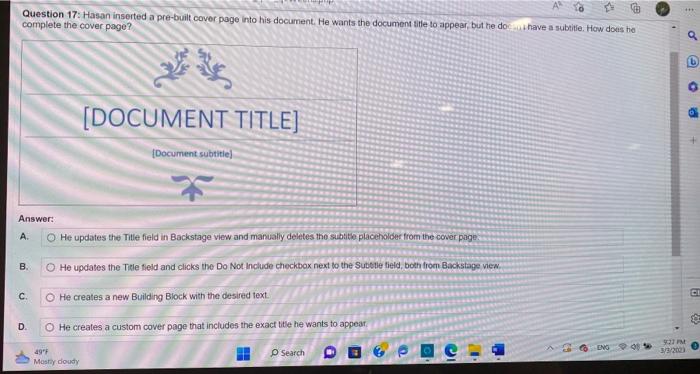
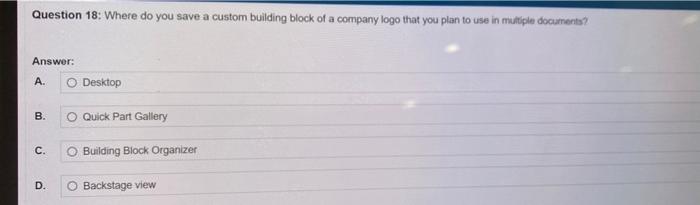
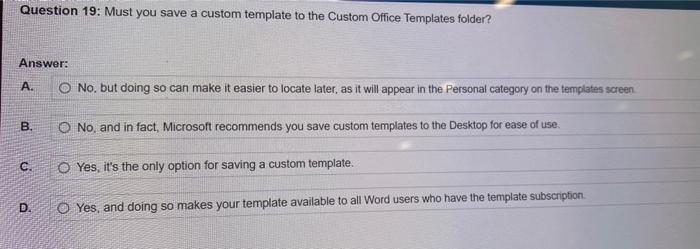
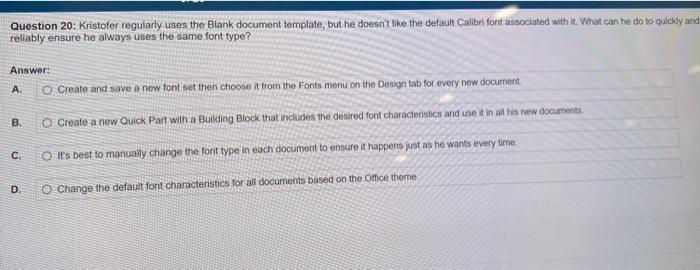
Question 1: What are the theme fonts for the default Office theme? Answer: A. Galibri Light (Headings) and Calibri (Body) B. Times New Roman (Headings) and Calibri Wide (Body) C. Calibri (Headings) and Times New Roman (Body) D. Times New Roman Bold (Headings) and Times New Roman (Body) Question 2: What is NOT a theme element? Answer: A. Colors B. Paragraph properties C. Fonts D. Graphic effects Question 3: What does a style set change? Answer: A. Colors and page orientation B. Graphic elements C. Font and paragraph properties D. Only the font E. Only the colors Question 4: What colors do you mix to create a custom color? Answer: A. Red, Green, Blue, and Yellow B. Red, Green, and Blue C. Red, Blue, and Yellow D. Red, Green, and Yellow Question 5: What happens when you save a custom color or font set? Answer: A. New documents you create will use these sets by default. B. They replace the default color and font sets for the default Office theme. C. They're available in all documents from the Colors or Fonts menus on the Design tab. The Quick Part for the document is updated to match the new settings. Question 6: From where do Document Property Quick Parts pull the information to use in the document? Answer: A. The Document Formatting group on the Design tab B. The properties specified in Backstage View C. The Building Blocks Organizer D. The Themes gallery Question 7: What is an example of an AutoText Quick Part? Answer: A. A paragraph describing an office's vacation policy B. A document title field c. AMail Merge data source D. A table of contents Question 8: A pull quote is an example of what? Answer: A. ANewsletter Block B. TextArt C. WordArt D. A Building Block Question 9: Which statement about cover pages is NOT true? Answer: A. You can modify the design of a build-in cover page to suit your preferences. B. Cover pages initially adopt the colors and fonts of the theme used in the document and can be modfied. C. A Document Property Quick Part that is part of a predesigned cover page cant be removed, but you can hide it. D. A cover page can include text, colors, and even images as part of the first introduction to a document. Question 10: From where do you delete a placeholder field on a cover page? Answer: A. Title field B. Cover page C. Backstage view D. Quick Parts menu Question 11: What determines the overall look (colors, fonts, etc.) of a custom building block? Answer: A. The theme of the source document B. The theme of the target document c. The default document theme D. The custom theme used when creating it Question 12: Which statement about templates is true? Answer: A. You browse templates from the Open screen in Backstage view. B. When you start a new document, yourre opening an actual template file, which is why the Save As dalog box includes the Save as Type box. C. All documents are based on a template. D. A main drawback to using templates is that they change when documents based on thern change Question 13: Which statement about themes in Word is NOT true? Answer: A. When you change a theme, the associated theme fonts change. B. Changing the theme font affects any text formatted with a font type with (Headings) or (Body) next to its name C. Customizations made to a theme are document specific. D. You can customize the theme color, among other aspects. Question 14: What is a style set? Answor: A. A collection of fonts and paragraph properties that let you change the look of a document without manually reformating all elements B. A collection of colors, fonts, and graphic elements that can be applied to a document C. A collection of text and graphic elements typically used in traditional newsletters and articles, like pull quotes and sidebars D. A collection of built-in layouts with placeholders for headings and subheadings to ensure a document conforms to industry standards Word Chapter 06 Test: Question 15 out of 20 Completed 06 p 20 Question 15: Match each design element combination with what it affects. Style set Fort and pangaph pucerises Color set Font set Texibackground, accants, and byperink cobant Theme Question 16: Sylvia inserted the Subject Document Property Quick Part into her document, expecting the subject matter of her flie to appear, but instead she sees just the placeholder. Why? Introduction: In their Winter online newsletter, Partners fii Pediatrics, Ltd. discuss meningitis and a new Answer: A. The Subject fieldin Backstage view is not populated B. She used the wrong type of Quick Part C. She forgot to refresh the Bulling Blocks Organizes D. The placeholder shows in Dratt vew, she just needs to switch to Normal view Question 17: Hasan inserted a pre-built cover page into his document. He wants the document title to appear, but he do s is a have a subeite. How doas ho complete the cover pege? Answer: A. He updates the Title field in Backstage view and manually deletes the subtite placenolder from the cover page: B. He updates the Title field and clicks the Do Not include checkbox next to the Subetle field, both from Backstage vien. C. He creates a new Building Block with the desired text. D. He creates a custom cover page that includes the exacf title he wants to appear: Question 18: Where do you save a custom building block of a company logo that you plan to use in mutiple documents? Answer: A. Desktop B. O Quick Part Gallery C. Building Block Organizer D. Backstage view Question 19: Must you save a custom template to the Custom Office Templates folder? Answer: A. No. but doing so can make it easier to locate later, as it will appear in the Personal category on the templates screen. B. No, and in fact, Microsoft recommends you save custom templates to the Desktop for ease of use. C. Yes, it's the only option for saving a custom template. D. Yes, and doing so makes your template available to all Word users who have the template subscription. Question 20: Kristofer regularly uses the Blank document template, but he doesn't like the default Calibri fort associated with it. What can he do to quickly an rellably ensure he always uses the same font type? Answer: A. Create and save a new font set then choose it from the Fonts menu on the Design tab for every new docurnent. B. Create a new Quick Part with a Buibing Block that includes the desired font characteristics and use it in all his new documents C.: It's best to manuatly. chande the font type in each document to ensure it happens just as he wants every time: Change the defaut font characteristics for all documents pased on the Office theme
Step by Step Solution
There are 3 Steps involved in it

Get step-by-step solutions from verified subject matter experts