







Question: VBA coding Problem #2: Quadratic Equation Roots Create an application (user interface worksheet and VBA Main Sub procedure) to solve for the roots of the
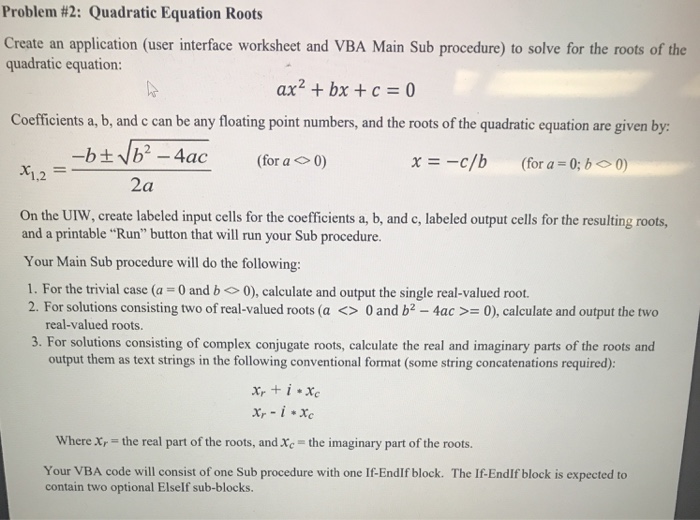
Problem #2: Quadratic Equation Roots Create an application (user interface worksheet and VBA Main Sub procedure) to solve for the roots of the quadratic equation: ax2 + bx + c = 0 Coefficients a, b, and c can be any floating point numbers, and the roots of the quadratic equation are given by (for a 0) x=-c/b (for a = 0;b 0) 1.2 2a On the UIW, create labeled input cells for the coefficients a, b, and c, labeled output cells for the resulting roots, and a printable "Run" button that will run your Sub procedure. Your Main Sub procedure will do the following: I. For the trivial case (a = 0 and b 0), calculate and output the single real-valued root. 2. For solutions consisting two of real-valued roots (a 0 and b2-4ac >= 0), calculate and output the two real-valued roots. 3. For solutions consisting of complex conjugate roots, calculate the real and imaginary parts of the roots and output them as text strings in the following conventional format (some string concatenations required): Where xr the real part of the roots, and Xc the imaginary part of the roots. Your VBA code will consist of one Sub procedure with one If-EndIf block. The If-EndIf block is expected to contain two optional Elself sub-blocks
Step by Step Solution
There are 3 Steps involved in it

Get step-by-step solutions from verified subject matter experts
 Study Help