







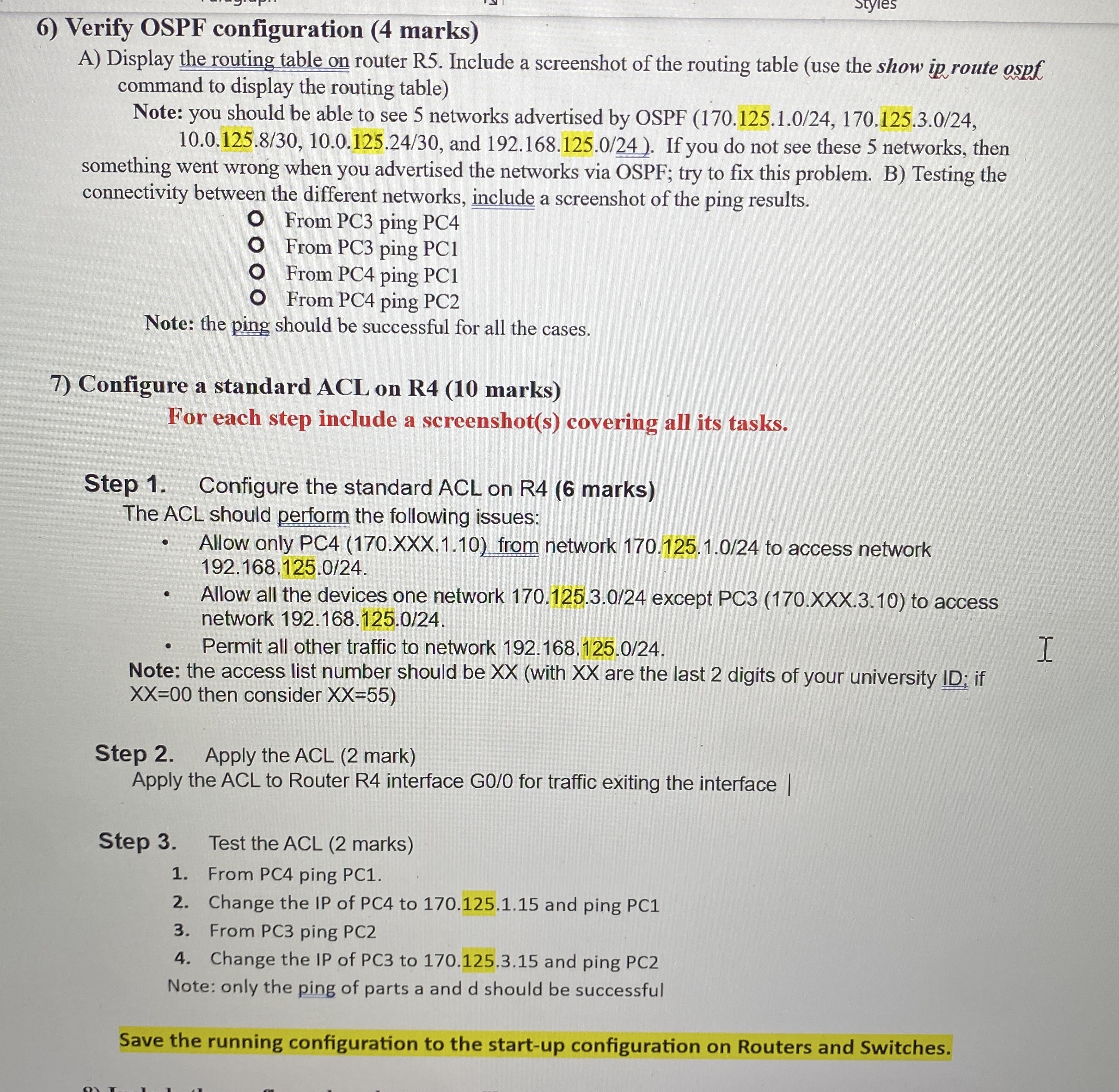
Question: Verify OSPF configuration ( 4 marks ) A ) Display the routing table on router R 5 . Include a screenshot of the routing table
Verify OSPF configuration marks
A Display the routing table on router R Include a screenshot of the routing table use the show ip route ospf command to display the routing table
Note: you should be able to see networks advertised by OSPF and If you do not see these networks, then something went wrong when you advertised the networks via OSPF; try to fix this problem. B Testing the connectivity between the different networks, include a screenshot of the ping results.
From PC ping PC
From PC ping PC
From PC ping PC
From PC ping PC
Note: the ping should be successful for all the cases.
Configure a standard ACL on R marks
For each step include a screenshots covering all its tasks.
Step Configure the standard ACL on R marks
The ACL should perform the following issues:
Allow only PCXXX from network to access network
Allow all the devices one network except PCXXX to access network
Permit all other traffic to network
Note: the access list number should be with are the last digits of your university ID; if then consider
Step Apply the ACL mark
Apply the ACL to Router R interface G for traffic exiting the interface
Step Test the ACL marks
From PC ping PC
Change the IP of PC to and ping PC
From PC ping PC
Change the IP of PC to and ping PC
Note: only the ping of parts a and should be successful
Save the running configuration to the startup configuration on Routers and Switches.
Step by Step Solution
There are 3 Steps involved in it
1 Expert Approved Answer
Step: 1 Unlock

Question Has Been Solved by an Expert!
Get step-by-step solutions from verified subject matter experts
Step: 2 Unlock
Step: 3 Unlock
 Study Help