







Question: Very simple Python search program! Note from teacher: 'Students dont have to implement the search or sort algorithms; use Python libraries if necessary.' Here is
Very simple Python search program!
Note from teacher: 'Students dont have to implement the search or sort algorithms; use Python libraries if necessary.'
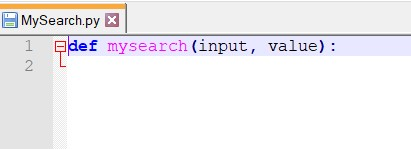
Here is the code given (please use this):
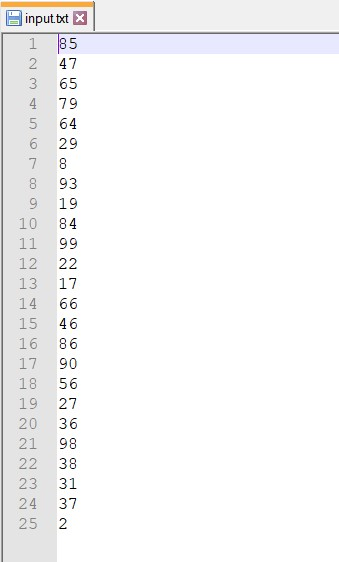
Here are the input values given:
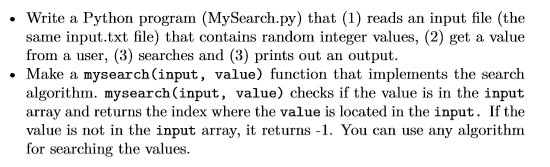
If you can complete the instructions listed below, that would be very helpful!
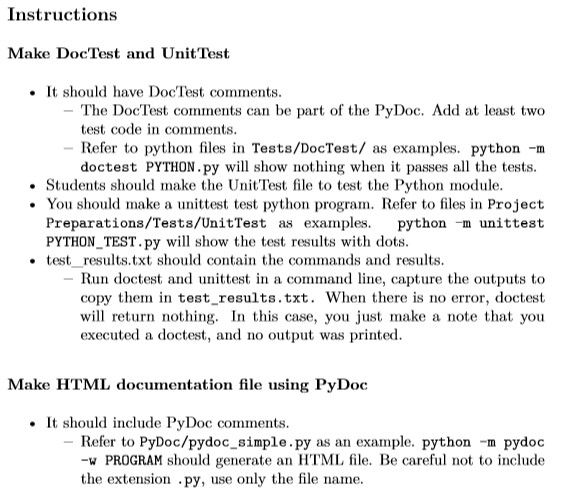
Write a Python program (MySearch.py) that (1) reads an input file (the same input.txt file) that contains random integer values, (2) get a value from a user, (3) searches and (3) prints out an output. Make a mysearch(input, value) function that implements the search algorithm, mysearch(input, value) checks if the value is in the input array and returns the index where the value is located in the input. If the value is not in the input array, it returns - 1. You can use any algorithm for searching the values. MySearch.py 1 def mysearch(input, value): 2 input.txt 185 47 65 93 19 84 99 13 18 Instructions Make DocTest and Unit Test It should have DocTest comments. - The Doc Test comments can be part of the PyDoc. Add at least two test code in comments. - Refer to python files in Tests/DocTest/ as examples. python-m doctest PYTHON.py will show nothing when it passes all the tests. Students should make the Unit Test file to test the Python module. You should make a unittest test python program. Refer to files in Project Preparations/Tests/UnitTest as examples. python -m unittest PYTHON TEST.py will show the test results with dots. test_results.txt should contain the commands and results. - Run doctest and unittest in a command line, capture the outputs to copy them in test results.txt. When there is no error, doctest will return nothing. In this case, you just make a note that you executed a doctest, and no output was printed. Make HTML documentation file using PyDoc It should include PyDoc comments. - Refer to PyDoc/pydoc_simple.py as an example. python-m pydoc -W PROGRAM should generate an HTML file. Be careful not to include the extension .py, use only the file name
Step by Step Solution
There are 3 Steps involved in it

Get step-by-step solutions from verified subject matter experts
 Study Help