







Question: Visual Basic Calculator Solution Using Visual Studio The addButton_Click procedure should perform the following three tasks: add the integer entered in the numTextBox to an
Visual Basic Calculator Solution Using Visual Studio
The addButton_Click procedure should perform the following three tasks: add the integer entered in the numTextBox to an accumulator, display the integer on a separate line in the numbersTextBox, and display the accumulator's value in the sumLabel. The startOverButton_Click procedure should clear the contents of both text boxes and the sumLabel. It should also start the accumulator at 0. Code the procedures.
This is the code I have and I can't figure out what I need to do differently, as it is not running correctly.
Option Explicit On Option Strict On Option Infer Off
Public Class MainForm Private Sub exitButton_Click(sender As Object, e As EventArgs) Handles exitButton.Click Me.Close() End Sub
Private Sub numTextBox_KeyPress(sender As Object, e As KeyPressEventArgs) Handles numTextBox.KeyPress ' allow the text box to accept only numbers and the Backspace
If (e.KeyChar "9") AndAlso e.KeyChar ControlChars.Back Then e.Handled = True End If End Sub
Private Sub addButton_Click(sender As Object, e As EventArgs) Handles addButton.Click 'Declares the accumulator Dim totalSum As Integer Dim num As Integer Dim inputNum As String 'Clear textbox numTextBox.Text = String.Empty 'Gets first integer inputNum = numTextBox.Text Integer.TryParse(inputNum, num) 'repeat as long as user enters a value Do While num > 0 And num
'get the next number inputNum = numTextBox.Text Loop
End Sub Private Sub MainForm_Load(sender As Object, e As EventArgs) Handles MyBase.Load
End Sub End Class
This is the Design and Code that the program started with
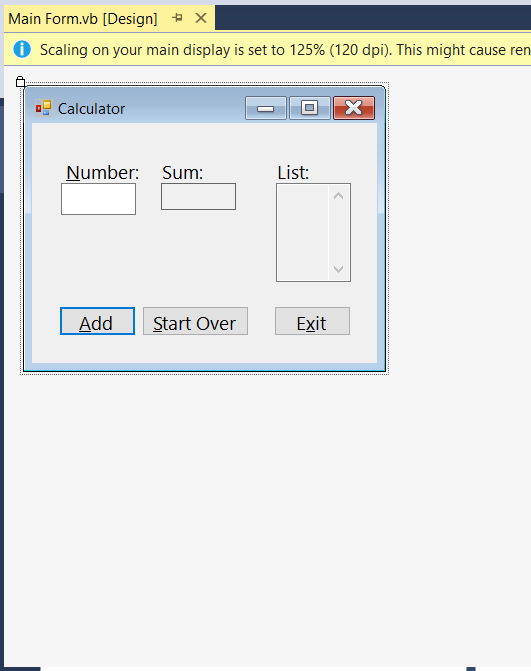
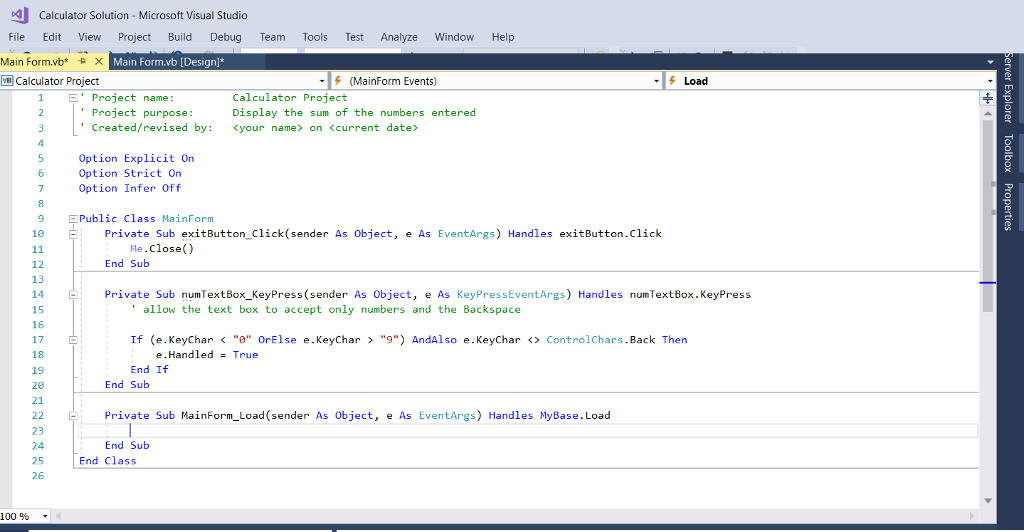
Main Form.vb [Design] O scaling on your main display is set to 125% (120 dpi). This might cause ren Calculator Number: Sum: List: Add Start OverExit
Step by Step Solution
There are 3 Steps involved in it

Get step-by-step solutions from verified subject matter experts
 Study Help