







Question: visual basic code for calculaye reservation totals Adobe Acrobat Reader DC dow Help Extra exercises-2.pdf x 16 /49 | 103% Extra 9-1 Calculate reservation totals
visual basic code for calculaye reservation totals
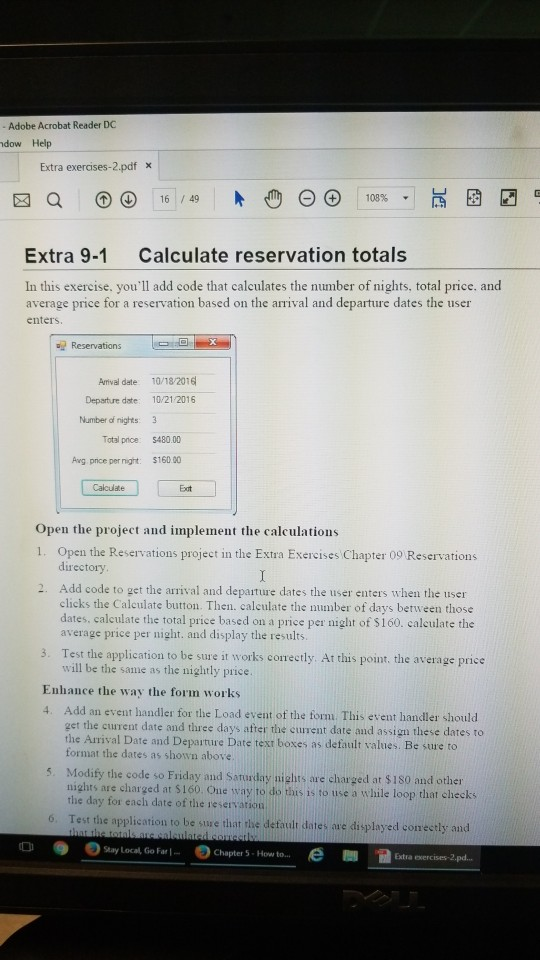
Adobe Acrobat Reader DC dow Help Extra exercises-2.pdf x 16 /49 | 103% Extra 9-1 Calculate reservation totals In this exercise. you'll add code that calculates the number of nights, total price, and average price for a reservation based on the arrival and departure dates the user enters. Reservation Armtival date 10/18/2016 Departure date 10/21 2016 Number oi nights 3 Total price: 5480.00 Avg pnice per night: $160 00 Open the project and implement the calculations 1. Open the Reservations project in the Extra Exercises Chapter 09 Reservations directory Add code to get the arrival and departure dates the user enters when the user clicks the Caleulate button. Then. caleulate the number of days between those dates. calculate the total price based on a price per night of $160. calculate the average price per night. and display the results 2. . Test the application to be sure it works corectly. At this point, the average price will be the same as the nightly price Enhance the way the form works 4. Add an event handler for the Load event of the form. This event handler should get the current date and three days after the current date and assign these dates to the Arrival Date and Departure Date text boxes as default values. Be sure to format the dates as shown above 5. Modify the code so Friday and Saturday niglhts are charged at $1s0 and othen nights are charged at $160. Oue way to do this is to use a while loop that checks the day for each date of the reservation t the application to be sure that rhe default dates are displayed conectly and e) Stay Local, Go Fal- o e) chapter 5 . How to e Extra
Step by Step Solution
There are 3 Steps involved in it

Get step-by-step solutions from verified subject matter experts
 Study Help