







Question: Visual Basic Coding Help! I need to show what kind of poker hand such as flush,straight, four of a kind,etc when 5 cards are selected
Visual Basic Coding Help! I need to show what kind of poker hand such as flush,straight, four of a kind,etc when 5 cards are selected from the check boxes after pressing the show poker hand button.
A poker hand can be stored in a two dimensional array. The statement Dim aryintCards(4, 14) As Integer declares an array with 52 elements where the first subscript ranges over the four suits and the second subcript ranges over the thirteen denominations. A poker hand is specified by placing 1's in the elements corresponding to the cards in the hand.
Write a program that requests the five cards as input from the user, creates the related array, and passes the array to procedures to determine the type of the hand: flush (all cards have the same suit), straight (cards have consecutive ranks-ace can come either before 2 or after King, sraight flush, four of a kind, full house (three cards of one rank, two cards of another rank), three of a kind, two pairs, one pair, or none of the above.
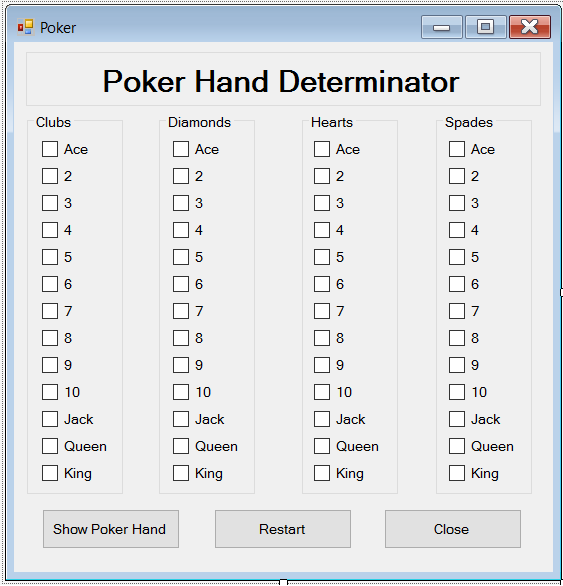
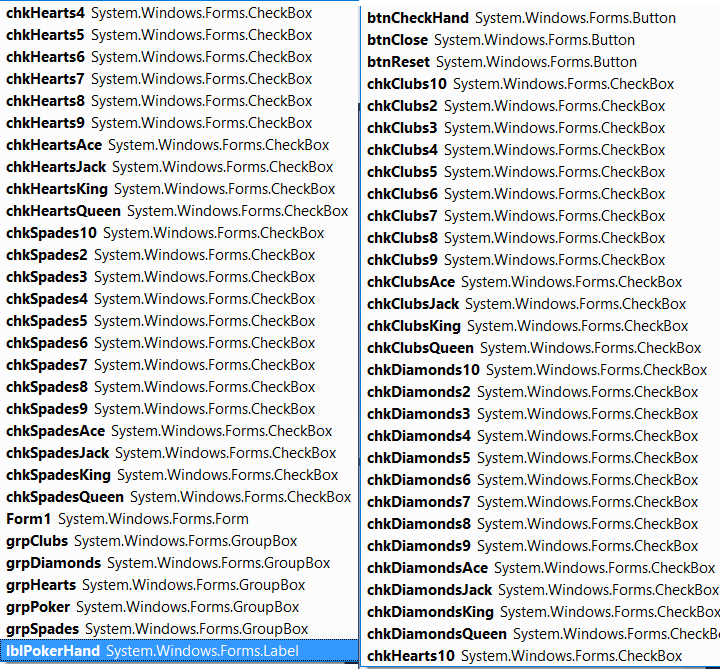
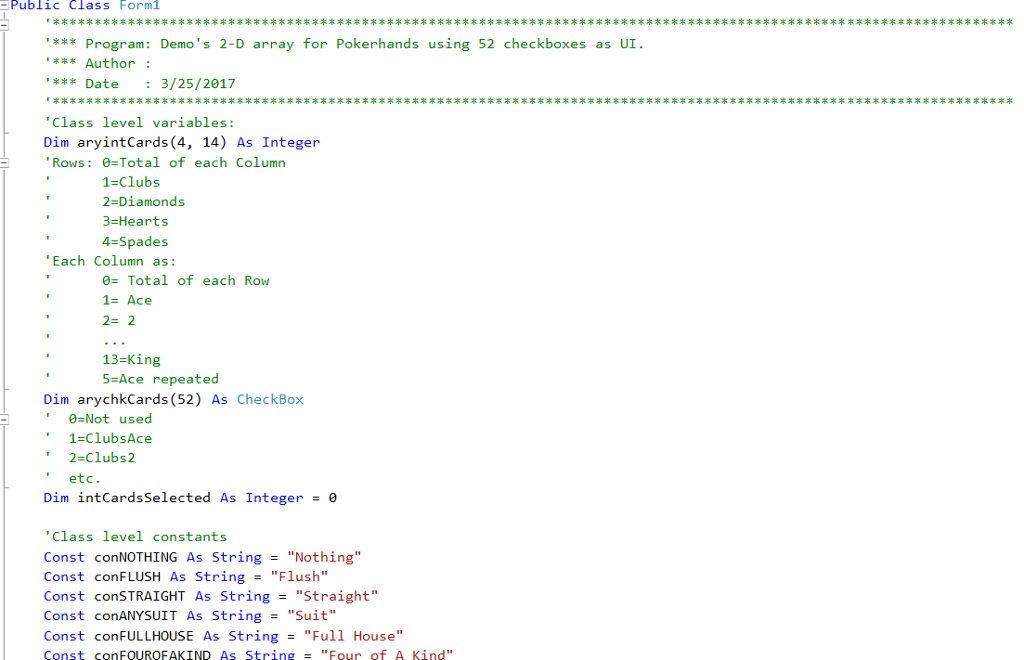
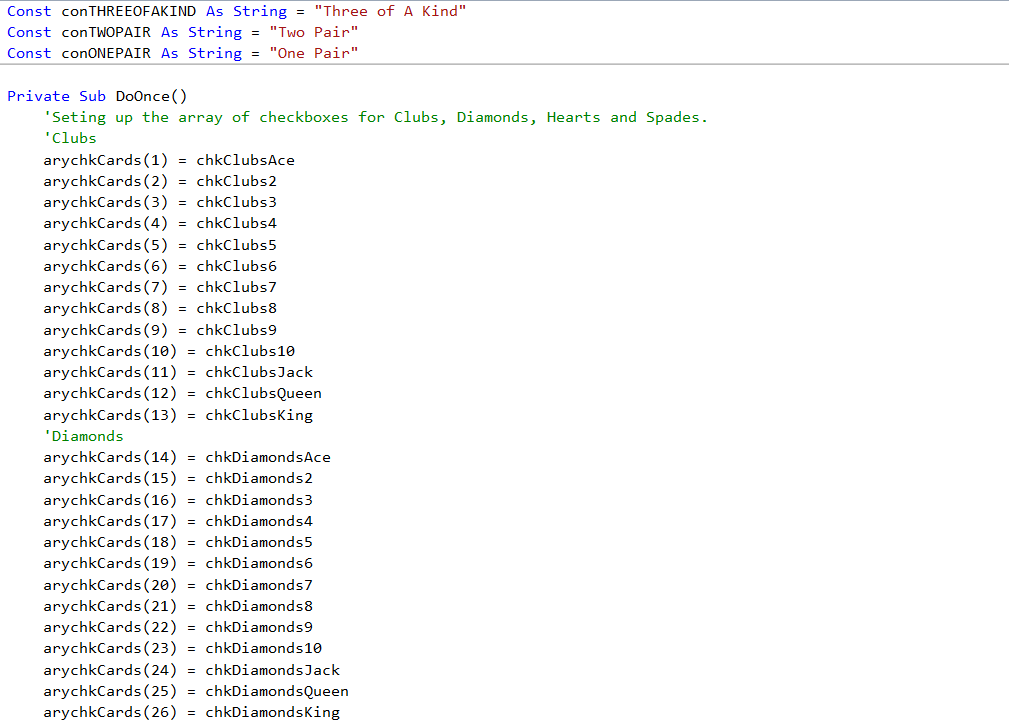
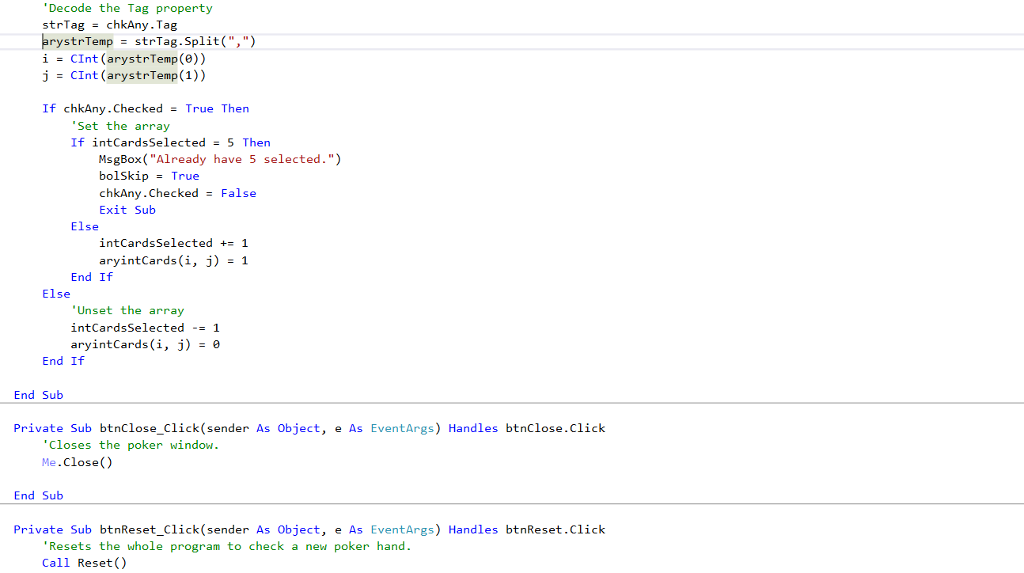
This is my code:
Public Class Form1 '******************************************************************************************************************* '*** Program: Demo's 2-D array for Pokerhands using 52 checkboxes as UI. '*** Author : '*** Date : 3/25/2017 '******************************************************************************************************************* 'Class level variables: Dim aryintCards(4, 14) As Integer 'Rows: 0=Total of each Column ' 1=Clubs ' 2=Diamonds ' 3=Hearts ' 4=Spades 'Each Column as: ' 0= Total of each Row ' 1= Ace ' 2= 2 ' ... ' 13=King ' 5=Ace repeated Dim arychkCards(52) As CheckBox ' 0=Not used ' 1=ClubsAce ' 2=Clubs2 ' etc. Dim intCardsSelected As Integer = 0
'Class level constants Const conNOTHING As String = "Nothing" Const conFLUSH As String = "Flush" Const conSTRAIGHT As String = "Straight" Const conANYSUIT As String = "Suit" Const conFULLHOUSE As String = "Full House" Const conFOUROFAKIND As String = "Four of A Kind" Const conTHREEOFAKIND As String = "Three of A Kind" Const conTWOPAIR As String = "Two Pair" Const conONEPAIR As String = "One Pair"
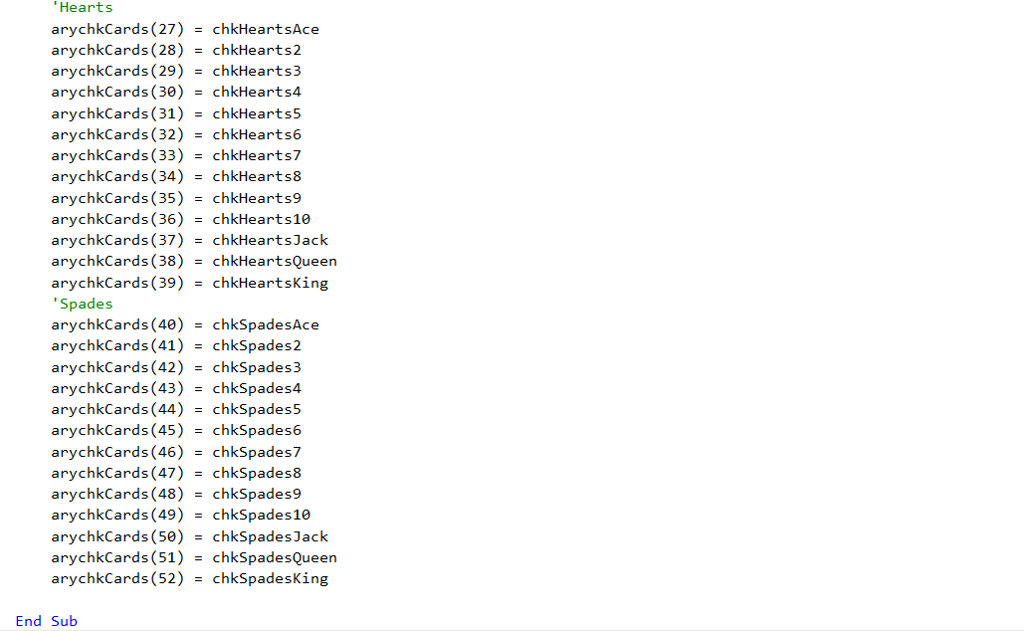
Private Sub DoOnce() 'Seting up the array of checkboxes for Clubs, Diamonds, Hearts and Spades. 'Clubs arychkCards(1) = chkClubsAce arychkCards(2) = chkClubs2 arychkCards(3) = chkClubs3 arychkCards(4) = chkClubs4 arychkCards(5) = chkClubs5 arychkCards(6) = chkClubs6 arychkCards(7) = chkClubs7 arychkCards(8) = chkClubs8 arychkCards(9) = chkClubs9 arychkCards(10) = chkClubs10 arychkCards(11) = chkClubsJack arychkCards(12) = chkClubsQueen arychkCards(13) = chkClubsKing 'Diamonds arychkCards(14) = chkDiamondsAce arychkCards(15) = chkDiamonds2 arychkCards(16) = chkDiamonds3 arychkCards(17) = chkDiamonds4 arychkCards(18) = chkDiamonds5 arychkCards(19) = chkDiamonds6 arychkCards(20) = chkDiamonds7 arychkCards(21) = chkDiamonds8 arychkCards(22) = chkDiamonds9 arychkCards(23) = chkDiamonds10 arychkCards(24) = chkDiamondsJack arychkCards(25) = chkDiamondsQueen arychkCards(26) = chkDiamondsKing 'Hearts arychkCards(27) = chkHeartsAce arychkCards(28) = chkHearts2 arychkCards(29) = chkHearts3 arychkCards(30) = chkHearts4 arychkCards(31) = chkHearts5 arychkCards(32) = chkHearts6 arychkCards(33) = chkHearts7 arychkCards(34) = chkHearts8 arychkCards(35) = chkHearts9 arychkCards(36) = chkHearts10 arychkCards(37) = chkHeartsJack arychkCards(38) = chkHeartsQueen arychkCards(39) = chkHeartsKing 'Spades arychkCards(40) = chkSpadesAce arychkCards(41) = chkSpades2 arychkCards(42) = chkSpades3 arychkCards(43) = chkSpades4 arychkCards(44) = chkSpades5 arychkCards(45) = chkSpades6 arychkCards(46) = chkSpades7 arychkCards(47) = chkSpades8 arychkCards(48) = chkSpades9 arychkCards(49) = chkSpades10 arychkCards(50) = chkSpadesJack arychkCards(51) = chkSpadesQueen arychkCards(52) = chkSpadesKing
End Sub
Private Sub Reset() 'Sets up and Resets the program Dim i As Integer 'loop counter
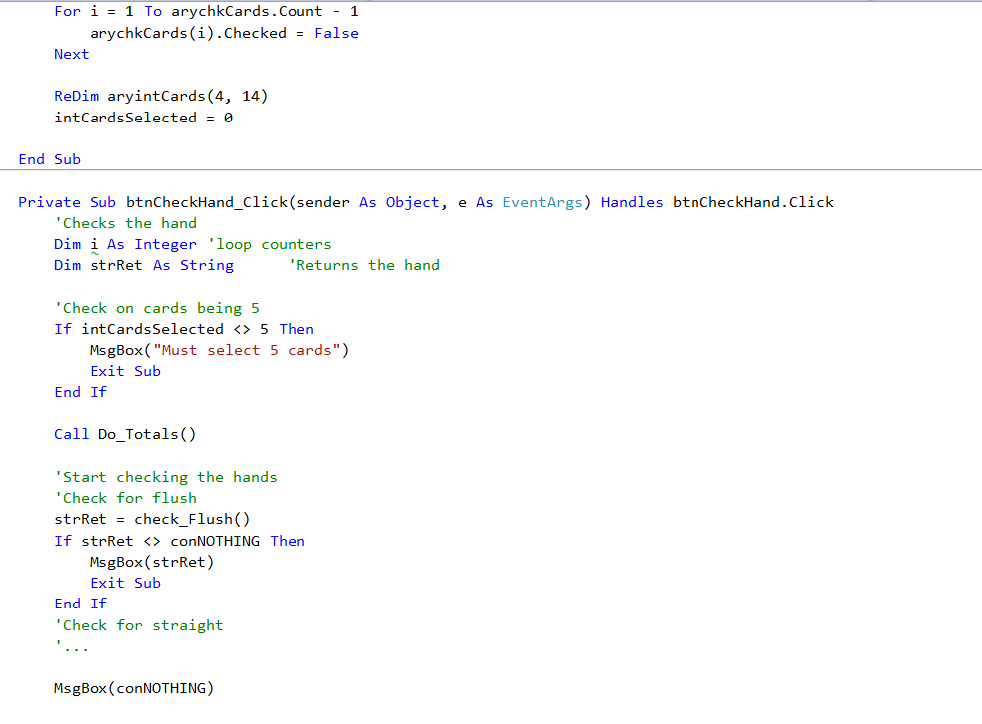
For i = 1 To arychkCards.Count - 1 arychkCards(i).Checked = False Next
ReDim aryintCards(4, 14) intCardsSelected = 0
End Sub
Private Sub btnCheckHand_Click(sender As Object, e As EventArgs) Handles btnCheckHand.Click 'Checks the hand Dim i As Integer 'loop counters Dim strRet As String 'Returns the hand
'Check on cards being 5 If intCardsSelected 5 Then MsgBox("Must select 5 cards") Exit Sub End If
Call Do_Totals()
'Start checking the hands 'Check for flush strRet = check_Flush() If strRet conNOTHING Then MsgBox(strRet) Exit Sub End If 'Check for straight '...
MsgBox(conNOTHING)
End Sub
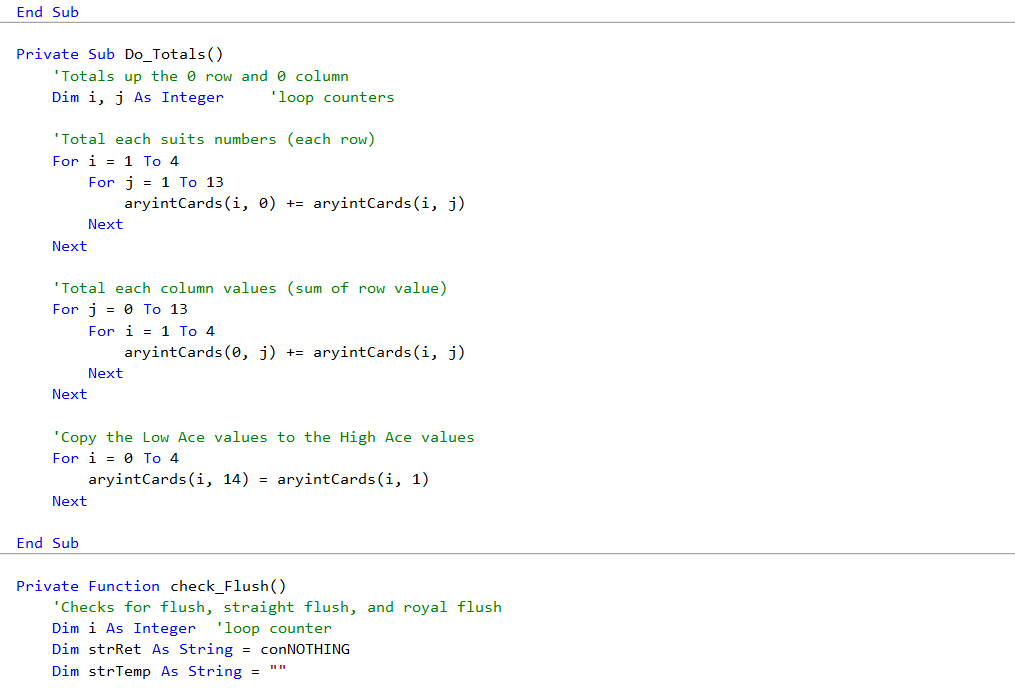
Private Sub Do_Totals() 'Totals up the 0 row and 0 column Dim i, j As Integer 'loop counters
'Total each suits numbers (each row) For i = 1 To 4 For j = 1 To 13 aryintCards(i, 0) += aryintCards(i, j) Next Next
'Total each column values (sum of row value) For j = 0 To 13 For i = 1 To 4 aryintCards(0, j) += aryintCards(i, j) Next Next
'Copy the Low Ace values to the High Ace values For i = 0 To 4 aryintCards(i, 14) = aryintCards(i, 1) Next
End Sub
Private Function check_Flush() 'Checks for flush, straight flush, and royal flush Dim i As Integer 'loop counter Dim strRet As String = conNOTHING Dim strTemp As String = ""
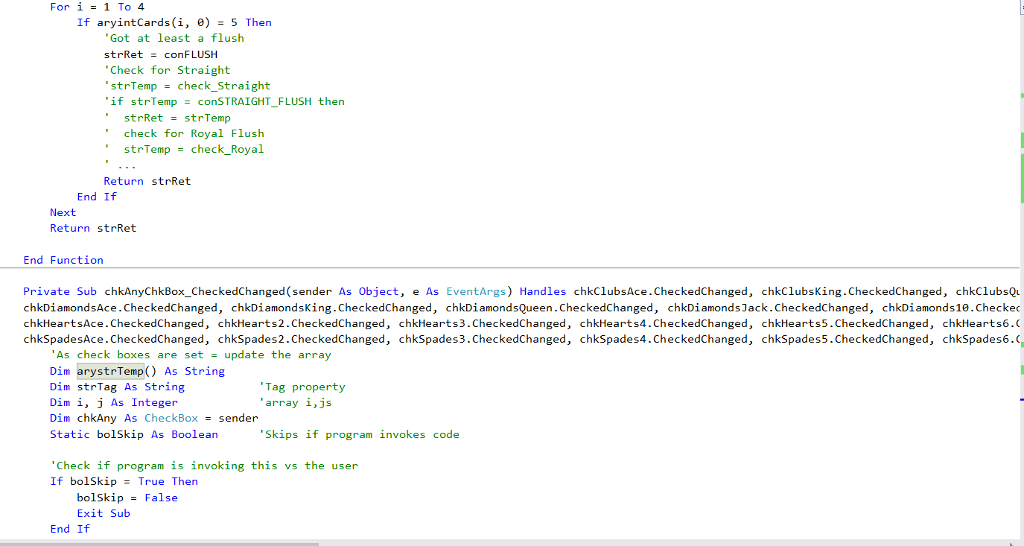
For i = 1 To 4 If aryintCards(i, 0) = 5 Then 'Got at least a flush strRet = conFLUSH 'Check for Straight 'strTemp = check_Straight 'if strTemp = conSTRAIGHT_FLUSH then ' strRet = strTemp ' check for Royal Flush ' strTemp = check_Royal ' ... Return strRet End If Next Return strRet
End Function
Private Sub chkAnyChkBox_CheckedChanged(sender As Object, e As EventArgs) Handles chkClubsAce.CheckedChanged, chkClubsKing.CheckedChanged, chkClubsQueen.CheckedChanged, chkClubsJack.CheckedChanged, chkClubs10.CheckedChanged, chkClubs9.CheckedChanged, chkClubs8.CheckedChanged, chkClubs7.CheckedChanged, chkClubs6.CheckedChanged, chkClubs5.CheckedChanged, chkClubs4.CheckedChanged, chkClubs3.CheckedChanged, chkClubs2.CheckedChanged, chkDiamondsAce.CheckedChanged, chkDiamondsKing.CheckedChanged, chkDiamondsQueen.CheckedChanged, chkDiamondsJack.CheckedChanged, chkDiamonds10.CheckedChanged, chkDiamonds9.CheckedChanged, chkDiamonds8.CheckedChanged, chkDiamonds7.CheckedChanged, chkDiamonds6.CheckedChanged, chkDiamonds5.CheckedChanged, chkDiamonds4.CheckedChanged, chkDiamonds3.CheckedChanged, chkDiamonds2.CheckedChanged, chkHeartsAce.CheckedChanged, chkHearts2.CheckedChanged, chkHearts3.CheckedChanged, chkHearts4.CheckedChanged, chkHearts5.CheckedChanged, chkHearts6.CheckedChanged, chkHearts7.CheckedChanged, chkHearts8.CheckedChanged, chkHearts9.CheckedChanged, chkHearts10.CheckedChanged, chkHeartsJack.CheckedChanged, chkHeartsQueen.CheckedChanged, chkHeartsKing.CheckedChanged, chkSpadesAce.CheckedChanged, chkSpades2.CheckedChanged, chkSpades3.CheckedChanged, chkSpades4.CheckedChanged, chkSpades5.CheckedChanged, chkSpades6.CheckedChanged, chkSpades7.CheckedChanged, chkSpades8.CheckedChanged, chkSpades9.CheckedChanged, chkSpades10.CheckedChanged, chkSpadesJack.CheckedChanged, chkSpadesQueen.CheckedChanged, chkSpadesKing.CheckedChanged 'As check boxes are set = update the array Dim arystrTemp() As String Dim strTag As String 'Tag property Dim i, j As Integer 'array i,js Dim chkAny As CheckBox = sender Static bolSkip As Boolean 'Skips if program invokes code
'Check if program is invoking this vs the user If bolSkip = True Then bolSkip = False Exit Sub End If
'Decode the Tag property strTag = chkAny.Tag arystrTemp = strTag.Split(",") i = CInt(arystrTemp(0)) j = CInt(arystrTemp(1))
If chkAny.Checked = True Then 'Set the array If intCardsSelected = 5 Then MsgBox("Already have 5 selected.") bolSkip = True chkAny.Checked = False Exit Sub Else intCardsSelected += 1 aryintCards(i, j) = 1 End If Else 'Unset the array intCardsSelected -= 1 aryintCards(i, j) = 0 End If
End Sub
Private Sub btnClose_Click(sender As Object, e As EventArgs) Handles btnClose.Click 'Closes the poker window. Me.Close()
End Sub
Private Sub btnReset_Click(sender As Object, e As EventArgs) Handles btnReset.Click 'Resets the whole program to check a new poker hand. Call Reset()
End Sub End Class
#2 Poker Poker Hand Determinator Clubs Diamonds Hearts Spades Ace Ace Ace Ace 10 10 10 10 Jack Jack Jack Jack Queen Queen Queen Queen King King King King Show Poker Hand Restart Close 2 3 4 5 6 7 8 9 Spa A23456789-JQ Ki A 2 3 4 5 6 7 8 9 1 J Q s> A 2 3 4 5 6 7 8 9 1 J Q Ki Out #2 Poker Poker Hand Determinator Clubs Diamonds Hearts Spades Ace Ace Ace Ace 10 10 10 10 Jack Jack Jack Jack Queen Queen Queen Queen King King King King Show Poker Hand Restart Close 2 3 4 5 6 7 8 9 Spa A23456789-JQ Ki A 2 3 4 5 6 7 8 9 1 J Q s> A 2 3 4 5 6 7 8 9 1 J Q Ki Out
Step by Step Solution
There are 3 Steps involved in it

Get step-by-step solutions from verified subject matter experts
 Study Help