







Question: Visual Basic help. Code needs to be in visual basic. Language needs to be visual basic not C#. 1. Research how to move items back
Visual Basic help. Code needs to be in visual basic. 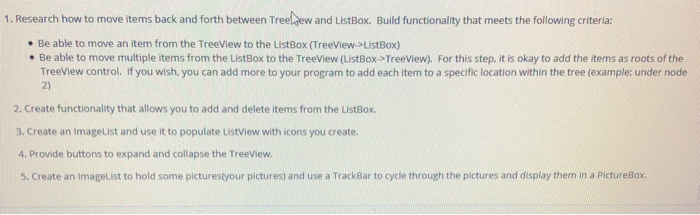
Language needs to be visual basic not C#.
1. Research how to move items back and forth between Treeljew and ListBox. Build functionality that meets the following criteria Be able to move an item from the TreeView to the ListBox (TreeView->ListBox) . Be able to move multiple items from the ListBox to the TreeView (ListBox->TreeView). For this step, it is okay to add the items as roots of the TreeView control. If you wish, you can add more to your program to add each item to a specific location within the tree (example: under node 2) 2. Create functionality that allows you to add and delete items from the ListBox. 3. Create an ImageList and use it to populate ListView with icons you create 4. Provide buttons to expand and collapse the TreeView. 5. Create an ImageList to hold some picturestyour pictures) and use a TrackBar to cycle through the pictures and display them in a Pictur
Step by Step Solution
There are 3 Steps involved in it

Get step-by-step solutions from verified subject matter experts
 Study Help