







Question: Visual Basic Windows Forms.Net help The purpose of this assignment is get some practice with looping, and to see some more benefits of debugging. This
Visual Basic Windows Forms.Net help
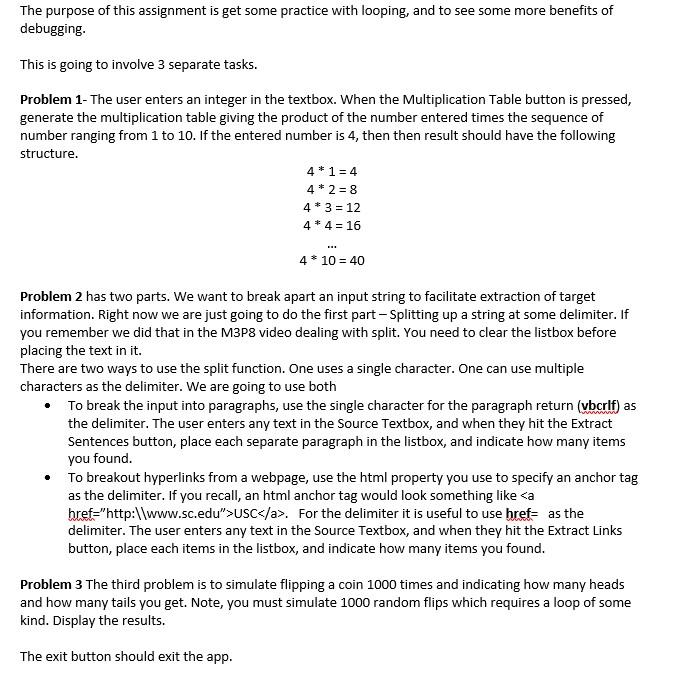
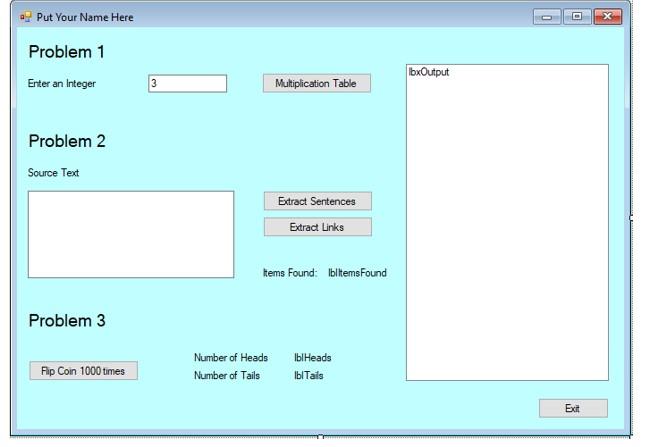
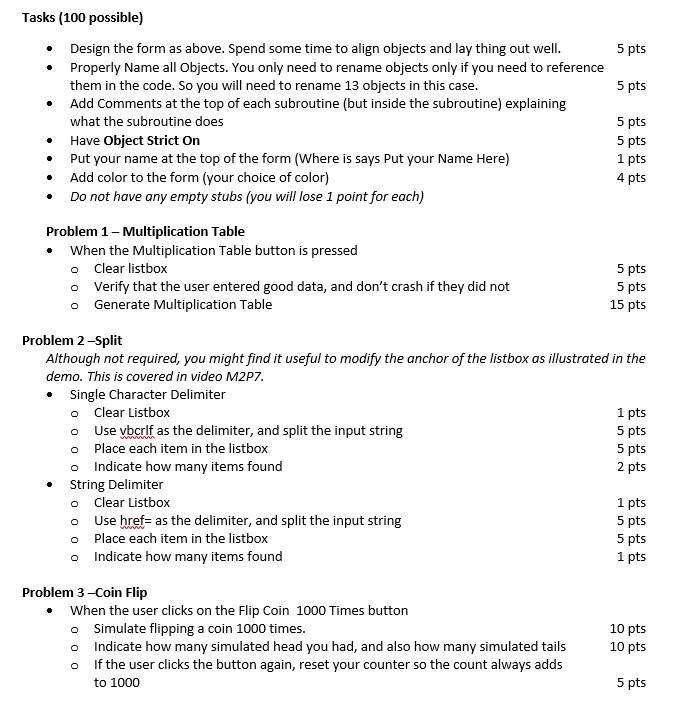
The purpose of this assignment is get some practice with looping, and to see some more benefits of debugging. This is going to involve 3 separate tasks. Problem 1- The user enters an integer in the textbox. When the Multiplication Table button is pressed, generate the multiplication table giving the product of the number entered times the sequence of number ranging from 1 to 10. If the entered number is 4, then then result should have the following structure. 4*1 = 4 4+2 = 8 4*3 = 12 4*4 = 16 EU 4* 10 = 40 Problem 2 has two parts. We want to break apart an input string to facilitate extraction of target information. Right now we are just going to do the first part - Splitting up a string at some delimiter. If you remember we did that in the M3P8 video dealing with split. You need to clear the listbox before placing the text in it. There are two ways to use the split function. One uses a single character. One can use multiple characters as the delimiter. We are going to use both To break the input into paragraphs, use the single character for the paragraph return (vbcrlf) as the delimiter. The user enters any text in the Source Textbox, and when they hit the Extract Sentences button, place each separate paragraph in the listbox, and indicate how many items you found. To breakout hyperlinks from a webpage, use the html property you use to specify an anchor tag as the delimiter. If you recall, an html anchor tag would look something like USC. For the delimiter it is useful to use href= as the delimiter. The user enters any text in the Source Textbox, and when they hit the Extract Links button, place each items in the listbox, and indicate how many items you found. Problem 3 The third problem is to simulate flipping a coin 1000 times and indicating how many heads and how many tails you get. Note, you must simulate 1000 random flips which requires a loop of some kind. Display the results. The exit button should exit the app. Put Your Name Here Problem 1 Enter an Integer bxOutput 3 Multiplication Table Problem 2 Source Text Extract Sentences Extract Links Items Found: ibiltems Found Problem 3 Fap Coin 1000 times Number of Heads Number of Tails lblHeads blTais Exit 5 pts . 5 pts . Tasks (100 possible) Design the form as above. Spend some time to align objects and lay thing out well. Properly Name all objects. You only need to rename objects only if you need to reference them in the code. So you will need to rename 13 objects in this case. Add Comments at the top of each subroutine (but inside the subroutine) explaining what the subroutine does Have Object Strict On Put your name at the top of the form (Where is says Put your Name Here) Add color to the form (your choice of color) Do not have any empty stubs (you will lose 1 point for each) 5 pts 5 pts 1 pts 4 pts . Problem 1 - Multiplication Table When the Multiplication Table button is pressed o Clear listbox o Verify that the user entered good data, and don't crash if they did not o Generate Multiplication Table 5 pts 5 pts 15 pts O Problem 2-Split Although not required, you might find it useful to modify the anchor of the listbox as illustrated in the demo. This is covered in video M2P7. Single Character Delimiter o Clear Listbox 1 pts Use vbcrlf as the delimiter, and split the input string 5 pts o Place each item in the listbox 5 pts o Indicate how many items found 2 pts String Delimiter o Clear Listbox 1 pts o Use href= as the delimiter, and split the input string 5 pts o Place each item in the listbox 5 pts o Indicate how many items found 1 pts Problem 3-Coin Flip When the user clicks on the Flip Coin 1000 Times button o Simulate flipping a coin 1000 times. Indicate how many simulated head you had, and also how many simulated tails if the user click the button again, reset your counter so the count always adds to 1000 10 pts 10 pts 5 pts The purpose of this assignment is get some practice with looping, and to see some more benefits of debugging. This is going to involve 3 separate tasks. Problem 1- The user enters an integer in the textbox. When the Multiplication Table button is pressed, generate the multiplication table giving the product of the number entered times the sequence of number ranging from 1 to 10. If the entered number is 4, then then result should have the following structure. 4*1 = 4 4+2 = 8 4*3 = 12 4*4 = 16 EU 4* 10 = 40 Problem 2 has two parts. We want to break apart an input string to facilitate extraction of target information. Right now we are just going to do the first part - Splitting up a string at some delimiter. If you remember we did that in the M3P8 video dealing with split. You need to clear the listbox before placing the text in it. There are two ways to use the split function. One uses a single character. One can use multiple characters as the delimiter. We are going to use both To break the input into paragraphs, use the single character for the paragraph return (vbcrlf) as the delimiter. The user enters any text in the Source Textbox, and when they hit the Extract Sentences button, place each separate paragraph in the listbox, and indicate how many items you found. To breakout hyperlinks from a webpage, use the html property you use to specify an anchor tag as the delimiter. If you recall, an html anchor tag would look something like USC. For the delimiter it is useful to use href= as the delimiter. The user enters any text in the Source Textbox, and when they hit the Extract Links button, place each items in the listbox, and indicate how many items you found. Problem 3 The third problem is to simulate flipping a coin 1000 times and indicating how many heads and how many tails you get. Note, you must simulate 1000 random flips which requires a loop of some kind. Display the results. The exit button should exit the app. Put Your Name Here Problem 1 Enter an Integer bxOutput 3 Multiplication Table Problem 2 Source Text Extract Sentences Extract Links Items Found: ibiltems Found Problem 3 Fap Coin 1000 times Number of Heads Number of Tails lblHeads blTais Exit 5 pts . 5 pts . Tasks (100 possible) Design the form as above. Spend some time to align objects and lay thing out well. Properly Name all objects. You only need to rename objects only if you need to reference them in the code. So you will need to rename 13 objects in this case. Add Comments at the top of each subroutine (but inside the subroutine) explaining what the subroutine does Have Object Strict On Put your name at the top of the form (Where is says Put your Name Here) Add color to the form (your choice of color) Do not have any empty stubs (you will lose 1 point for each) 5 pts 5 pts 1 pts 4 pts . Problem 1 - Multiplication Table When the Multiplication Table button is pressed o Clear listbox o Verify that the user entered good data, and don't crash if they did not o Generate Multiplication Table 5 pts 5 pts 15 pts O Problem 2-Split Although not required, you might find it useful to modify the anchor of the listbox as illustrated in the demo. This is covered in video M2P7. Single Character Delimiter o Clear Listbox 1 pts Use vbcrlf as the delimiter, and split the input string 5 pts o Place each item in the listbox 5 pts o Indicate how many items found 2 pts String Delimiter o Clear Listbox 1 pts o Use href= as the delimiter, and split the input string 5 pts o Place each item in the listbox 5 pts o Indicate how many items found 1 pts Problem 3-Coin Flip When the user clicks on the Flip Coin 1000 Times button o Simulate flipping a coin 1000 times. Indicate how many simulated head you had, and also how many simulated tails if the user click the button again, reset your counter so the count always adds to 1000 10 pts 10 pts 5 pts
Step by Step Solution
There are 3 Steps involved in it
To complete this assignment follow the steps below for each problem to practice looping and debugging in a Visual Basic Windows Forms application Prob... View full answer

Get step-by-step solutions from verified subject matter experts
 Study Help