







Question: Visual Basicss, Controls and events in programming using Visual Basics. Question 1, 3, 4, 5, 6, 7, 8, 20, 21, 23, 38. 1. Create a
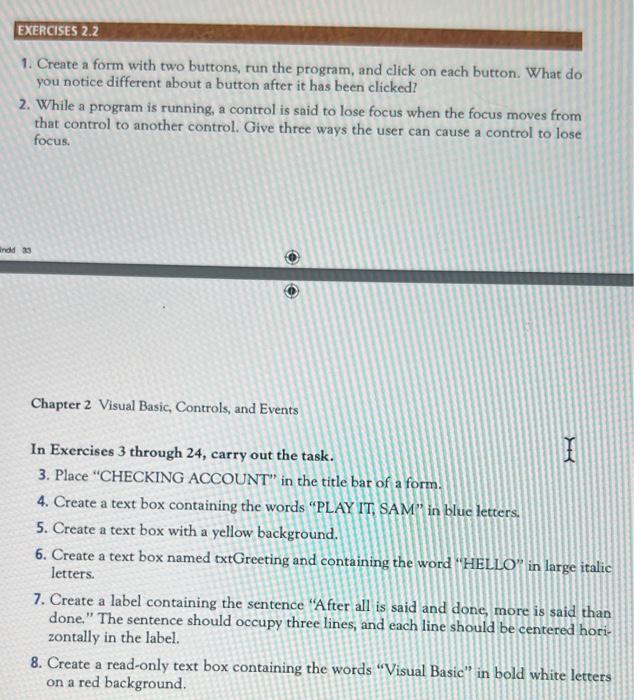
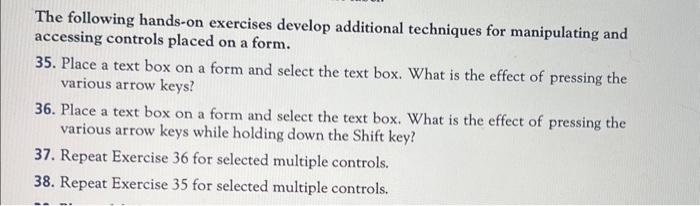
1. Create a form with two buttons, run the program, and click on each button. What do you notice different about a button after it has been clicked? 2. While a program is running, a control is said to lose focus when the focus moves from that control to another control. Give three ways the user can cause a control to lose focus. Chapter 2 Visual Basic, Controls, and Events In Exercises 3 through 24, carry out the task. 3. Place "CHECKING ACCOUNT" in the title bat of a form. 4. Create a text box containing the words "PLAY IT, SAM" in blue letters. 5. Create a text box with a yellow background. 6. Create a text box named txtGreeting and containing the word "HELLO" in large italic letters. 7. Create a label containing the sentence "After all is said and done more is said than done." The sentence should occupy three lines, and each line should be centered horizontally in the label. 8. Create a read-only text box containing the words "Visual Basic" in bold white letters on a red background. The following hands-on exercises develop additional techniques for manipulating and accessing controls placed on a form. 35. Place a text box on a form and select the text box. What is the effect of pressing the various arrow keys? 36. Place a text box on a form and select the text box. What is the effect of pressing the various arrow keys while holding down the Shift key? 37. Repeat Exercise 36 for selected multiple controls. 38. Repeat Exercise 35 for selected multiple controls
Step by Step Solution
There are 3 Steps involved in it

Get step-by-step solutions from verified subject matter experts
 Study Help