







Question: want Java code and xml code for android studio Problem Description Overview of Android Views, UI design, and usage using XML. MVP design pattern is
want Java code and xml code for android studio 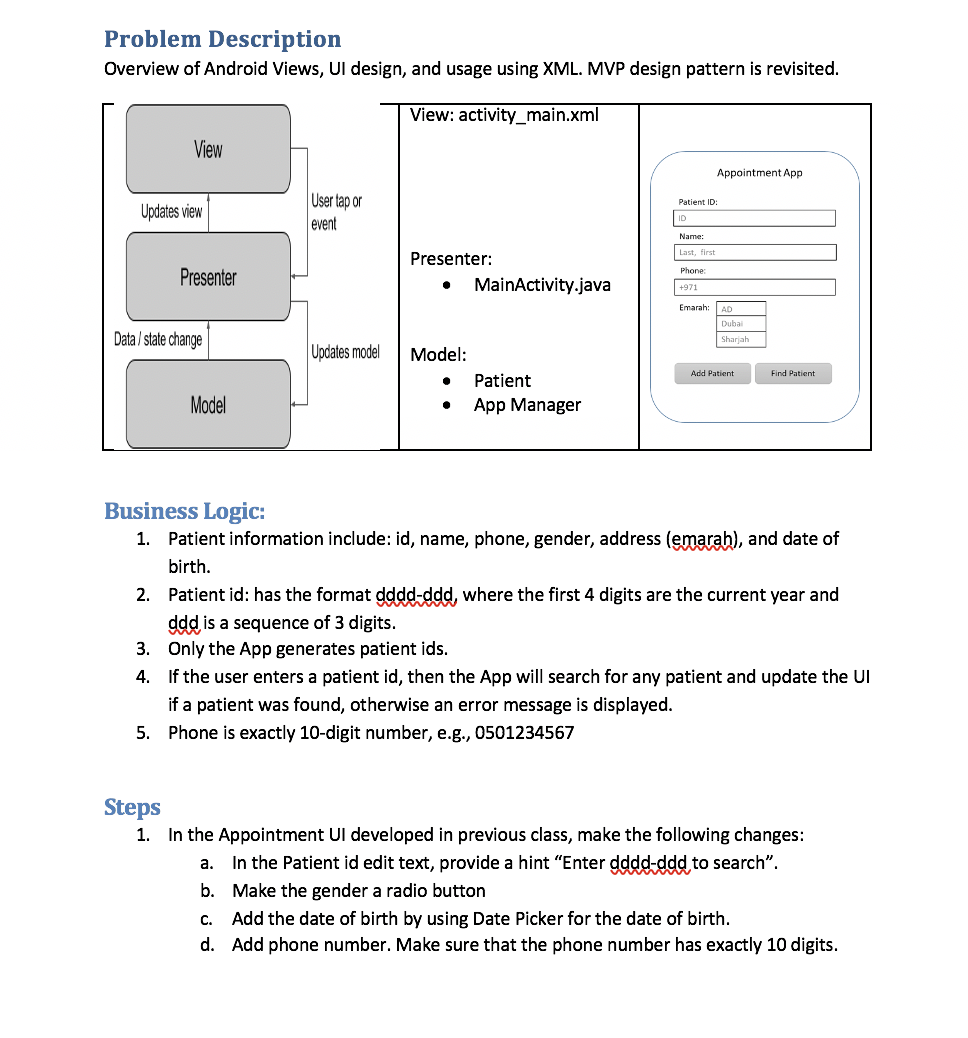
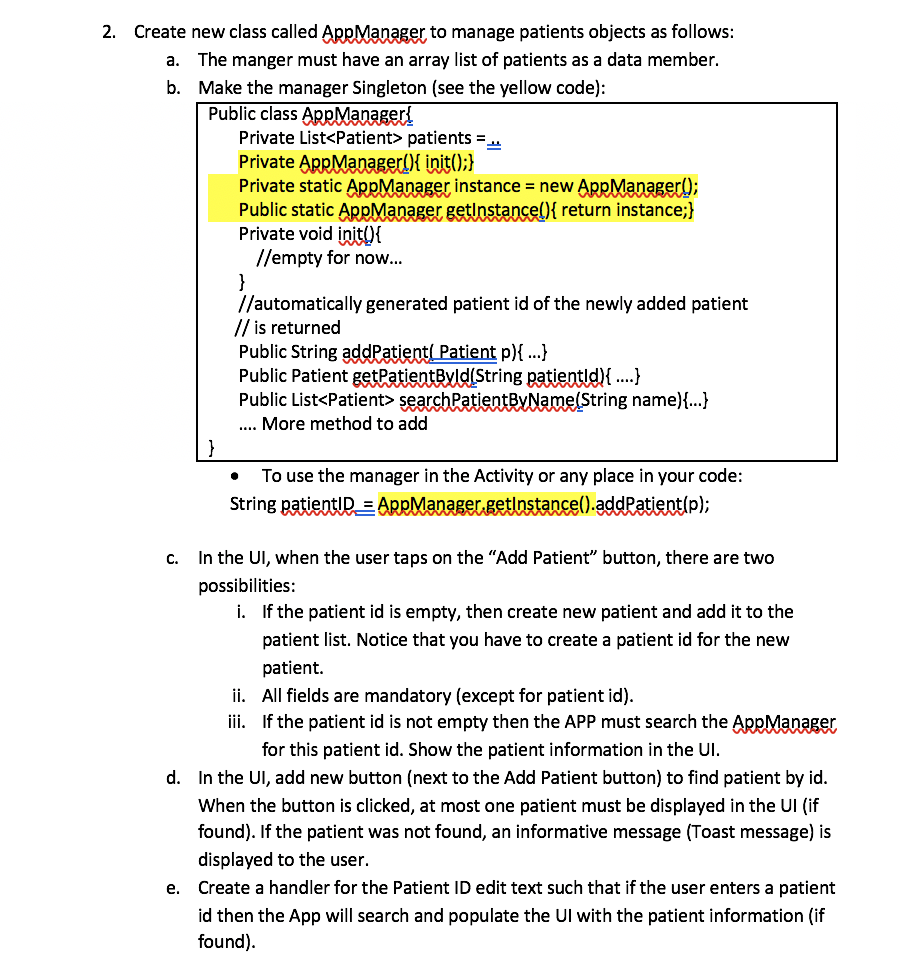
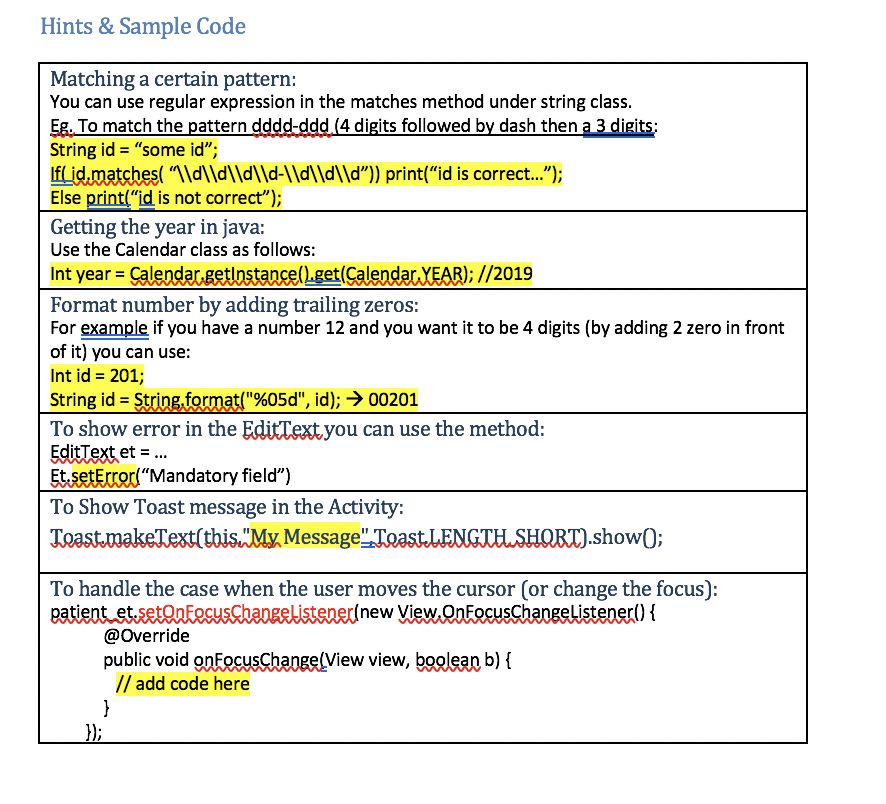
Problem Description Overview of Android Views, UI design, and usage using XML. MVP design pattern is revisited. View: activity_main.xml View Appointment App User tap or Patient ID: Updates view event Name: Last, first Presenter: MainActivity.java Phone Presenter +971 Emarah: an Duba Data/ state change Sharjah Updates model Add Patient Find Patient Model: Patient App Manager 0 Model Business Logic: 1. Patient information include: id, name, phone, gender, address (emarah), and date of birth. 2. Patient id: has the format dddd-ddd, where the first 4 digits are the current year and ddd is a sequence of 3 digits. 3. Only the App generates patient ids. 4. If the user enters a patient id, then the App will search for any patient and update the UI if a patient was found, otherwise an error message is displayed. 5. Phone is exactly 10-digit number, e.g., 0501234567 Steps 1. In the Appointment UI developed in previous class, make the following changes: a. In the Patient id edit text, provide a hint "Enter dddd-ddd to search". b. Make the gender a radio button c. Add the date of birth by using Date Picker for the date of birth. d. Add phone number. Make sure that the phone number has exactly 10 digits. 2. Create new class called Apr Manager to manage patients objects as follows: a. The manger must have an array list of patients as a data member. b. Make the manager Singleton (see the yellow code): Public class AppManageri Private List
Step by Step Solution
There are 3 Steps involved in it

Get step-by-step solutions from verified subject matter experts
 Study Help