







Question: We are using cyrin lab software to complete this assignment. Can you please tell me the commands to execute this in terminal. Don't use advanced
We are using cyrin lab software to complete this assignment. Can you please tell me the commands to execute this in terminal. Don't use advanced code try it to make it simple.
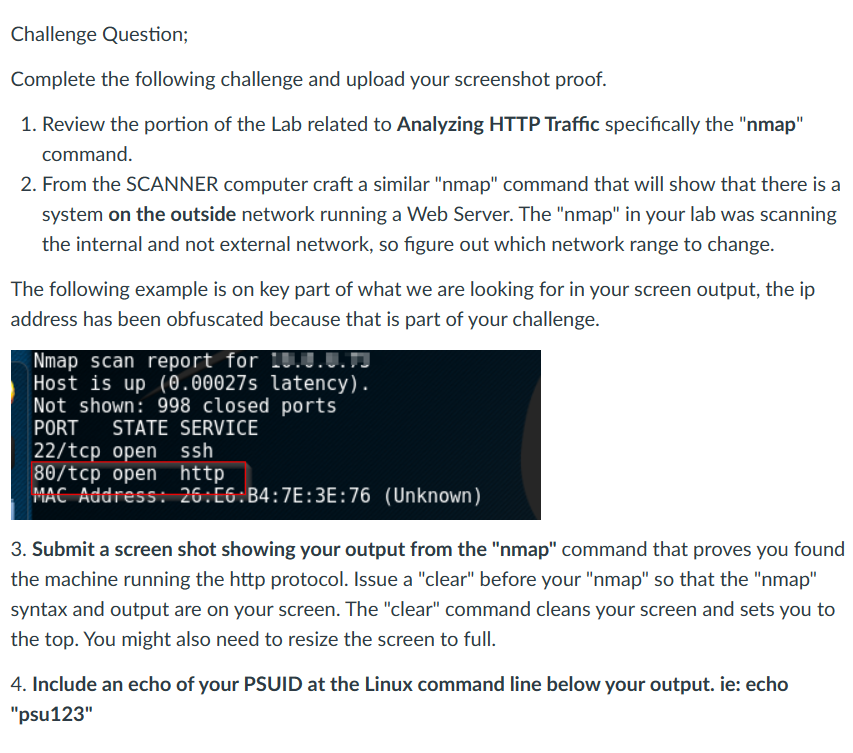
Challenge Question; Complete the following challenge and upload your screenshot proof. 1. Review the portion of the Lab related to Analyzing HTTP Traffic specifically the "nmap" command. 2. From the SCANNER computer craft a similar "nmap" command that will show that there is a system on the outside network running a Web Server. The "nmap" in your lab was scanning the internal and not external network, so figure out which network range to change. The following example is on key part of what we are looking for in your screen output, the ip address has been obfuscated because that is part of your challenge. Nmap scan report for 10.0.0.73 Host is up (0.00027s latency). Not shown: 998 closed ports PORT STATE SERVICE 22/tcp open ssh 80/tcp open http MAC Address: 26:E6:B4:7E:3E:76 (Unknown) 3. Submit a screen shot showing your output from the "nmap" command that proves you found the machine running the http protocol. Issue a "clear" before your "nmap" so that the "nmap" syntax and output are on your screen. The "clear" command cleans your screen and sets you to the top. You might also need to resize the screen to full. 4. Include an echo of your PSUID at the Linux command line below your output. ie: echo "psu123"
Step by Step Solution
There are 3 Steps involved in it

Get step-by-step solutions from verified subject matter experts
 Study Help