







Question: Web System Dev Php-Multiplayer, persistent, territory Sconquering game Gameplay overview This is a team based game The purpose is for each team to claim as
Web System Dev
Php-Multiplayer, persistent, territory Sconquering game
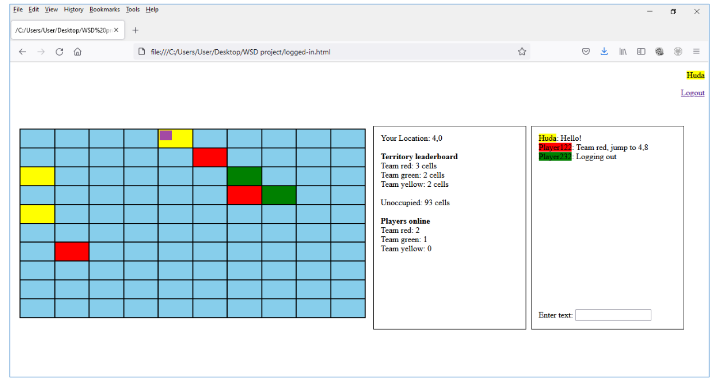
Gameplay overview
This is a team based game
The purpose is for each team to claim as much territory as possible
Territory is represented as a 10x10 grid
The game will be persistent because players can log out and continue playing (the game state though may change during this time due to actions taken by other players)
Basic mockups are attached for reference
Gameplay details
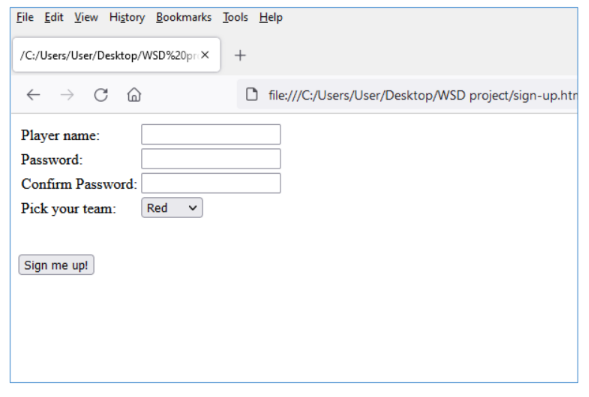
Sign Up-------------
-A player must sign up with a unique user name
-Can pick either red, green or yellow team
-After signup, player will be logged in and will land on gameplay screen
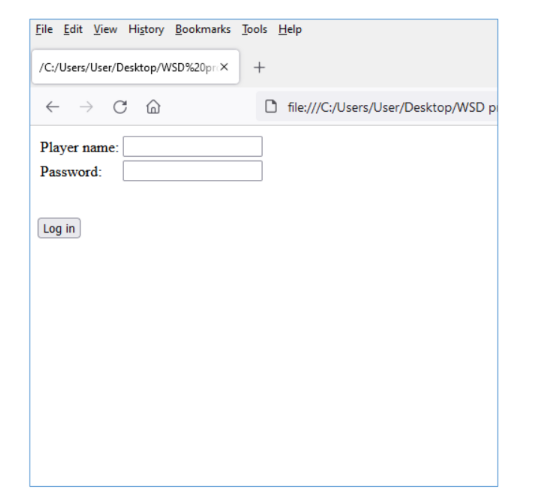
Log In-------------
-Log in with player name and password
-Either logs in and takes to gameplay screen or asks to try again (in case of incorrect credentials)
Log Out-----------
When the player logs out, take them to a landing page for the game.
Gameplay screen
For the first time that a player logs in they will land on any random cell
Their location is shown by the purple image (you can replace this with an icon sized image to improve the look and feel of the game)
The background color of a cell shows the team which owns the territory
Cells owned by no-one are blue (all will be blue at the start, as you continue playing over time, blue cells will disappear; since the game is supposed to be persistent, the blue cells will not come back via gameplay once gone)
Player movement
The player can move to another cell by clicking on it
The movement response should be implemented using Ajax so it appears instantaneously
The move information needs to be sent to the backend so changes in territory ownership can be made if needed (and then reflected to each user)
Territory ownership
Territory ownership
A players team can take over a cell if the number of their teams ships on location is greater than the number of ships belonging to the other teams. Ties are broken by arrival time, a later arrival time wins over an earlier one. Some test cases are given below
-3 yellow and 1 red is owned by yellow
-1 red only is owned by red
-2 red and 2 blue, owned by whichever color has reached there last
Note that if, e.g., a green player is sitting on a blue cell alone, and then moves to another cell, the original cell will remain under green ownership until another color ship lands there
Status Panel
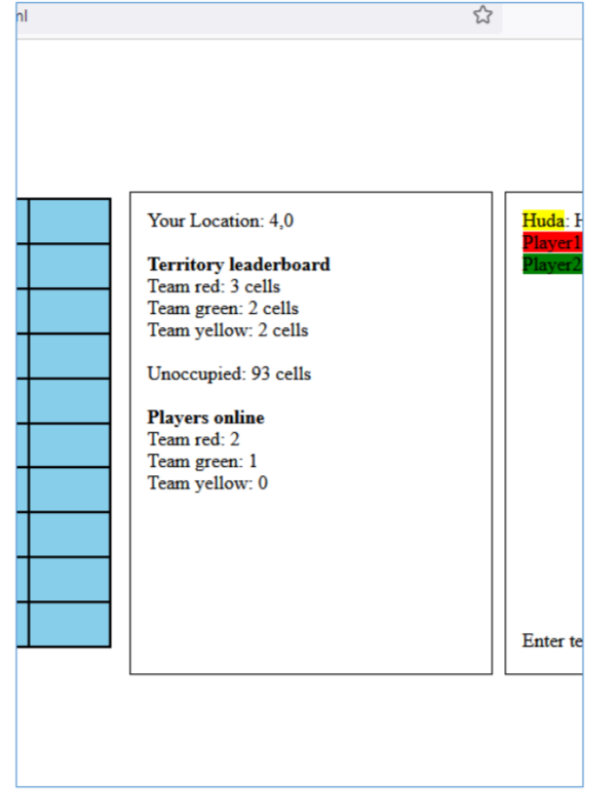
One panel on will show details
In addition, hovering a cursor over a cell will show the names of the players on the spot in a tooltip (shown on first two colored cells in the mockup)
Chat Panel
Another Panel for chat
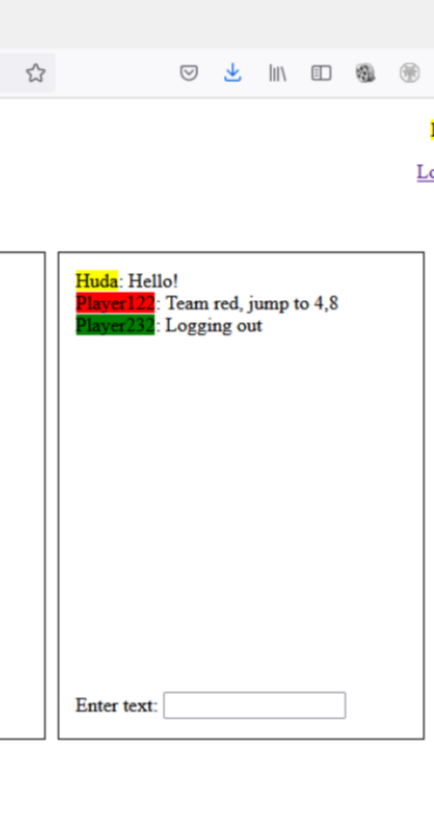
Fie Edt Wew Highory Esokmsks Iook Hely \begin{tabular}{|l|l|l|l|l|l|l|l|l|l|} \hline & & & & & & & & & \\ \hline \end{tabular} Your Location: 4,0 Territory leaderhoard Team red: 3 cells Team green: 2 cells Team yellow: 2 cells Unoceupind: 93 erils Players online Team red: 2 Tean green: 1 Team yellow 0 Muda: Mello! Player 121: Teaen red, jump to 4,8 Inzonat Plansn232 Lagging out Einter text /C:/Users/User/Desktop/WSD%20pr+ CA file:///C:/Users/User/Desktop/WSD project/sign-up.htr Player name: Password: Confirm Password: Pick your team: Sign me up! File Edit View Hitory Bookmarks Iools elp /C:Users/User/Desktop/WSD%20pr+ file:///C:/Users/User/Desktop/WSD p Player name: Password: log in Your Location: 4,0 Territory leaderboard Team red: 3 cells Team green: 2 cells Team yellow: 2 cells Unoccupied: 93 cells Players online Team red: 2 Team green: 1 Team yellow: 0 Enter te Huda: Hello! Player 122: Team red, jump to 4,8 Player232: Logging out
Step by Step Solution
There are 3 Steps involved in it

Get step-by-step solutions from verified subject matter experts
 Study Help