







Question: what is the difference between the information you got from A and B? A. How to find some information about the cash memory of your
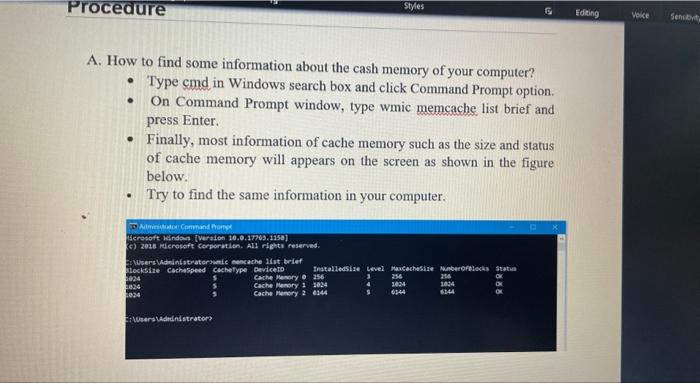
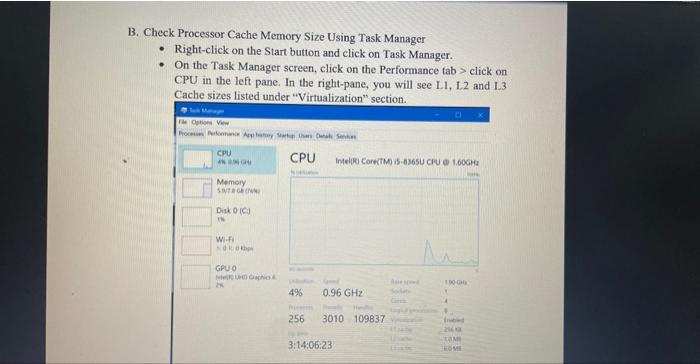
A. How to find some information about the cash memory of your computer? - Type cmd in Windows search box and click Command Prompt option. - On Command Prompt window, type wmic memcache list brief and press Enter. - Finally, most information of cache memory such as the size and status of cache memory will appears on the screen as shown in the figure below. - Try to find the same information in your computer. B. Check Processor Cache Memory Size Using Task Manager - Right-click on the Start button and click on Task Manager. - On the Task Manager screen, click on the Performance tab > click on CPU in the left pane. In the right-pane, you will see L.1, L.2 and L.3 Cache sizes listed under "Virtualizatinn" eantion
Step by Step Solution
There are 3 Steps involved in it

Get step-by-step solutions from verified subject matter experts
 Study Help